Is any on having problems with popup Arcade expression in the Web viewer?

I'm using Web 5.13 which has added support for asynchronous Arcade scripts. In practice, this means that any Arcade script configured in Esri's map viewer interface will work correctly regardless of whether it is a synchronous or asynchronous Arcade script. So, this should work in an identify/pop-up, but I'm running into an issue. I've configured a web map popup using Arcade expressions. It works in the Esri map viewer. However, in Geocortex Web, the first layer feature that is selected works fine. However, selecting any other feature in the same layer displays #INVALID? . See below. Is there still an issue with Arcade scripts in expressions used for popups in AGOL?
Thanks,
Frank
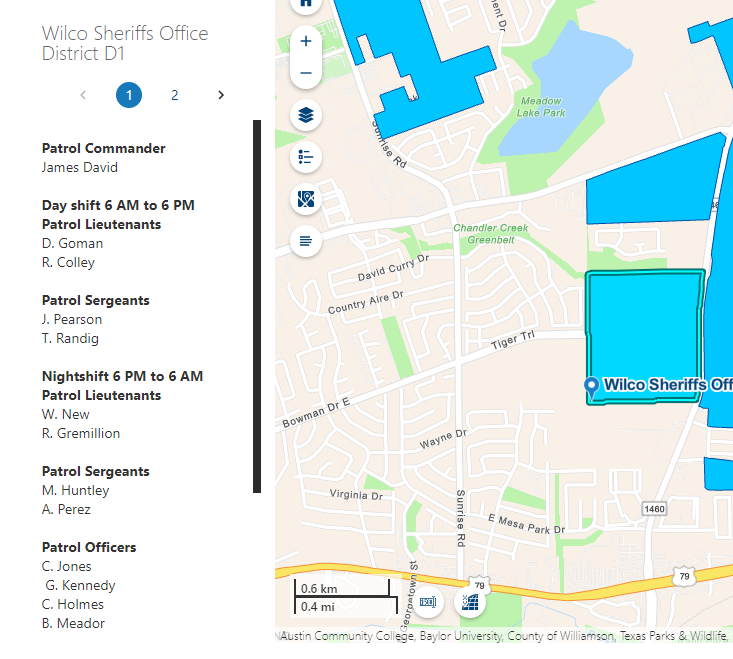
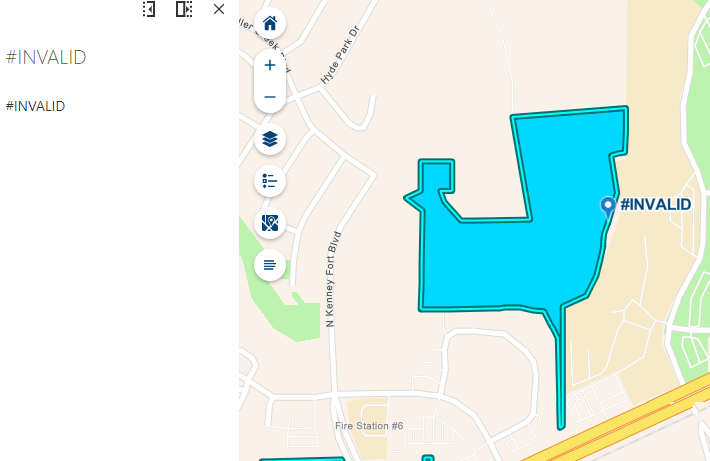 ?
?
-

Hi Frank,
A few questions to help narrow down the issue:
- Are there any errors displayed within the browser console when you click on another feature?
- Are there any related records being reference in the Arcade script?
- Are you able to provide a link for us to debug this issue?
Thanks, Stefan
0 -
Hi Stefan,
- Yes, I found some errors. When the second feature is selected, the feature fields used in the expression can no longer be found. Also, the web viewer stopped displaying the TextFormatting.NewLine Arcade constant.
- There are no related records, however the feature is joined to a geotable. The map service was created using Pro (where the join was created), then published to an ArcGIS Server, and then the map service is used in the web map.
- Here's the web viewer url: https://orbtest.wilco.org/Geocortex/WebViewer/?app=a08374f92cb643c085e699847542eb7d
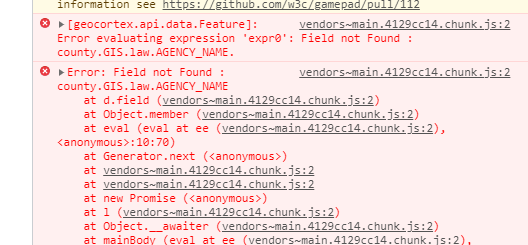 Let me know if you need any additional information.
Thanks,
Frank
0 -
Hi Frank,
There are a few different scenarios that might cause this value to be displayed based on your data configuration but since it returns correctly the first time, its likely there's an issue in the product that we'll look further into. The URL that you've provided fails to load for me; could you take a look?
Thanks, Stefan
0 -
Hi Stefan,
I'm sorry the we viewer isn't loading. That is the correct URL. https://orbtest.wilco.org/Geocortex/WebViewer/?app=a08374f92cb643c085e699847542eb7d
Not sure what's going on there.
I've been working with Amanda, and she found that if the fields are shown in the popup/map tip results the Arcade expressions will work. However, that isn't desirable. The web viewer is currently configured that way to test the workaround. There has been a bug #47109 filed as well.
Thanks,
Frank
0 -

3 years later, but we are running into the exact same issue unfortunately; as soon as you add Arcade expressions in a WebMap, only a part of the fields is shown in the Web viewer. Adding a field list in the pop-up seems to be a solution, but it is not preferable.
2 -

This does really seem like a bug in VSW. I wonder if it is trying to short circuit loading only columns that are to be displayed, and check the fields list and text objects, but not arcade expressions to know what to load.
So far the best Band-Aid I have found is to use a text element setting the font size to 1 and colour to pure white, IE the HTML inside the text portion looks like this.
<p>
<span style="color:#FFFFFF;font-size:1px;">{AREA_calc}; {LegalPlanID}; {DistrictLotID}; {ParcelID}; {BlockID}; {LotID}; {FreeLegal}; {ShortLegal}; {CivicAddress}; {Zoning}; {Year1}; {Year1_value}; {Year1_value_land}; {Year1_value_buildings}; {Year2}; {Year2_value}; {Year1_value_land}; {Year1_value_buildings}; {Encumbrance}; {Year2_value_buildings}; {Year2_value_land}; {Year3}; {Year3_value}; {Year3_value_land}; {Year3_value_buildings} </span>
</p>1 -

FYI
You may also have a look at the related discussion here: Arcade expression fails in Popup in VertiGIS Studio Web when second feature clicked – VertiGIS Support
0 -

Is there already a solution to this problem?
1
Du måste logga in om du vill lämna en kommentar.
Kommentarer
8 kommentarer