No Rectangle or multi-point option for Geometry Picker?

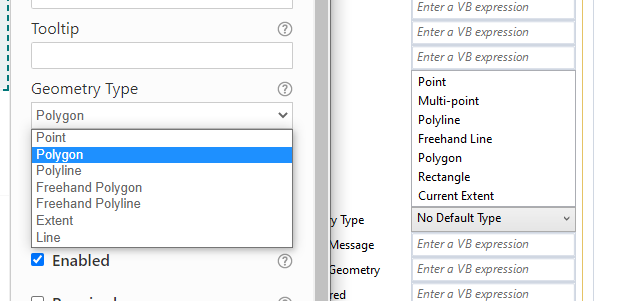
Many of our Workflow4 workflows default to the rectangle option for a user to draw a shape. Why is there no Rectangle option (or multi-point) in Workflow5?
Workflow5 on left, Workflow4 on right
 ?
?
-

Hi @Ryan Kelley? ,
You can use Extent instead of Rectangle. We just re-captioned it to match the Esri geometry types. As for multi-point, it has been suggested on our Ideas page, but so far does not have many votes:
0 -
I see - did not realize the Extent option translated as a rectangle in WF5. Thank you. I upvoted the multi-point tool Idea. Having a multi point option is critical for us, as users often select multiple road segments to define pieces that will be worked on in a project. Sometimes there are 30 segments that define a record, as the segments end up getting dissolved as a single record.
0 -

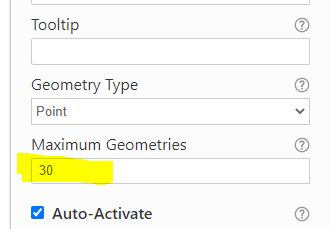
@Ryan Kelley? Not an ideal solution, but you could bump up the maximum number of geometries in your Geometry Picker. The user will need to click Add Location for each unless you can put in some logic to Auto-Activate the control after the first point has been added (I have not tried this).
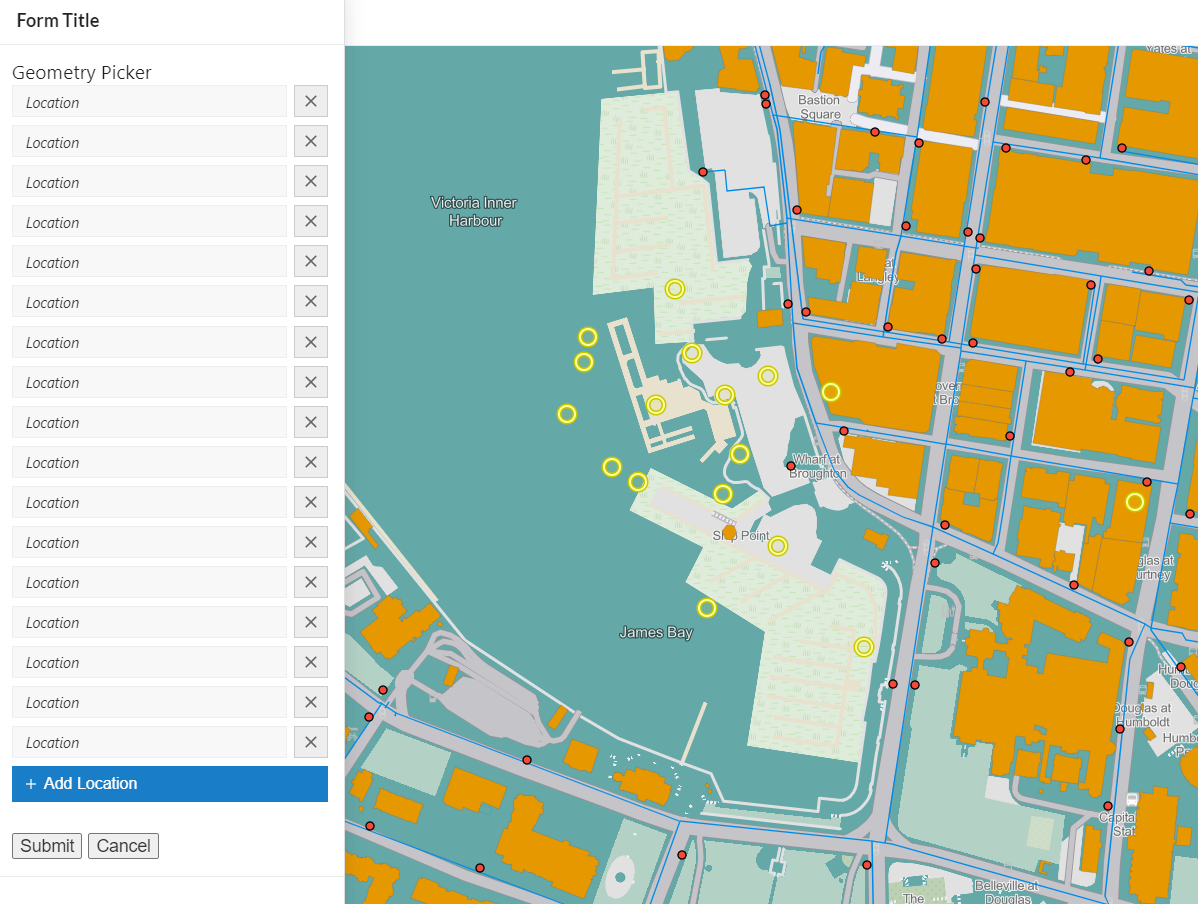
You could also look at using a road network then routing between a start and end point to pick up the road segments (this is assuming the road segments for the project are contiguous).
1 -
Thanks for the response Dan. I'll try that out - good idea.
0 -

Ryan Kelley Hi Ryan, don't know if you ever figured this out, but just in case... If you add a Set Form Element Property activity to the Geometry Picker change event with Point as the geometry type, then set the autoActivate property to true, you can add as many points as you need up to the maximum you set without clicking Add Location again. This actually works better than the multi point selection in Essentials Workflow, since your users don't need to double-click to finish selecting points.
0 -
Emily Renkema - awesome! That works great, and you're right, much better than the Essentials double-click (no special instructions either to mention the double click) Thank you.
0
Du måste logga in om du vill lämna en kommentar.
Kommentarer
6 kommentarer