Odd behaviour with Button options in Button bar

Running Geocortex Workflow Version 5.22.2
We have noticed that the Default and Causes Validation options in the buttons of a button bar do not appear to change their state when clicked on. When we click on a different control, then back on the Button Bar, the change in state appears. Confirmed this behaviour on three existing workflows and a new blank one. This looks like a bug? See video attached.
It also appears that the Default can be set on more than one button, which doesn't seem right?
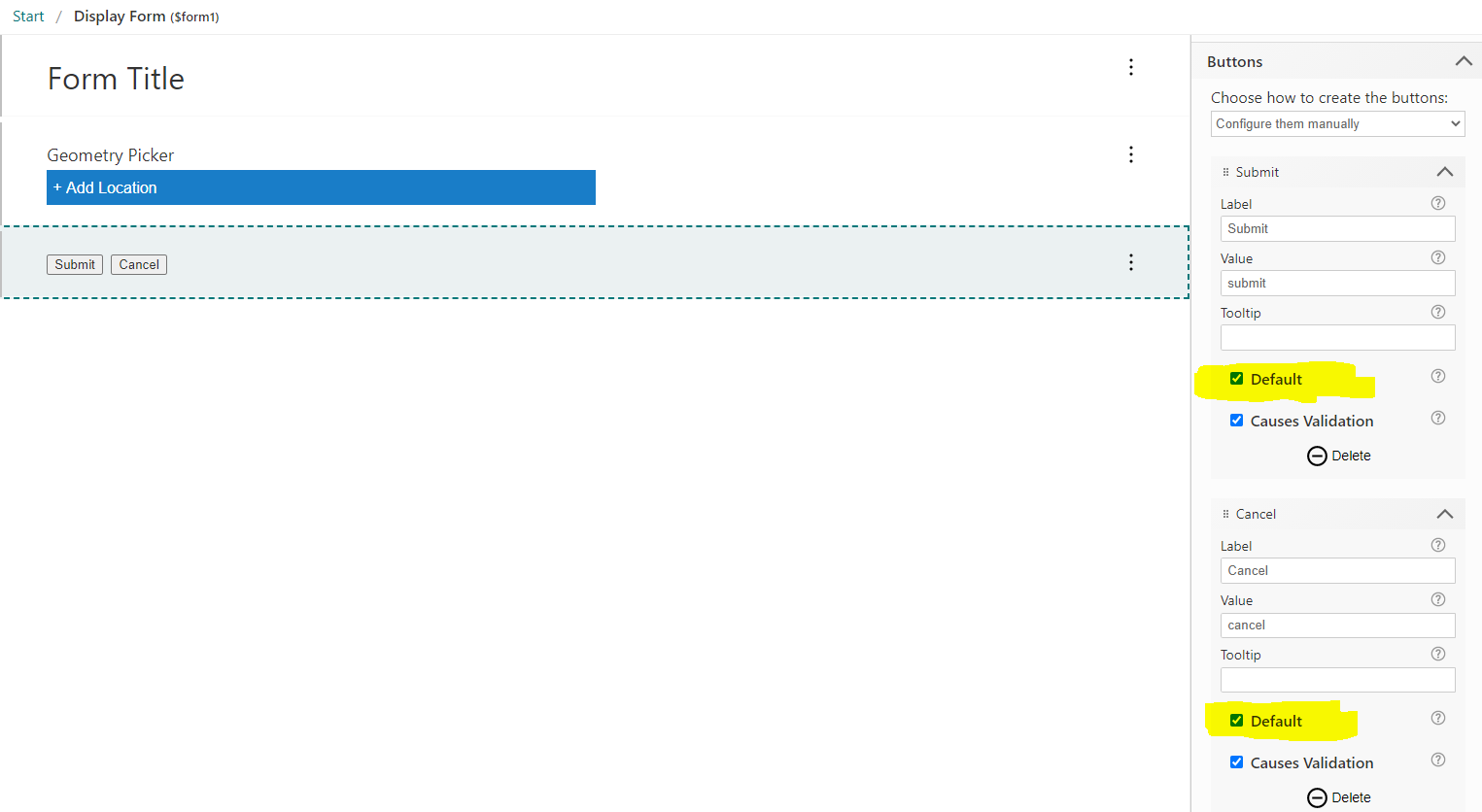
Can anyone replicate this behaviour?
-

Hi @Dan Joyce?,
You're right. There's definitely a bug here. I've added it to our backlog.
Also note that this isn't limited to the Button Bar. It is also evident on other Form Elements that contain items. For example, the Checked property of a Check Box within a Check Group has the same problem. Checkboxes that relate to the Form Element itself (Enabled, Required and Visible) seem to work correctly.
0 -
@Ken Lyon? thanks for the confirmation.
0
Du måste logga in om du vill lämna en kommentar.
Kommentarer
2 kommentarer