Branding Colors

I have a few questions related to changing the default branding of a Vertigis Studio Web application. I experimented with creating a custom theme as described here: https://developers.vertigisstudio.com/docs/web/configuration-theme I was able to alter the button colors, toolbar, tabs, etc. based on changing the default values of global CSS entries like PrimaryBackground.
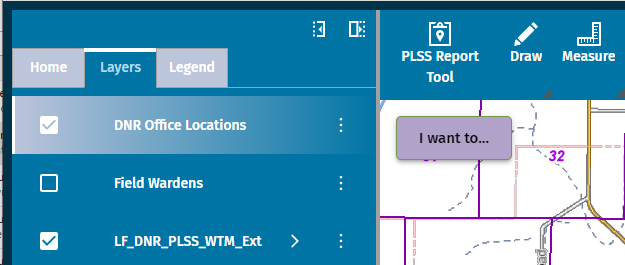
1) Short of going through all 88 CSS entries and seeing what components change color, is there a cross-reference table that lists which components use them? For instance, which one changes the toolbar background color, or which one is used in Panel, Tabs, Home, etc.?
2) Some CSS entries seem to be used by multiple components. If I wanted to change the background color of one component (toolbar), how do I prevent it from altering the background color of something else (i.e. the map)?
FWIW, I partly answered my question #2 above by creating a startup workflow and using the InjectCSS activity, followed by adding this CSS:
.gcx-map-container{
 background-color: white
}
I was also able to change the default font, by adding this CSS:
body {
  --defaultFont: "Fira Sans", sans-serif;
}
The problem with the workflow approach is that the web application loads before the workflow runs and the user sees all the default CSS settings before they get changed a second later.
3) Short of figuring out how to change the sequence of when to apply the CSS, is there a better way to do this?
4) Is there a way to assign a CSS class with a given component (i.e. image). In the effort to overwrite the default background color of a transparent image, I needed to use the ID and use the following CSS. It's a less than ideal way of doing this and be very time consuming to pick through each component:
.gxw-ltr-1xqrf99{
 background-color: #0075A5
}
-

I would also like documentation on CSS classes.
2 -

+1 for the reference table, if such a thing exists.
When are you running that startup Workflow, Mike Diss-Torrance? I would think the App Initializing event would happen pretty early, though I wouldn't be surprised to see some elements race ahead of the CSS injection like the toolbar.
FWIW, I found the main colors defined in a document at <your.domain.here>/vertigisstudio/web/static/js/main.bf1b5fee.js, didn't go hunting on the server for it yet and it looks like it may not be super-duper static, but you can probably find those values defined in the source files on the server around there. Notepad++ can search for text such as "accentIconBackground" in a directory. Obviously this is not an ideal solution, but if CSS injection in WF is too slow it might be something to try (carefully & with good backups).
To your last point on CSS Selectors, I have yet to need to use one of those UID's to bind to anything (though they can be tempting they sometimes pop up in unexpected places...). Consider chaining selectors with combinators when you can, especially the child combinator (">"). The attribute selector is also your friend. I like the W3 cheatsheet.
1 -

Any chance we will have the ability to apply some simple color changes without digging into CSS classes?
I just wanted to change the toolbar area and icon color should be pretty simple no?
5 -

I am a newbie to vs studio. So I want to design my template in vs web. I don´t know where to configure the theme. Is there a .json and a.xml to edit ? The link above doesn´t help me. Where is the app saved and do I have to edit this app?
0 -
See the documentation of the Branding service, it is one of the services you can configure in your app in the VS Web designer.
https://docs.vertigisstudio.com/webviewer/latest/admin-help/settings-branding.html
0
Du måste logga in om du vill lämna en kommentar.
Kommentarer
5 kommentarer