Set layer and all parent (group)layer visible

Hello,
I am working with some web maps in ArcGIS Enterprise that uses group layers to bundle various map image layers or WMS layers. I am integrating this web map into a VertiGIS Studio Web project. Unfortunately, in VertiGIS Studio, I always have to check and enable all the group layers up the hierarchy in order to actually see a specific layer.
I would like to attach a workflow to each layer -as a layer action- that sets the specific layer and all its parent and group layers to visible. Does such a workflow perhaps already exist or how else can I solve this problem?
Best regards,
Robert Walter
-

Perhaps this workflow is a starting point?
https://support.vertigis.com/hc/en-us/community/posts/38634118090002/comments/38781924574098
0 -

We Build a workflow who toggle the parent layers.
You can set to a event listener fort „layers.visibility-changed“ in Vertgis Studio Web
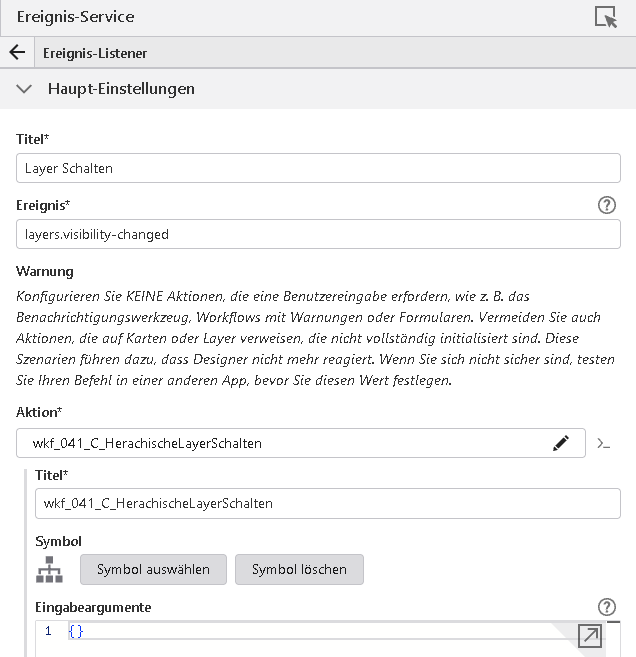
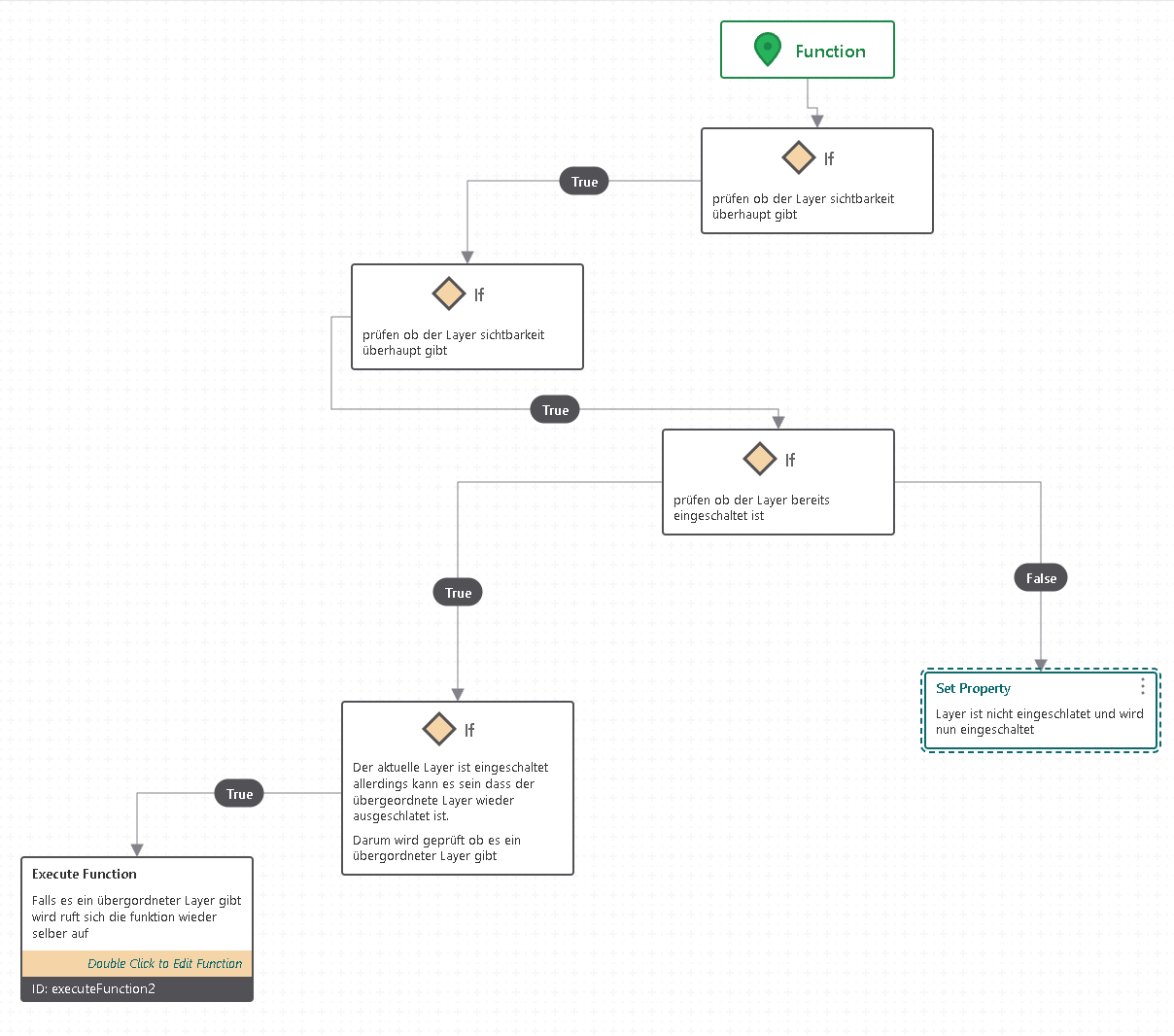
In the Workflow is a function who trigger his self and when the workflow toggle the layer, then start the event listener the workflow again and so they loop until to th top of the layer.
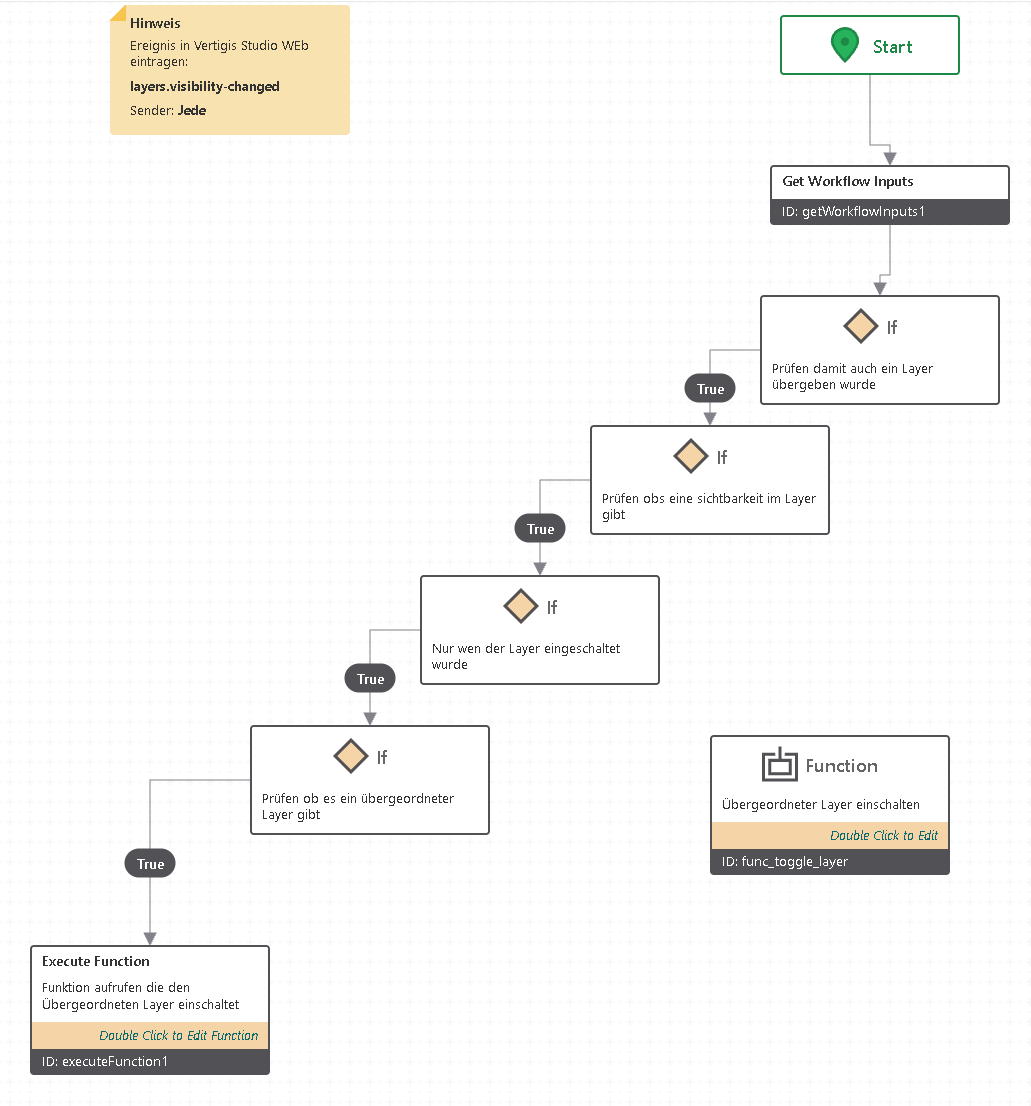
the Function:
We have copy the workflow to arcgis Online
https://lrasig.maps.arcgis.com/home/item.html?id=85be376528b448ed9ce7fb98cac0d072
1 -
Hello Mr. Di Bari,
the workflow works perfectly.
Many thanks!!!
Best regards, Robert Walter0 -

Hi Franco Di Bari,
This is truly a fantastic solution! It has been highly requested in our organization for a long time, and it was actually a feature that users had in some of our previous systems.
Thank you very much for sharing your workflow. I really appreciate it!
0 -
Thank you very much—we're glad it was able to help you. My colleague Simon Löffler wrote the workflow—I'll pass along your thanks to him.
1
Vous devez vous connecter pour laisser un commentaire.
Commentaires
5 commentaires