Results list items - height adjusts to amount of data?

Hello,
I have a map click event to return results found from multiple layers in a VertiGIS Studio Web app for Police to use in their vehicles. Some layers only return the title from the popup and other layers return more information. Right now, I can only find a way to set one height for the result list items. The result is as you see below (labeled with red 2s). Lots of blank space for the layers that only return one small piece of info, but not large enough for the item with 4 lines.
Has anyone been able to do something like what I am suggesting?
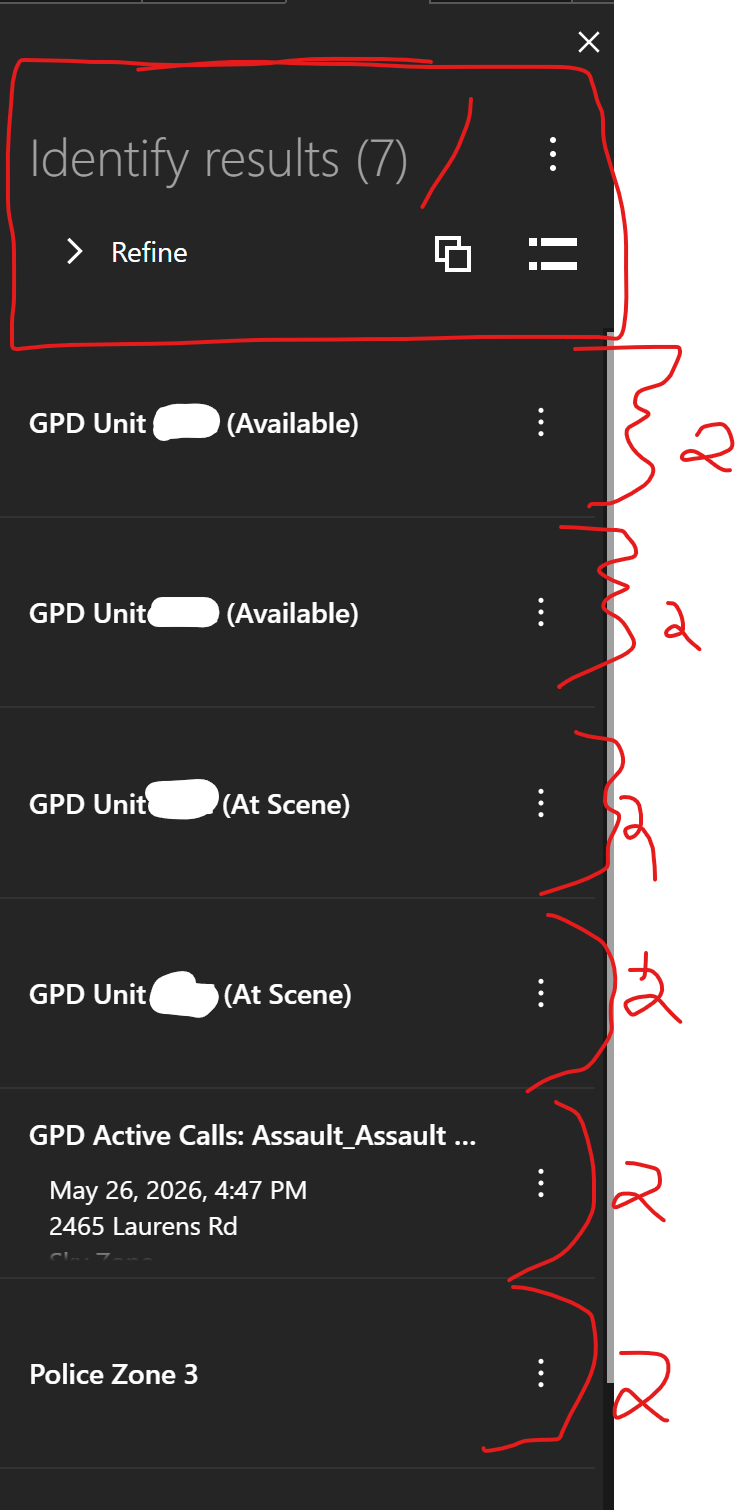
Also, about the area with a red 1 in the above image, has anyone found a way to reduce the amount of space taken up by all of these options.
By the way, I started to create an arcade expression that used $userInput to create a popup for one large layer that drilled down to the other layers. It would be nicer looking. But, alas, VertiGIS wouldn't recognize the $userInput and has either been submitted as a bug or enhancement (cannot remember which).
Edited 5-27-26 to place in correct topic. I had inadvertently added it to the Ideas section (of course, it may end up there eventually)
-

I don't have an answer for your question but I have asked something like this before if you want to follow that thread as well - https://support.vertigis.com/hc/en-us/community/posts/11497551667090-Configure-Results-List-like-GHV. Occassionaly, it will get a hit. Hopefully, this will be addressed in the future.
0 -

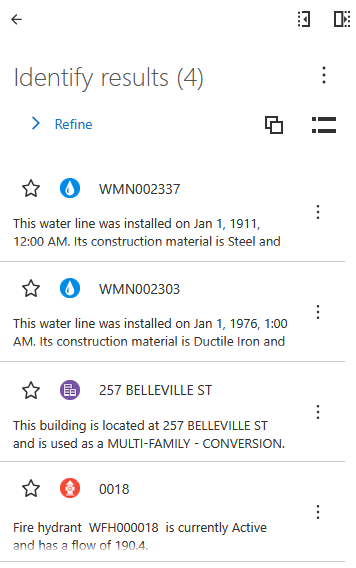
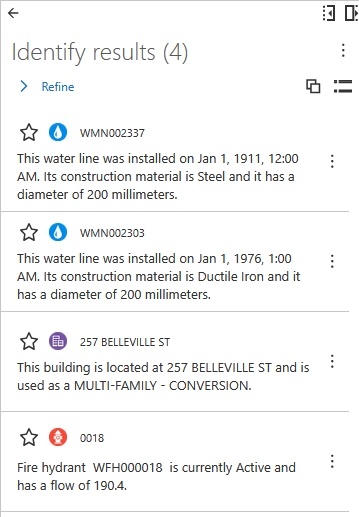
Have you tried Compact View?
Before:
After:
 0
0 -
Berend,
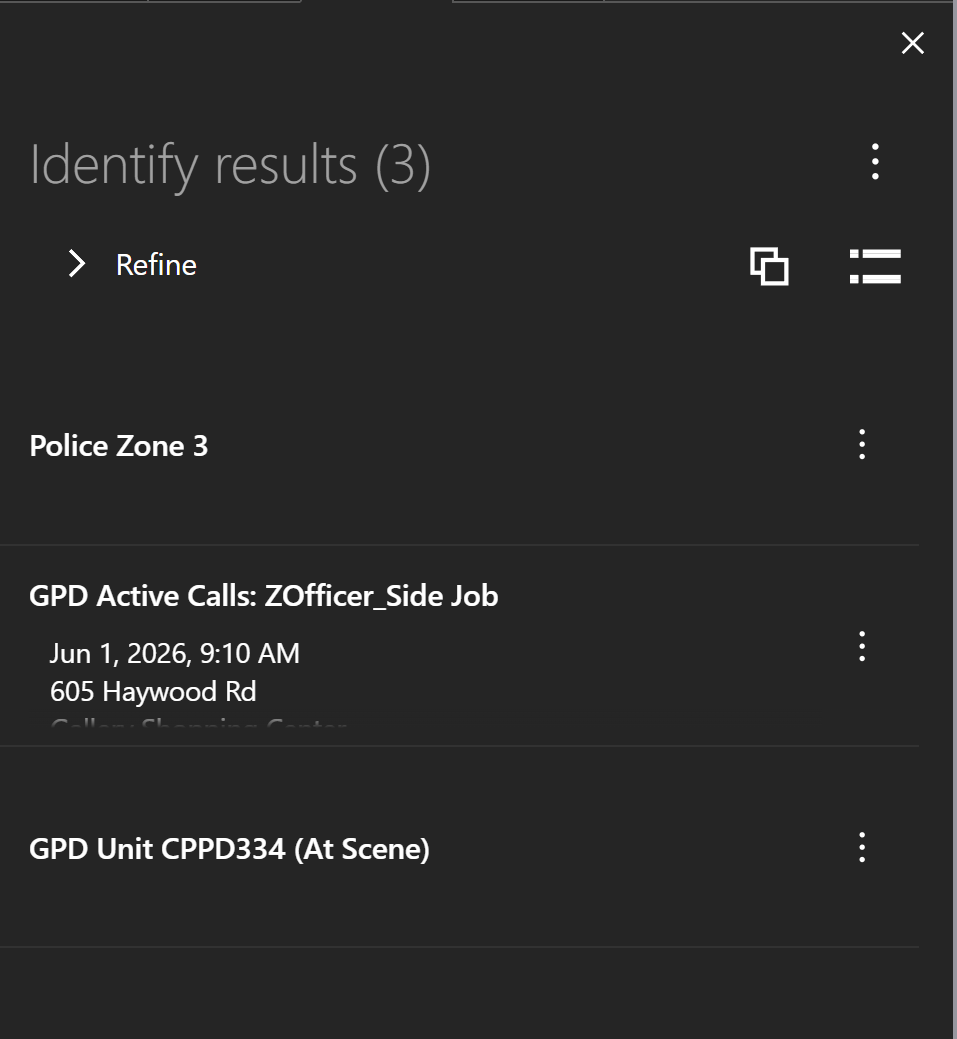
Very interesting. Compact View doesn't help in my app.
Non-Compact View (preferred with officer MDTs):
Compact View:
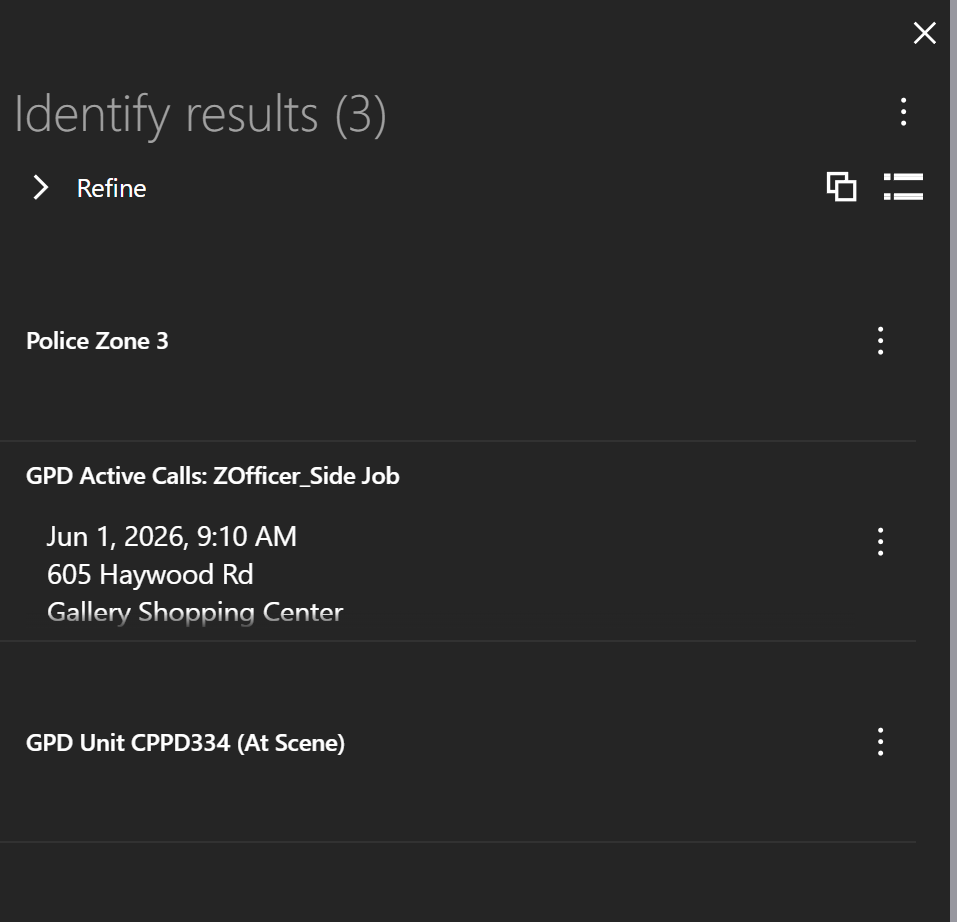
Any suggestions as to why my compact view is not working the same as yours?
0
Vous devez vous connecter pour laisser un commentaire.
Commentaires
3 commentaires