Sketch Tool, Using default symbology setting with custom command

Hello,
In Vertigis studio Web we give users the option to drawn on the map using the sketch tool. For Polygon's and lines we use the default setting and activate the switch for 'Default Symbology'
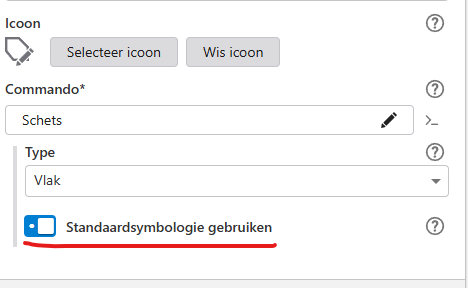
For sketching points on the map we use a custom command with the system.repeat-action so they can place multiple points after each other without having to activate the sketch point tool between every point. By setting a custom command the button for default symbology dissapears.
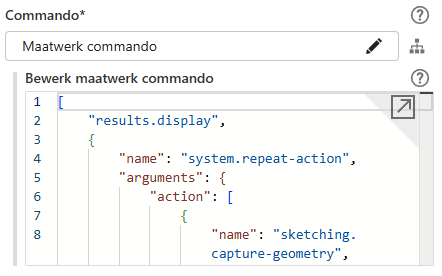
The fix in our eyes seems to add this to the custom command. But we can't find anywhere in the documentation what the custom command for this part should look like. Anyone got any idea how to set this up?
Because the option to use default symbology is now not turned on for points users arent able to change the symbology either using the drawing styling button since this goes of the default symbol.
Vous devez vous connecter pour laisser un commentaire.
Commentaires
0 commentaire