Button Bar Alignment

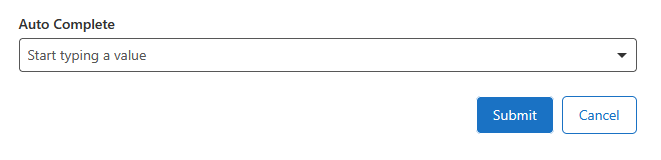
It seems that there is no way to adjust the alignments of the button bar. I was designing a form and I wanted the button to appear on the right instead of the left. Attempted to add Text that was invisible but they don't hold the same if not active.
Solutions to have a right justified button?
-

You can do this by injecting some CSS:
.gcx-forms-footer {
    align-items: end;
}
This affects the footer elements in all workflows, and you only need to do this once, e.g. in a startup workflow
 0
0 -
Thanks Berend.
Calling the footer would handle the default button bar but what if you have multiple button bars that aren't in the footer. I've used inject CSS with an event listener for the entire application. This would be workflow specific and be triggered on start-up of the WF. Is there any additional setup for this use of Inject CSS at the App level?
0 -
If the button bar is not called footer, simply use .gcx-forms-buttonBar1 as a CSS selector, where buttonBar1 is the id of your button bar
If you want to have all button bars right aligned regardless of their name, use .ButtonBar.
If that still doesn't work for you, you could use a Set Form Element Property in the button bar's load event, with Property Name=styleName and Property Value=MyStyle, and then use .gcx-forms-MyStyle in the css.
There's no need for an event listener to inject the CSS at every startup of the workflow. The CSS will be appended to the html of the page, and is not removed at the end of the workflow. So, you could have a separate workflow that inserts all necessary css once, at application startup.
0
Vous devez vous connecter pour laisser un commentaire.
Commentaires
3 commentaires