Taskbar options

Hi everyone,
I have a question about the layout options of the taskbar.
In our application, there should be a selection of tools in a side taskbar on the left. Among other things, it should be possible to open the layer list and the legend here. Our users have requested that the layer list and legend be visible side by side at the same time. How can I solve this? Can I even solve this with the taskbar, since it triggers a new push every time I click on a taskbar item?
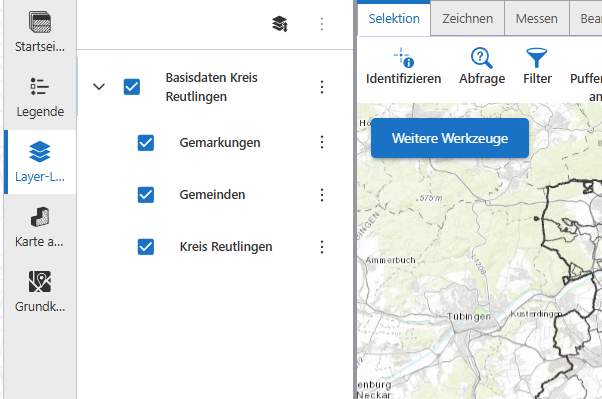
Thanks for your help!
Sinje
-

You could do something like this:
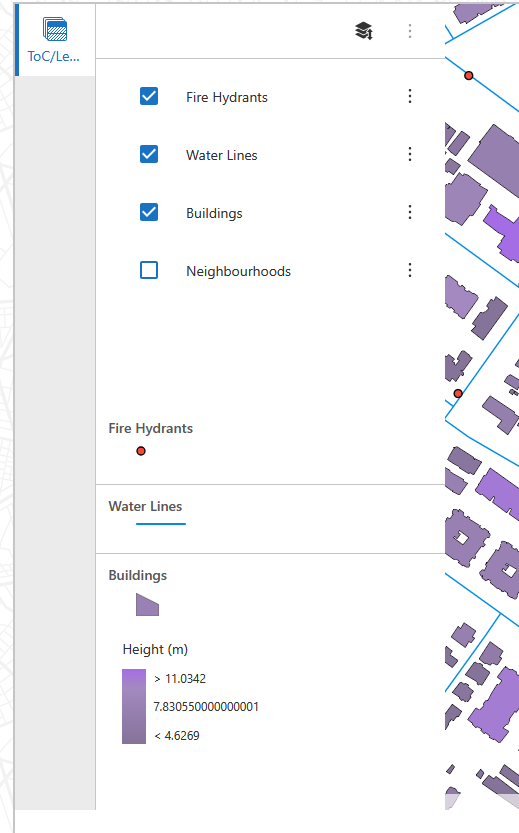
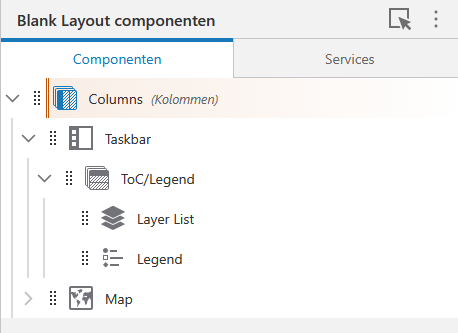
Where the Taskbar in the component tree would have a ‘Rows’ component which in turn contains both the Layer List and the Legend:
 0
0 -
Thank you for your suggestion.
Since the layer list is very long, the legend would not be visible at all or only with scrolling. I need two windows next to each other that can be turned off when they are not needed.0 -
Well, be creative 😉. There are many ways to alter the layout using row, columns, popouts etc.
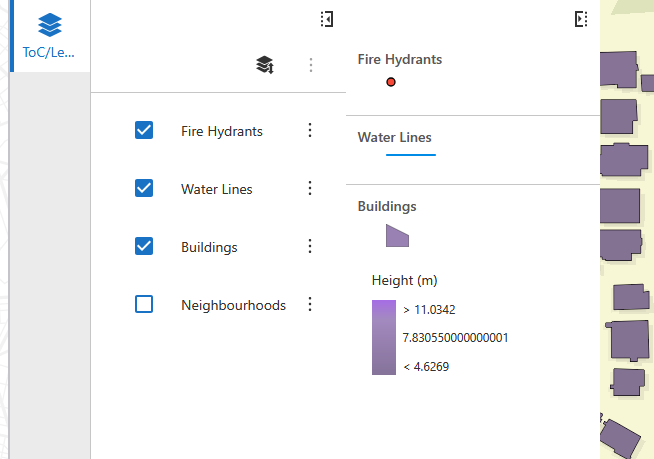
For example, instead of a Rows component, use Columns, and wrap the Layer List and Legend both in a panel with a Minimize button:
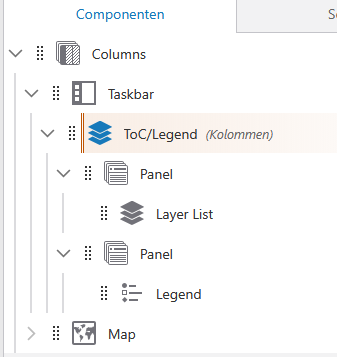 0
0 -
Hi Berend,
thanks for your ideas! A pop-out window would be exactly what I need. However, it would be nice to put the two items Layer List and Legend in two separate taskbar items. On the one hand, the label is otherwise impossible to read because it is too long, and on the other hand, in most cases only the layer list is needed, so it is annoying when both always pop out.
However, if I create two separate items with a pop-out window, I have the problem that the window closes again as soon as I click on the other item. Can I prevent this?0 -
No. The idea of a taskbar is to show one item at a time, and each item has one button.
If the legend is not needed in most cases, I'd just remove it from the taskbar altogether, and move it to a less prominent place. Maybe inside an Expand button on the map.
0 -
Okay, thank you for your help and ideas! So I'll have to rethink my layout, as I want the layer list and legend in one place because they belong together.
0
Vous devez vous connecter pour laisser un commentaire.
Commentaires
6 commentaires