Change a map layer's labels

Wondering if anyone know if it's possible to update the labels for a map layer within a VS Web session?
Here are a few examples of various parcel labels I have in a Geocortex Essentials viewer. By default, I have the address number label on for my parcels:
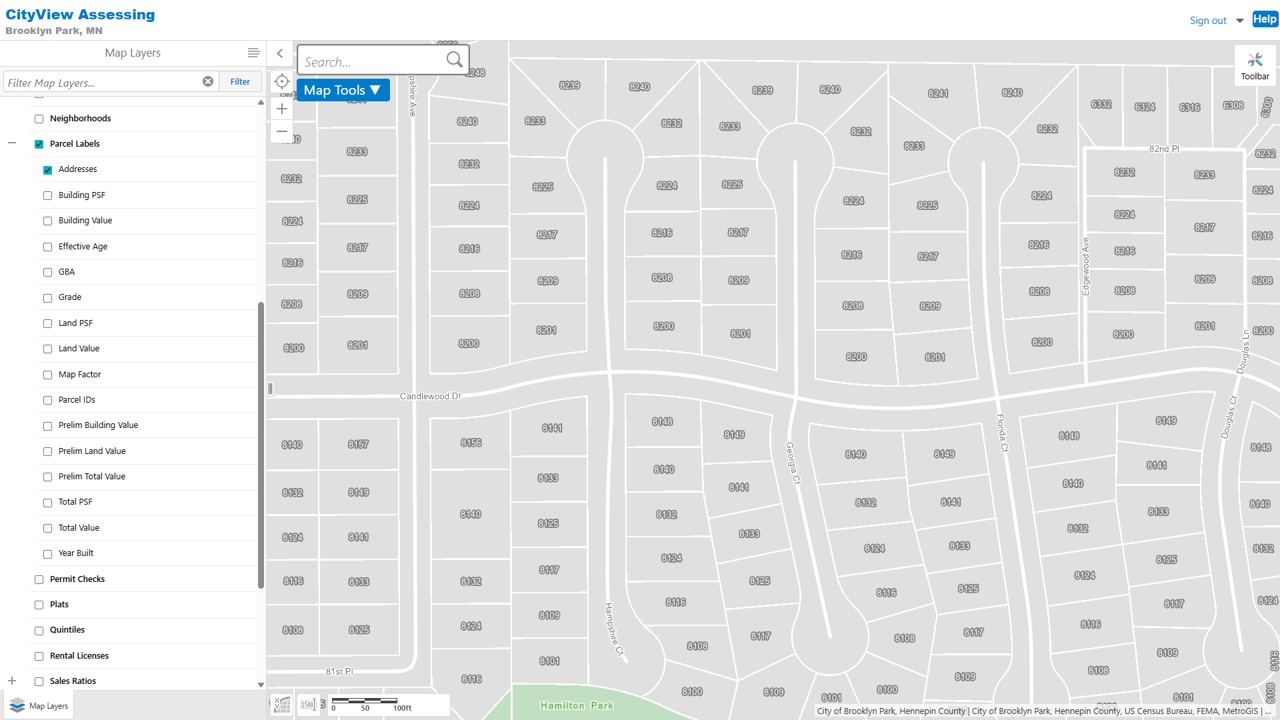
From the layer list, I can turn that off and change it to another label, like the property grade:

Or the total value:

Technically this works fine, but it's clearly clunky. I'm wondering if there's a way via VS Web or Workflow to update a map layers labels? I could see it being a lot nicer to run a workflow on the parcels layer to let the user can choose from a list of labels and change them instead of having to interact with a bunch of different map layers.
Thanks for any help!
-

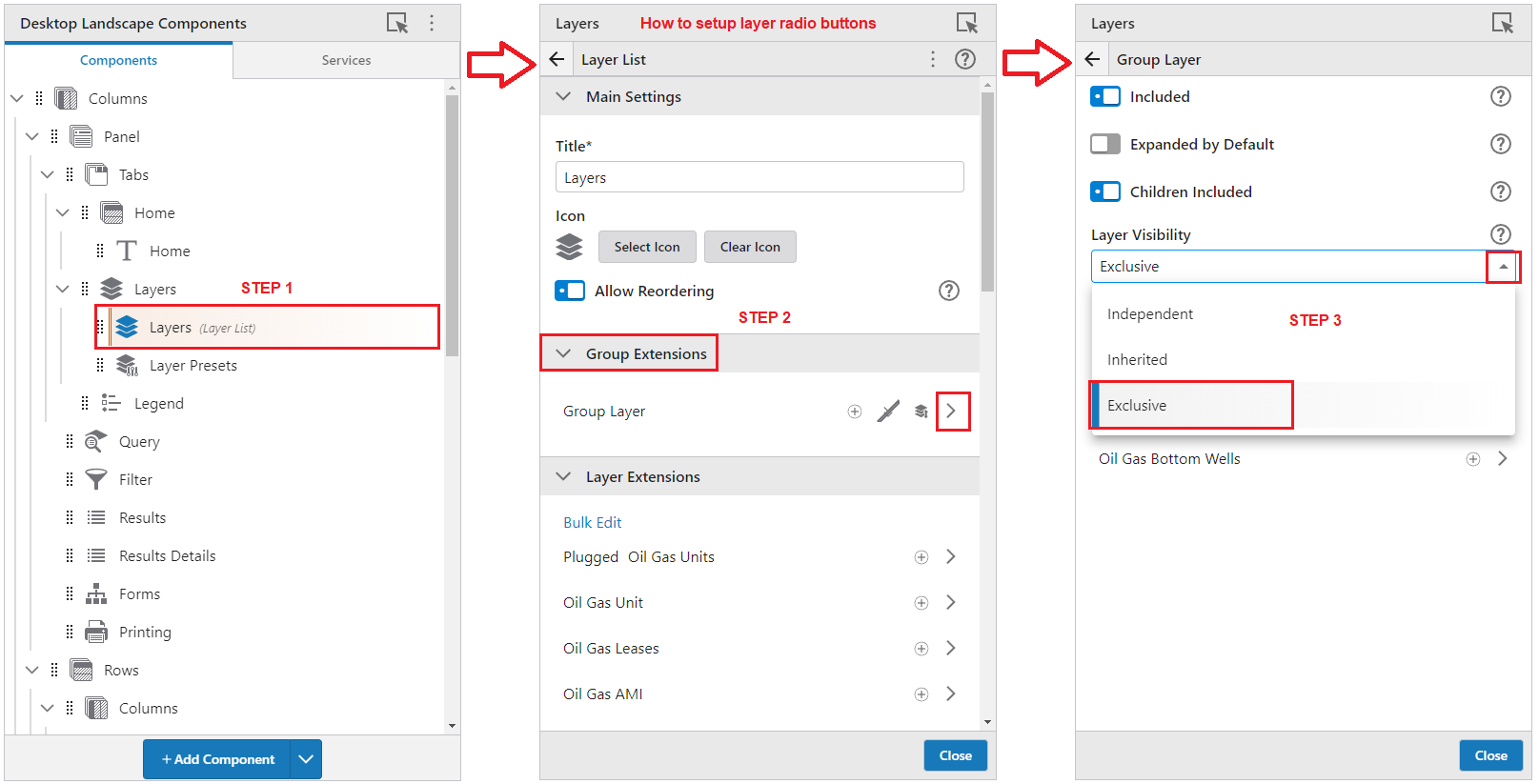
John, First thing I would do is to setup the Parcel Labels folder to use Radio Buttons. Then it's just one-click instead of two to change to a different label style. Here is an example of how to set that up in VS Web.
Cheers…Rick
 0
0 -
Hi Richard, thanks for the idea! I ended up getting some help from VertiGIS support to make a workflow that uses a form to update the labels:
Here's what the form looks like, with address number being the default label, i.e., what i set up in the map viewer for the layer.
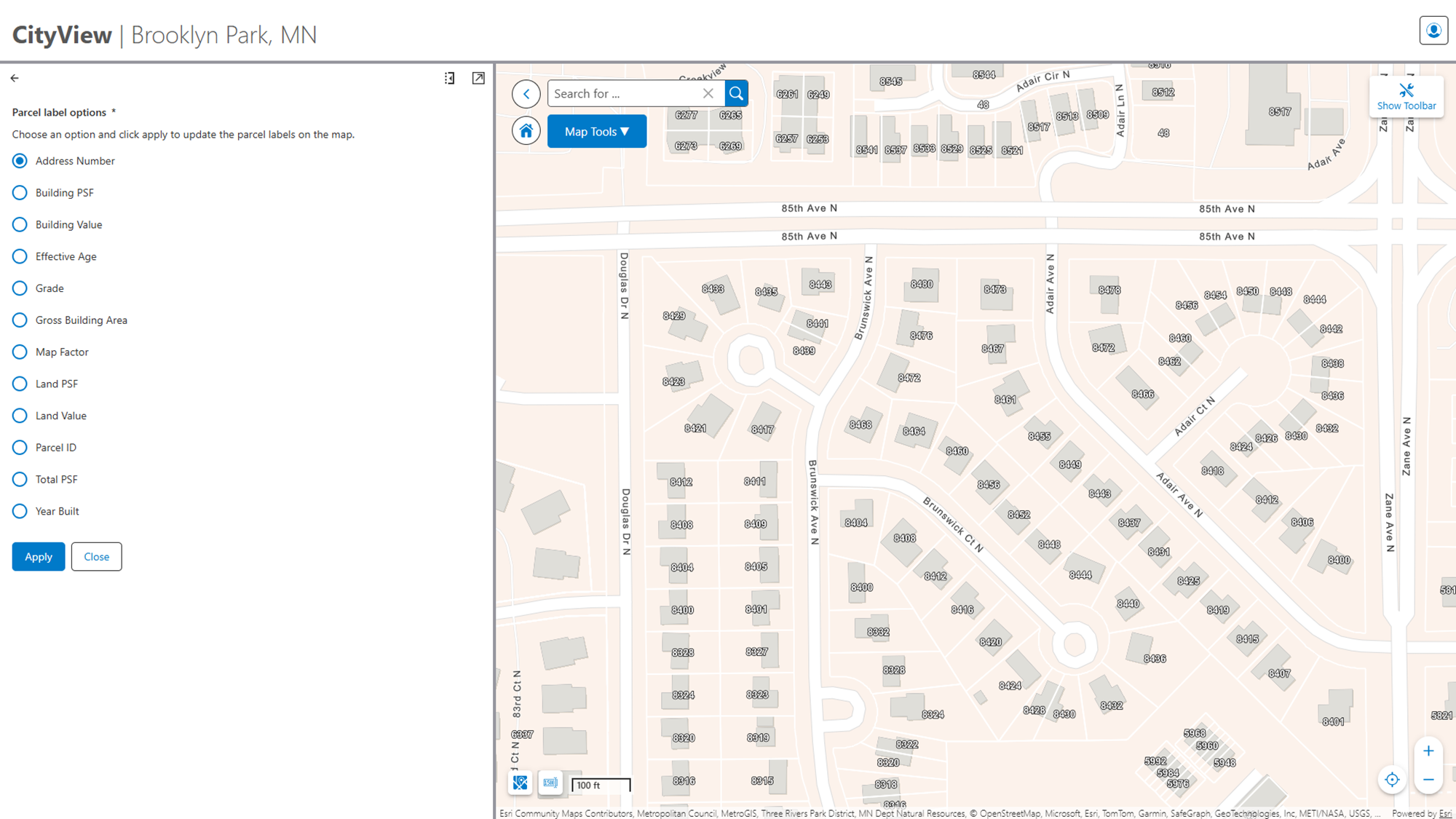
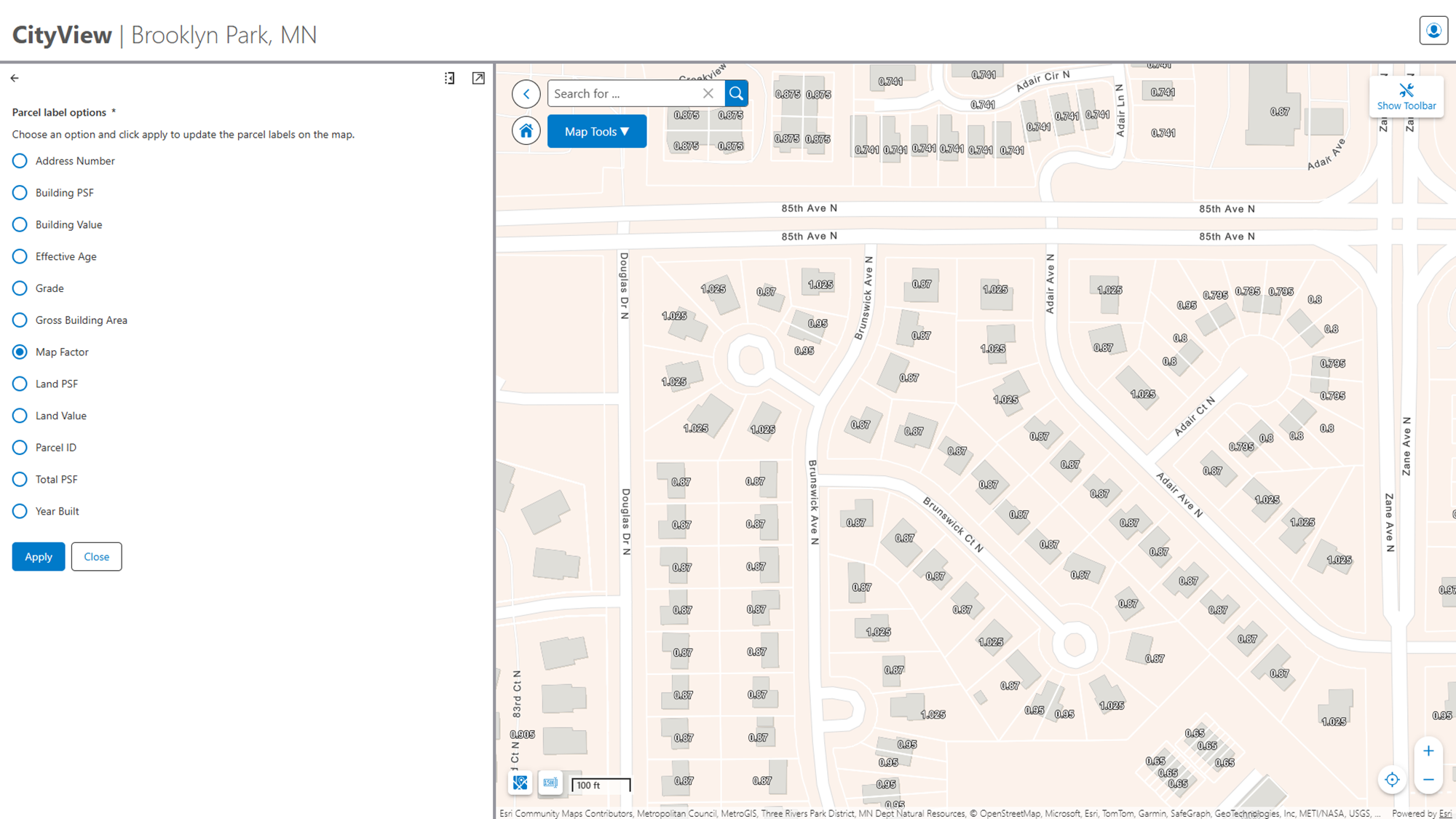
You can then choose a different label type, hit apply, and it'll update the map.
Probably pros and cons to each. Pro of multiple map layers with radio buttons is simpler config since there's no workflow, con is having duplicate layers that need to be configured (e.g. off in legend, turn of identify, etc.). But beyond that they do seem like general equivalent options.
0
Vous devez vous connecter pour laisser un commentaire.
Commentaires
2 commentaires