VertiGIS Studio Web Deployment - Rollback Workflows

Hi all,
I'm currently in the midst of ironing out deployment/promotion workflows for VertiGIS Studio Web using the d-t-s-p method. No issues with the actual deployment process, with apps and their associated components moving between portals as intended.
I currently have a process via FME that is proving useful, but not 100% effective:
1. Run an FME workspace that retrieves the app JSON from the target environment Portal, which then iteratively retrieves the JSON for any linked items (i.e. workflows, layouts) and backs these up
2. Deploy the app into it's target environment via Studio Web deployment method
3. If rollback is required, FME workspace that replaces the item JSON for any required components/items
This does work, however after rolling back an app in Staging for example, the deploy tool in Studio Web is unaware of any changes between Test/Staging, with the deploy button now greyed out and deployment date is unchanged.
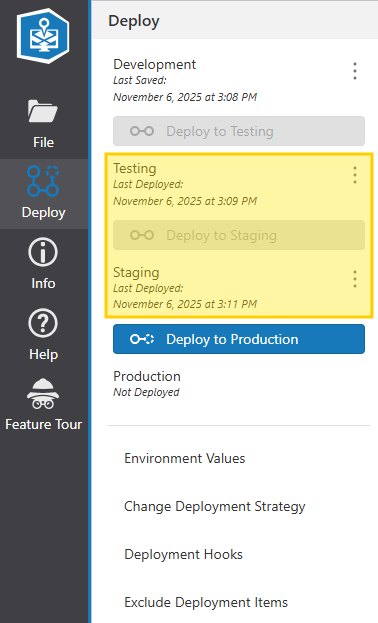
So my main question - how does Studio Web know there are changes to be deployed from one environment to another? Alternatively, has anyone come across/implemented a workable solution for rollbacks that doesn't “break” the deploy workflow?
Vous devez vous connecter pour laisser un commentaire.
Commentaires
0 commentaire