VertiGIS Studio Web not picking up settings from web maps forms to restrict editing

Hi
I just tried to restrict editing of field attributes but experience that VertiGIS Studio Web does not completely follow the settings in the form made in the Web Map
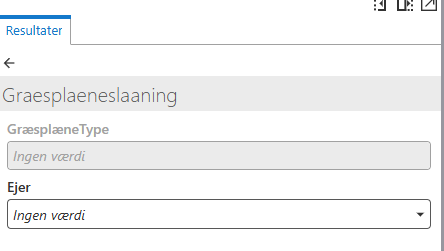
I have tried changing the visibility and whether it is editable or not. However, I experience that when setting it to not editable but still shown it becomes greyed out. which is good. However, when then trying to hide the non-editable layers they are still shown. Further, the help text I am writing does not show either. Therefore, not all settings are actually working and being picked up by the viewer. I have attached screenhots of the two settings
Anyone knows anything on this?
As I understand it, the recommended method it to use form to restrict attribute editing and I must therefore expect that there is just something I have missed in the configuration and that it should be possible to hide fields OOTB.

This is related to this post: https://support.vertigis.com/hc/en-us/community/posts/11497448804370-Limiting-fields-which-can-be-edited-in-VSW?page=1#community_comment_30467994088850
Vous devez vous connecter pour laisser un commentaire.
Commentaires
0 commentaire