Results/Result List/Show Results Mobile

Can the results / result list in VertiGIS Mobile be modified?
I thought they will follow the way the pop-up as is set in ArcGIS Pro? Yet from what I notice it will only show either one or if I use show result two attributes?
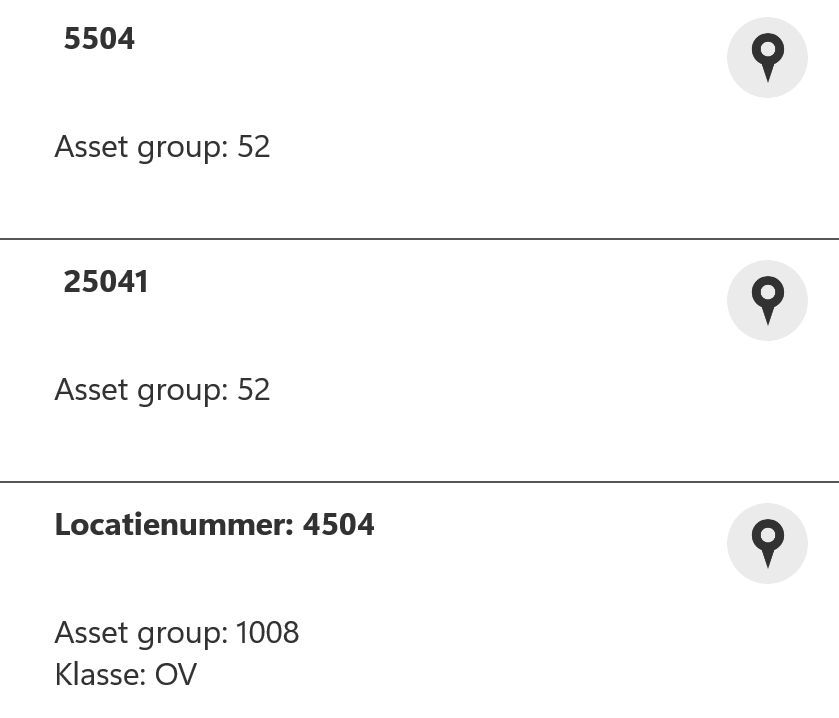
why is this not following the pop up as it is made in the ArcGIS Pro? Why does it cut off at two? Is it due to space? From what I see in the documentation the space can only influenced in Web?
Just some general info would be greatly appreciated as I want to customize what the user is seeing.
-
Jack Basha Hi Jack, would you have any input here? Thanks in advance!
0 -

Hi Andreas Broothaerts. Apologies; we were testing for the new 5.38 release so I've been a bit occupied.
We don't exactly use the configured pop-ups in Pro. We have our own system that we use for the results list. There is work to be done to be more in-line with Esri, but it might not happen for a while yet.
However, you can customize the results list if you're using a Workflow to query and display those results. You can do so using the `Label` parameter on the Show Results activity. Any where you'd like the value of the field to be subsitutued in, you use the
{field_name}syntax. Below is an example of how I configured the label in Workflow:Hello Creator: {Creator} EditDate: {EditDate}And this is how it shows up in Go, note that only the unbolded bottom half of the text is what usually appears in the results list:
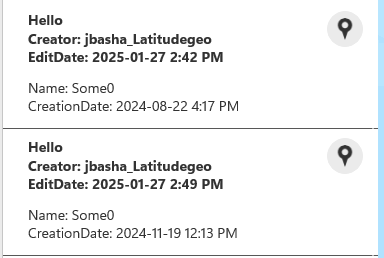
Also, if you wanted to override the default search behaviour to use this custom display, there is a way to do that too. Please let me know if you're interested and I can elaborate :)
0 -
Hi Jack Basha,
Thanks already for the input concerning this issue.
I was also wondering if it is possible to have a larger result section. How would it look if you wanted to show, for example, 10 fields in the bold or unbolded part? Or is this limited to three and two in the result list? Is there any further customization available for this?
Thanks in advance!0 -
Andreas Broothaerts Unfortunately the results list cannot be enlarged to show more fields by default. This is not something that is currently supported in Mobile. The bolded part you saw in my earlier message is the formatting using the Show Results activity as I showed in my earlier post, while the unbloded part is the default 2 lines that the results list shows. As far as I know, there's no way to remove that unbolded part.
I did some more testing around this and found that if you include more fields in the Show Results activity, the items will expand to fit all the items.
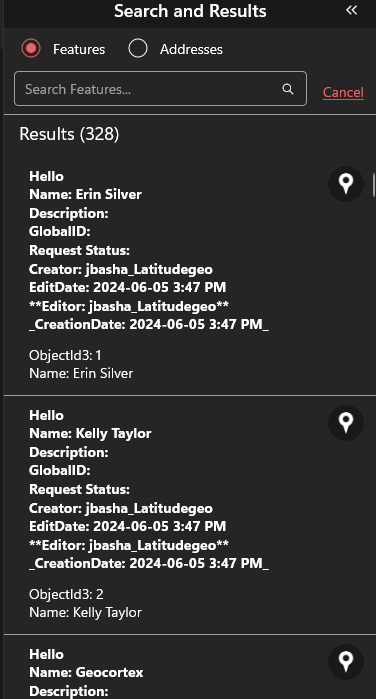
Let me know if this resolves your inquiry and if there's anything more I can help you with.
0
Vous devez vous connecter pour laisser un commentaire.
Commentaires
4 commentaires