configurable timeout settings for SQL Server database connections

In VertiGIS Studio Reporting (On-Premises)
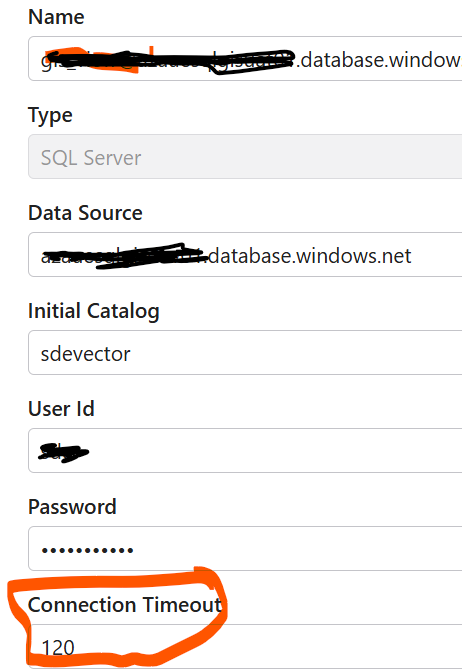
Does anyone know if there are any configurable timeout settings for SQL Server database connections? I'm encountering a consistent error in my report, which fails after exactly 34,838 ms. I attempted to add an additional timeout parameter to the connection string, but the report still fails at the same point.
Information: 0: ReportEngine.LoadLayout took 197 ms
Error: 0: Unexpected Error: DevExpress.XtraReports.DataRetrievalException: Error when trying to populate the datasource. The following exception was thrown:
Query sde_GetIntersecting_Structures failed to execute. ---> System.AggregateException: One or more queries have failed to execute. ---> DevExpress.DataAccess.Sql.QueryExecutionException: Query sde_GetIntersecting_Structures failed to execute. ---> DevExpress.DataAccess.Native.Sql.SqlExecutionException: Error trying to execute an SQL query '"sde"."GetIntersecting_Structures"' with parameters:
@RETURN_VALUE(Int32) =
@polygon(String) = POLYGON((12883208.332838511 -3768325.06061983,12895275.967517117 -3765804.0828810385,12904244.032222506 -3771961.8798788446,12885605.332810622 -3779318.1759167956,12883208.332838511 -3768325.06061983)).
Error: Execution Timeout Expired. The timeout period elapsed prior to completion of the operation or the server is not responding. ---> System.Data.SqlClient.SqlException: Execution Timeout Expired. The timeout period elapsed prior to completion of the operation or the server is not responding. ---> System.ComponentModel.Win32Exception: The wait operation timed out-

There's a web.config setting for SQL timeouts. You'd add it to the web.config file in the Deployment folder of the reporting installation, eg. at “C:\Program Files\VertiGIS\VertiGIS Studio Reporting\Deployment\web.config”.
The part to add is:
<add key="app:DbCommandTimeout" value="180" />0 -
thank you Amanda, I will give this a shot. I appreciate your post.
0 -

Good to know, can I find this documented somewhere?
0 -
Hi Nico,
It doesn't look like this one appears anywhere in the documentation. That is sometimes the case with niche web.config settings. But this one seems pretty useful. I've logged an internal ticket to see if we can consider having this one added to the Reporting documentation.
0 -
Thank you, Amanda Frech
0
Vous devez vous connecter pour laisser un commentaire.
Commentaires
5 commentaires