[5.47] Do not show the Notes' description in the navigator
Terminée
Introduced in VertiGIS Studio Workflow 5.47
I typically use the Notes activity to document workflows, so its description can be larger than in other activities. This takes up a lot of space in the navigator:
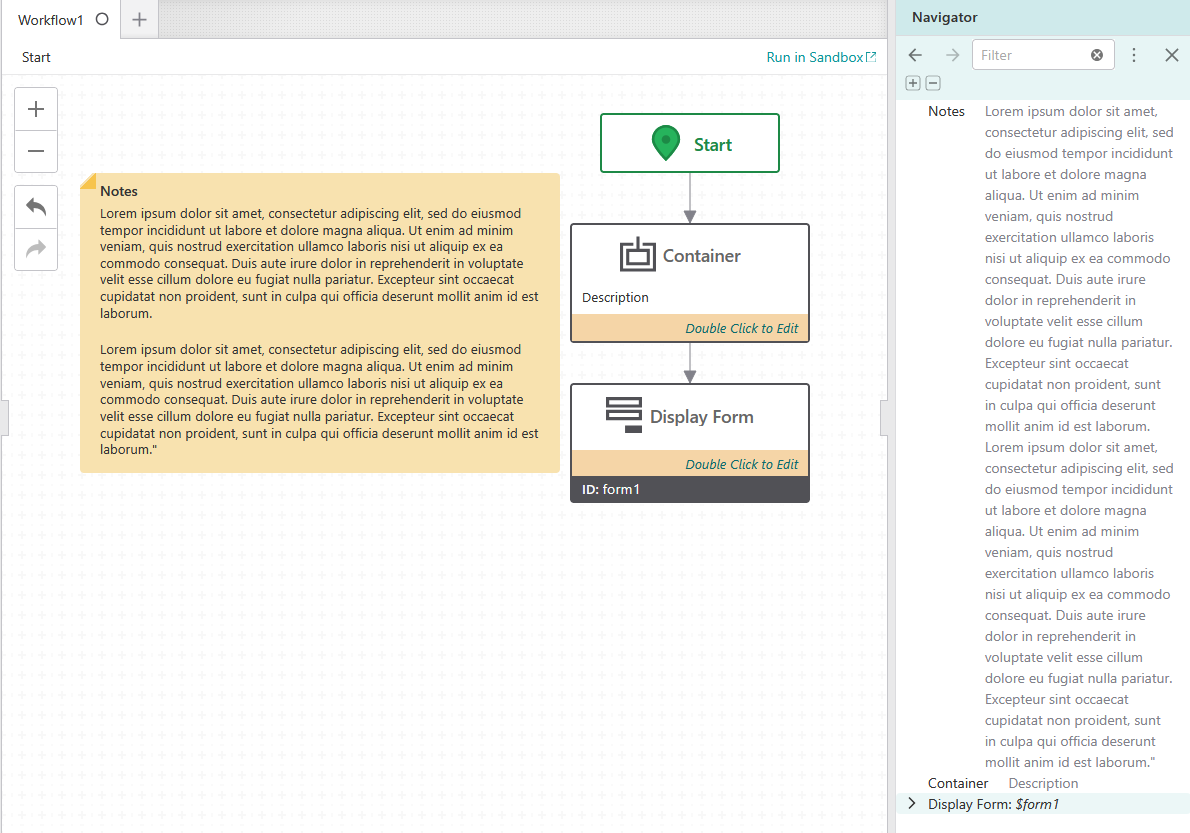
I don't think the entire description would have to be displayed, maybe just the first line. Maybe a scrollbar could be implemented, or a way to collapse/expand the description (collapsed by default for Notes).
If a match is found when searching in the navigator, only that match could be displayed, including some surrounding text.
-
Thanks for implementing this.
I found one small issue: When searching in the navigator, the notes activity can only be found if there is a match in the displayed part of the text. I would expect the entire description to be searched.0 -

Berend Veldkamp My thought on this scenario initially was that it would be potentially confusing to show something in the results without the matching text being visible. Then again, I suppose it would be more helpful to see something that is a match (but not obivously so) rather than hiding it. I've added a bug to the backlog. (Bug #355294)
0
Vous devez vous connecter pour laisser un commentaire.
Commentaires
2 commentaires