VSW 5.36.0 Toolbar dividers customization options?

Hi,
When using dividers to organize menu items in a Toolbar in a test app on the SaaS (version 5.36.0) it struck me that these are almost invisible. The dividers in the “Light Theme” branding are white, and so they don't contrast with the overall appearance of the App! I can tell that they are there when hovering the menu items, but they are pretty useless considering a visual divider for groups of items should be more striking, no? For example, this public test app: https://apps.vertigisstudio.com/web/?app=b9db027631a746c894ba1a772b77779b
Both in the Toolbar nested in the Taskbar (left) as the one above the Map, some dividers are configured. Is it considered normal that they do not stand out? Is there any way to customize their appearance to offer more contrast (and make them useful)?
Kind regards,
Sander
-

Is this different with earlier versions?
0 -
Hi Nico Burgerhart,
The on-premise test environments at my organization are all updated to version 5.36 so I'm unable to verify. But from what I can recall, yes; the dividers used to be visible.
Here's an example of a public VSW app in version 5.35 that includes dividers in the Toolbars:
https://gis.oost-vlaanderen.be/waterbeleid/I had the chance to have a look in the Designer for this app:
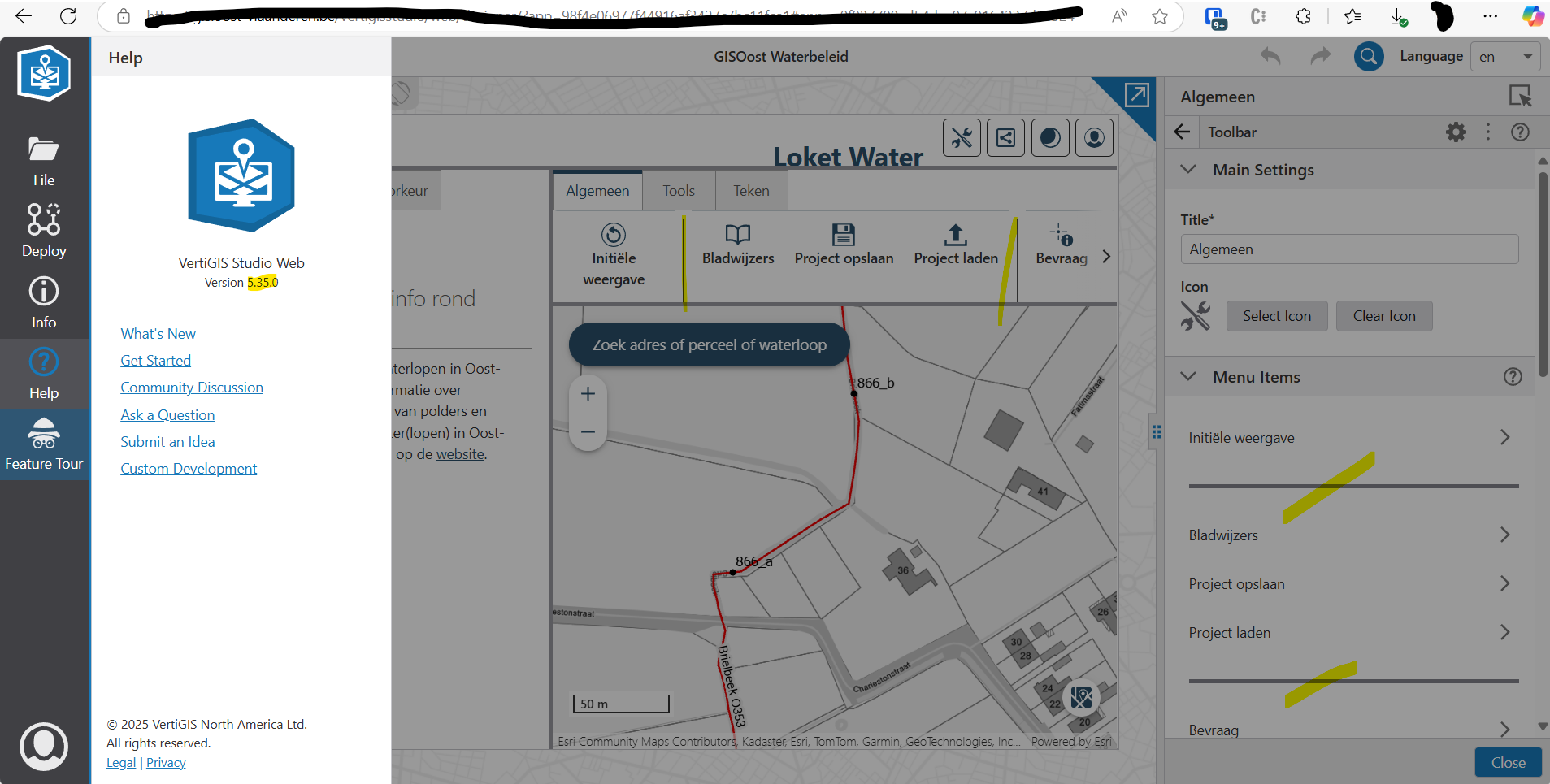
Dividers are visible.
After exporting a copy of the app and importing it in the VSW SaaS 5.36:
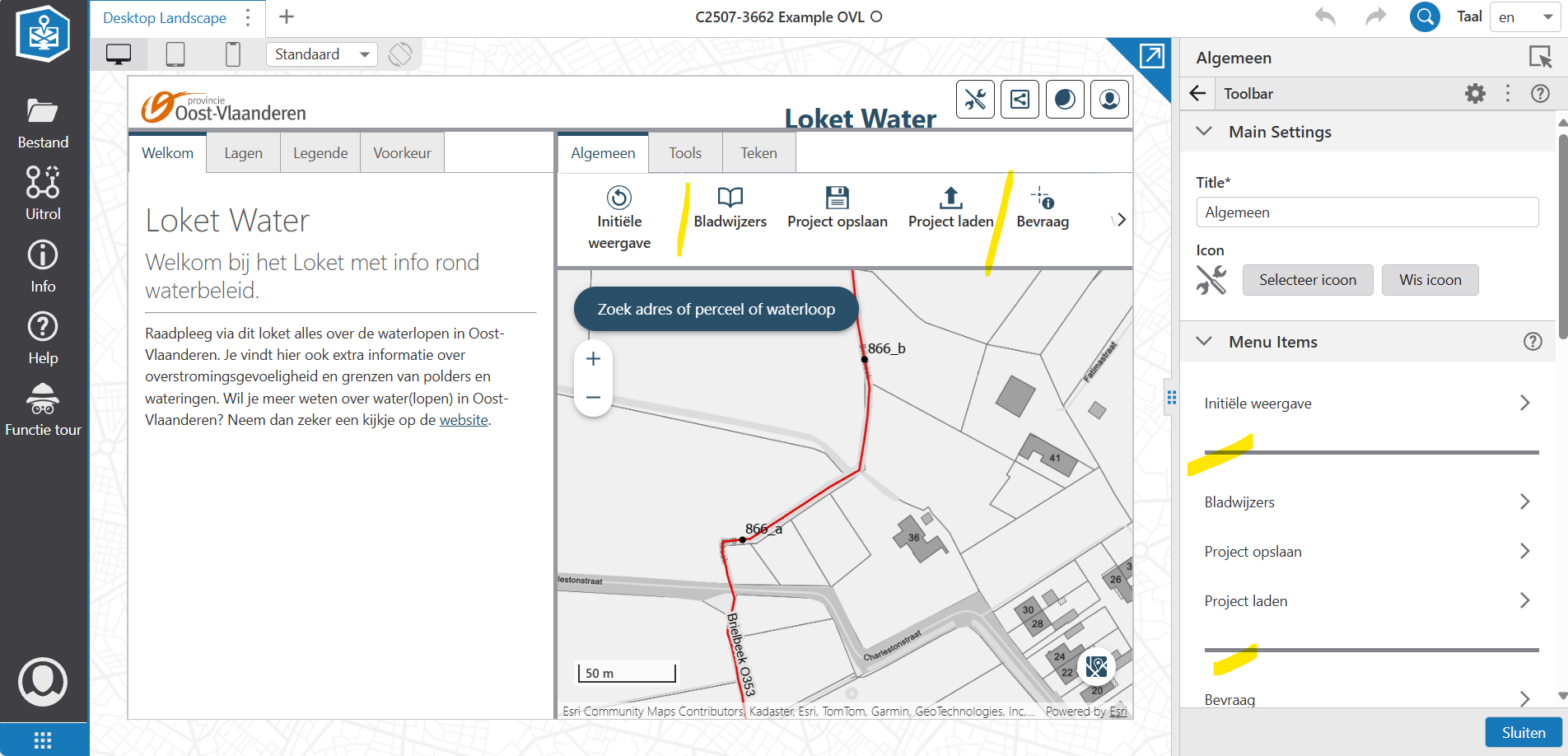
The dividers are not visible anymore (they are a white object against a white background). So, it looks like their appearance is version-dependent… unless I'm missing something.
0 -
I would advice you to log a support request.
0 -

We “solved” this by using an Inject CSS-workflow, deleting “transparent” in the code, and changing the color.
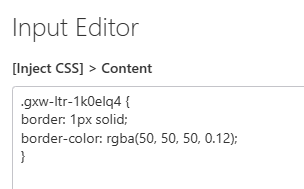

It works, but it's pretty annoying, since with every update the ID (.gxw.-lt-1k0elq4) of many elements change, so you have to thoroughly check all your Inject CSS.
0 -

Why not just use the gcx-toolbar-vertical-divider class in the css? e.g.
.gcx-toolbar-vertical-divider {
    border: 1px solid;
    border-color: rgba(50,50,50,0.12);
}
0 -
Easy solutions tend to escape me.
Thanks a lot, Berend.
0 -
Hi all, thank you for the suggestions to adapt the CSS properties.
I have also logged a support ticket, and VertiGIS confirms that it's a validated bug. It's already listed in the changelogs: https://changelogs.vertigis.com/workitems?search=237011+ So, keep an eye on the upcoming release notes!
Kind regards,
Sander
0 -

The bug report was from us (July 23rd).
We use a custom template for all our applications with a startup workflow that applies additional CSS.
We applied the CSS as:
div.gcx-toolbar-vertical-divider {
   border-color: var(--panelBorder);
    height: 50px;
   align-self: center;
}
The
var(--panelBorder)is a built-in Vertigis color (light gray).The
align-self: center;adds a space at the bottom.
Ideally, I may reinstall an earlier version of WEB on our R&D server and examine what the CSS actually was.
0 -
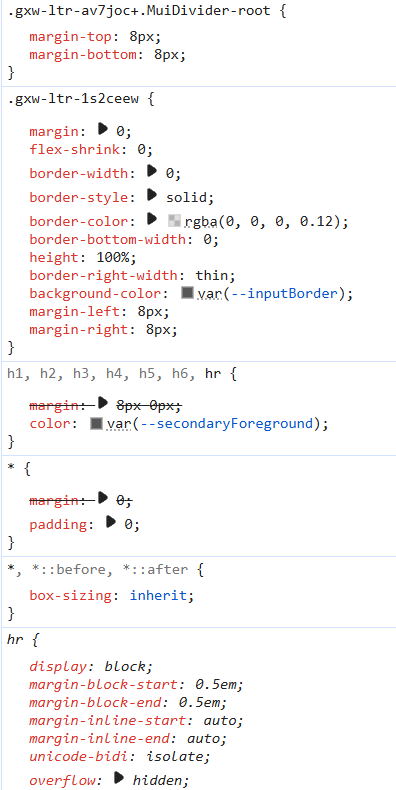
FWIW… I installed WEB version 5.33. It was the version we on before the upgrade to 5.36.
The element is a HR (not a DIV).
The CSS is:
 0
0
Vous devez vous connecter pour laisser un commentaire.
Commentaires
9 commentaires