How to replicate Html5 viewer behavior to show results for an invisible layer

I have an html5 viewer that runs a workflow that selects features (addresses) and displays them in the results pane. In the map, the selected records show up as yellow circles, and if I hover over a selected feature in the results pane, it turns blue on the map. **This happens even if the layer is not visible**, which is a useful feature for me. See the snip below.
I'm trying to replicate this in Studio Web. The workflow selects features and populates a Results List. However, they are not shown on the map. If I hover over a feature in the results list, it briefly pulses but is quite subtle and hard to see on a busy map.
I'd like to have the selected results show on the map even if the layer is turned off. And I'd like to replace the pulse hover effect with a focus color change. Is this possible?
Thanks!
Chris
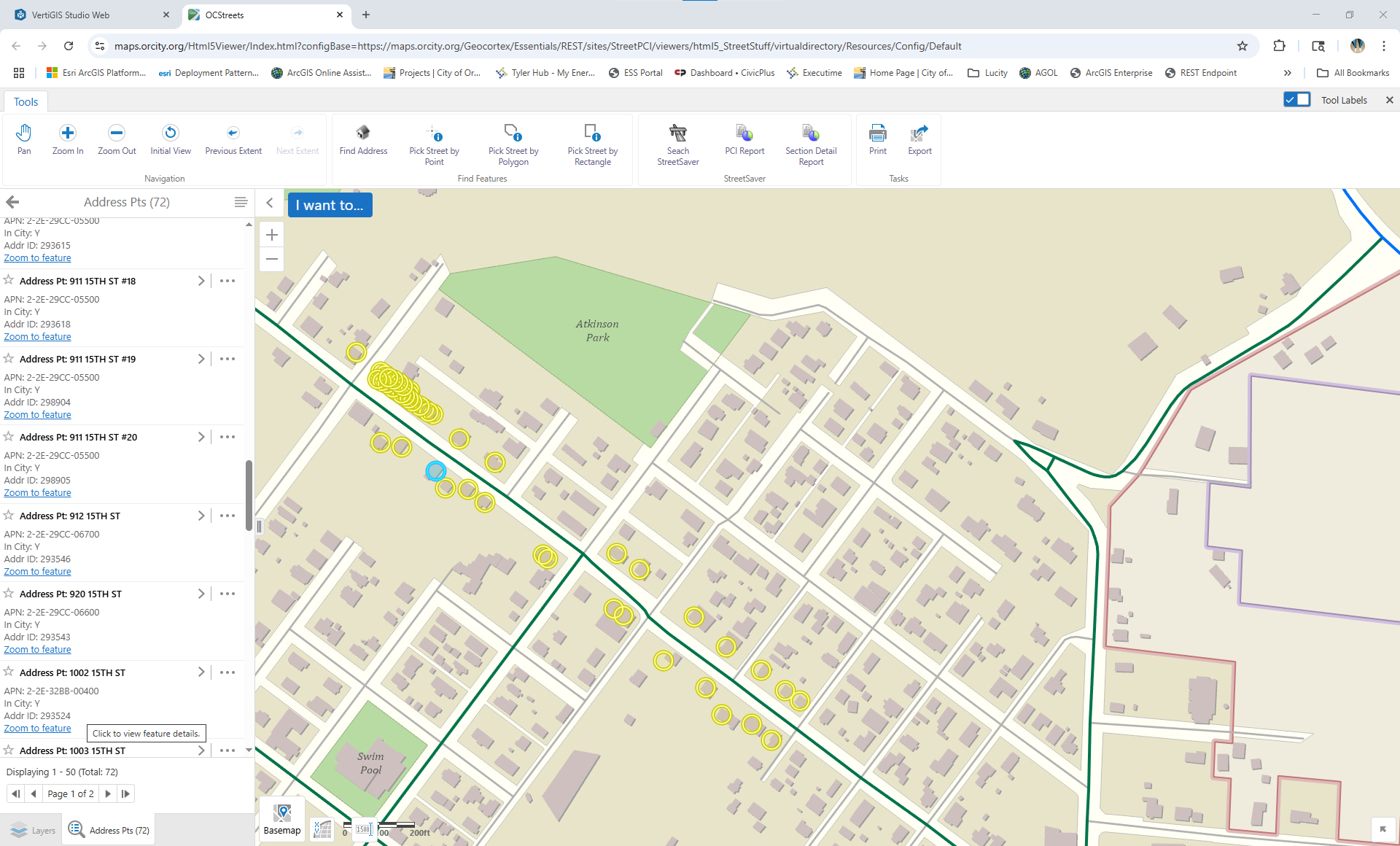
-
If the layer is visible, the results show as highlights. I can then achieve the desired effect by using the Add Focus and Remove Focus commands in the Results Hovering and Results Hovered events. But this only works when the layer is visible.
To simplify my question, is there a way of turning on highlights, even when the layer is not visible? The highlights.pulse command works even when the layer is not turned on, but the highlights.add command doesnt.
0
Vous devez vous connecter pour laisser un commentaire.
Commentaires
1 commentaire