Remove / hide icons and thumbnails of manually added layers

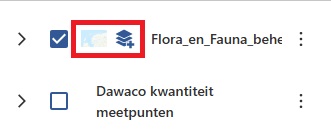
When you add a layer in vertigis studio web from your portal, an icon to distinguish an added layer from native (webmap) layers shows in the layer list. Additionaly, the thumbnail also shows in the layer list. Depending on the size of the panel on which the layer list is embedded, this results in the name of the added layer being parially ‘cut off’. It would be nice if it would be possible to hide the thumbnail and icon (without having to manipulate the app json).
-

Good idea, we have also heard from our customers that this thumbnail is annoying and does not contribute any valuable info since it's so small.
4 -

Hi,
Yes we have encountered the same issue here. Woud be great if there was a solution for it!
Great suggestion thouhg!Nils
2
Vous devez vous connecter pour laisser un commentaire.
Commentaires
2 commentaires