Printing Template

Hello Everybody!
within a project there is the following requirement:
The data output complies with the EZV specifications. The current plot frames are replicated accordingly. A user-friendly dialog allows the input of custom legend parameters. System parameters such as date, username, and scale are pre-filled and cannot be modified. The output format is PDF, and the output includes an oriented north arrow. The user can choose between a WYSIWYG output and a standard {utility} output.
– > EVZ specifications are available once the map is meeting the requirements
open:
1. input of custom legend parameters
2. usage of system parameters -→ which cannot be modified
is that possible?
Thank you for your input!
Best wishes
Sebastian
-

Almost all the requirements that you describe are currently available in Studio Web.
Note that the date value and the scale value are always set to the respective current value and cannot be changed by the end user.
All other function fields that are defined in a printing layout template (.pagx file) are listed in the printing component, where the end user can inspect and adjust the values.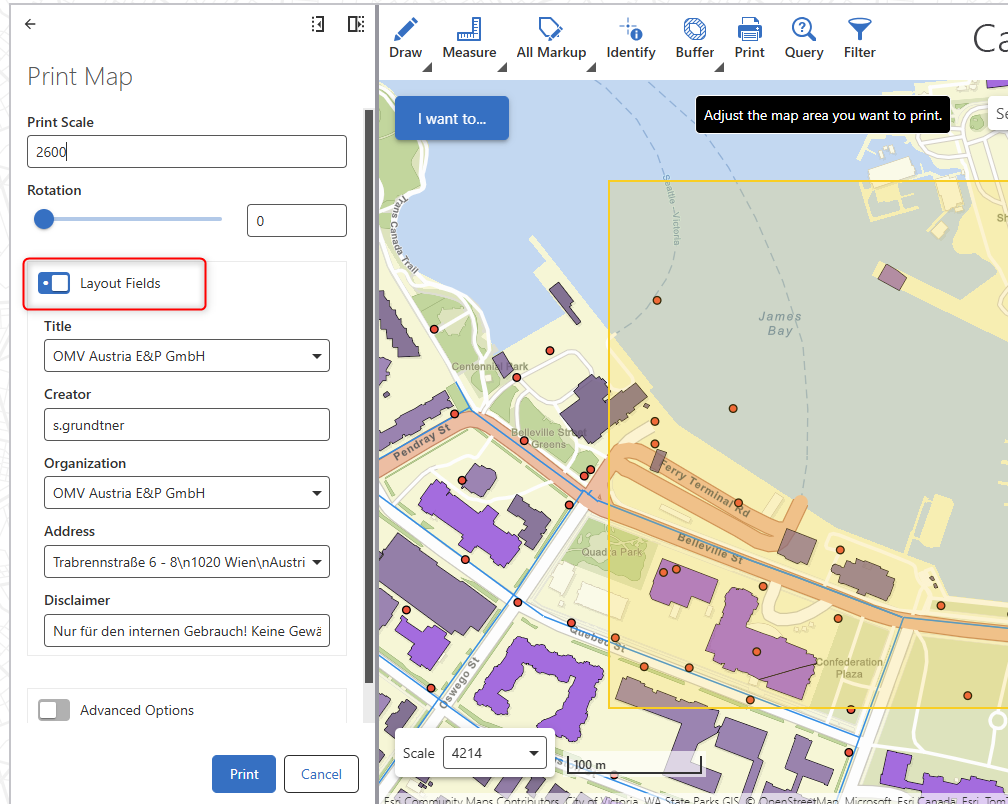
A small UI adjustment will be rolled out in the upcoming Studio Web version 5.36.
The section containing the function fields can then be extended/collapsed using a chevron button. The current radio button (which has the same functionality, i.e. does not “activate or “disable” any function fields, but simply shows that part of the printing component).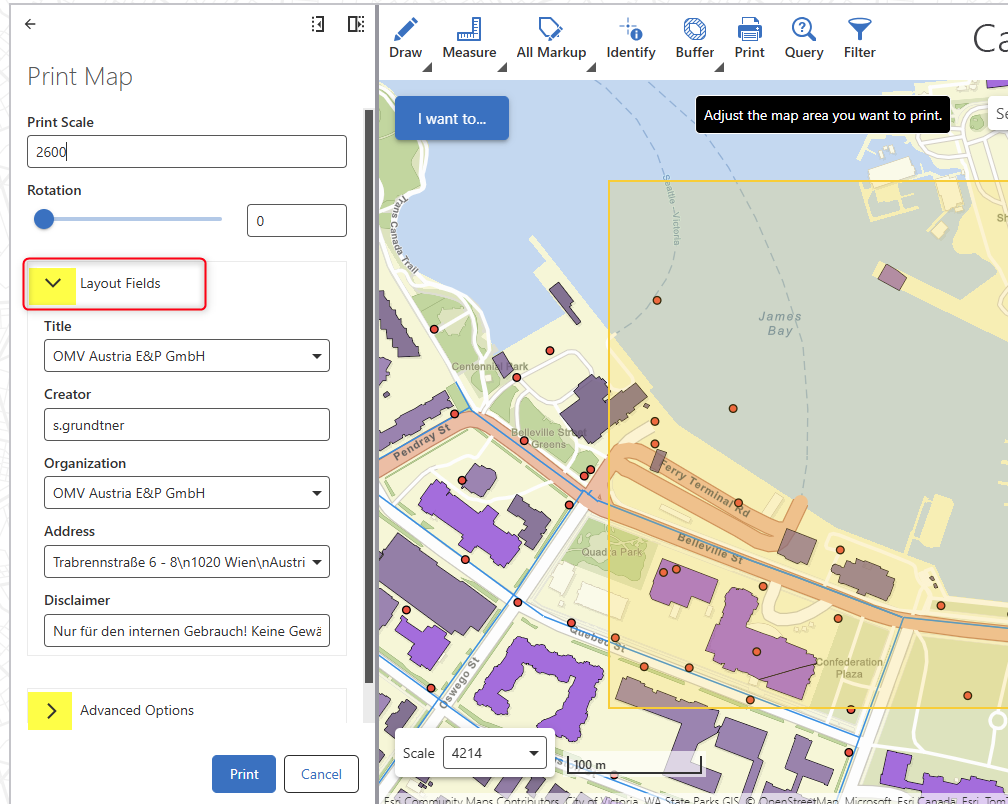 0
0 -

How are the address options determined? Is this a manually predefined list, or is it calculated on the fly?
Is there a way to automatically populate this parameter on the fly based on, for example, the selected base map?
0 -
The fields depicted in the screenshots contain static text.
A default text can be defined in the Printing Designer and the end user may override that value and set a different text.
There are currently no plans to offer dynamic location or place names based on the map position.0
Vous devez vous connecter pour laisser un commentaire.
Commentaires
3 commentaires