Toggle results list and results table

I have banged my head against this for an embarrassingly long time. I know it's something simple but I can't figure it out. How do I toggle the results list to a results table at the bottom with the ability to switch back? When I add a menu item with a custom command ui.activate for the results table in a panel below the map, there's no way to switch back. What am I missing? (And what happened to the preset Show/Hide commands anyway?)
-

You can add custom commands to switch between table and list view, but as the feature actions menus are linked between the results list, results summary, and results table, you'll need to add both options to the menu:
[
    {
        "name": "results.set-display-components",
        "arguments": "results-table"
    }
]
[ { "name": "results.set-display-components", "arguments": "results-list" } ]It is possible to unlink them and separate the menu options, but that makes the process and command chain a bit more complicated.
- Select the Results list component from the components menu and expand the 'Shared Configuration' section and click 'Unlink'
- Scroll down to the Feature actions and add a custom command with the following:
[ { "name": "results.set-display-components", "arguments": "results-table" }, { "name": "ui.deactivate", "arguments": "results-list-bfdd9c52" }, "results.display" ]- set the ui-deactivate argument value to the correct layout ID for your app by returning to the results list component and clicking the gear icon at the top of the component menu and copying the provided layout ID. (Note: This will change and need to be reset if you make a copy of the app, or download and reupload it)
- Find the Results Table component and add a custom command with the following:
[ { "name": "results.set-display-components", "arguments": "results-list" }, { "name": "ui.deactivate", "arguments": "results-table-4a0a128a" }, "results.display" ]- update the ui-deactivate argument to the the results-table id from your app by copying the results table component layout id as above
The 'hide when disabled' option will hide any items that would otherwise show up as greyed out in scenarios where that functionality is inaccessible - for example, it would hide the print button if there were no print templates configured that the user had access to.1 -
And I feel even more like an idiot, but I just found the Switch Results View option in the I Want To menu of the GIS Default template. I've configured a button on my toolbar to toggle the results view. Both ways work fine but I think the button on the toolbar is the easiest to find.
0 -

Hi, I used the command above but when switching on the feature table directly (in the results table) the result get's cleared. We use version 5.34.2
Code for the result table switching (same as above except for the id's:
[
  {
	"name": "results.set-display-components",
    "arguments": "results-list"
  },
  {
  	"name": "ui.deactivate",
    "arguments": "results-table-6d5ed5c0"
  },
  “results.display”
]
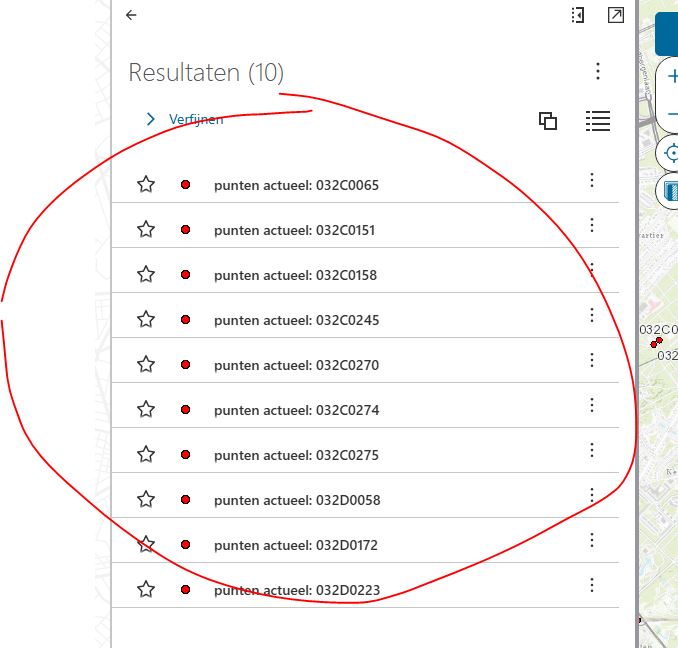
Step 1: open the actions menu on the feature table in the results table
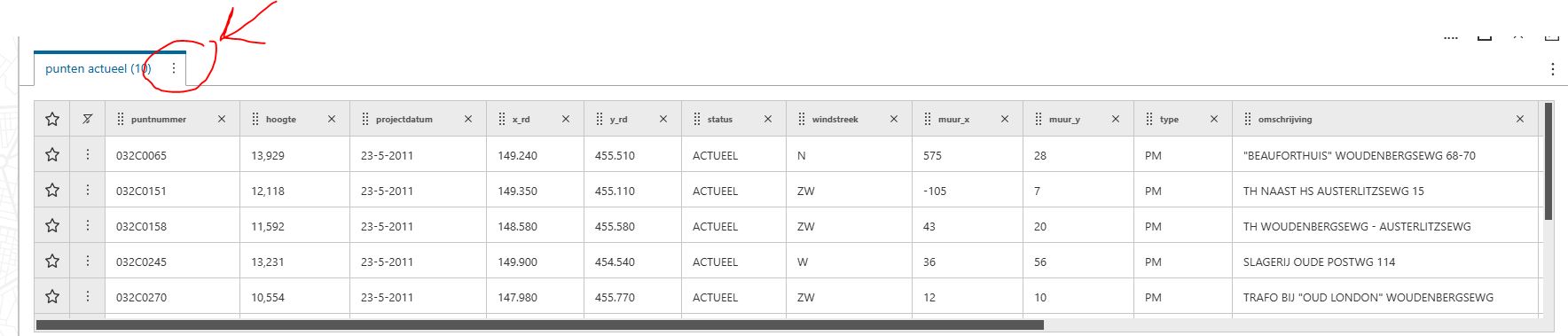
Step 2: Switching to result list mode:
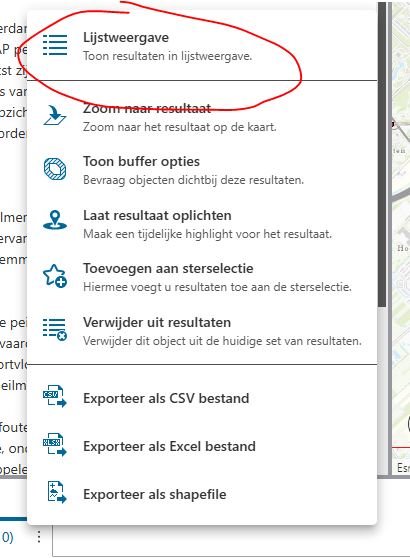
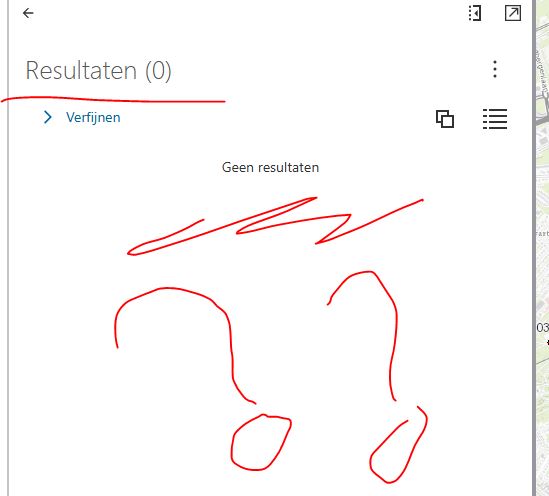
Step 3: All the results have disappeared
When using the function in the result table it works correctly:
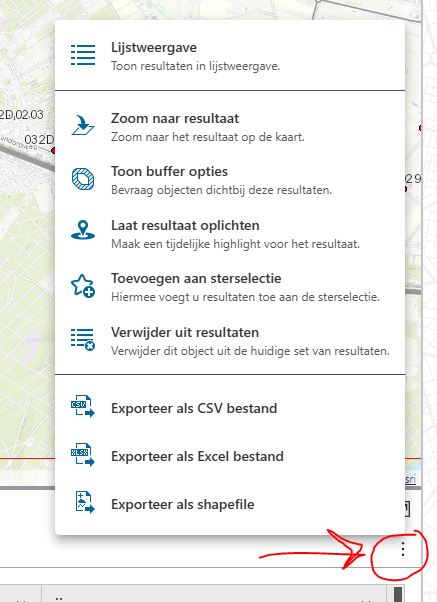
Result have not disappeared:
But there is no way to disable the action menu on the feature table, you can only configure it once. So this must be something to do with the internal workings and differences between copying / saving the results between the table and list component.
For now I had to remove this function and just use a simple switching mode setting in the general menu so the user can set the mode for the results between list and table beforehand. Which is a pity because it worked so nicely!
Any ideas? Is this a known issue?
0 -

Thank you Karen-Grace Acosta! Your description helped me so much.
0 -
Hi Daniel Koeman I experience the same issue with an empty result.
When I use shift between list and table it only work when using the full result and not part of the result.
This works:
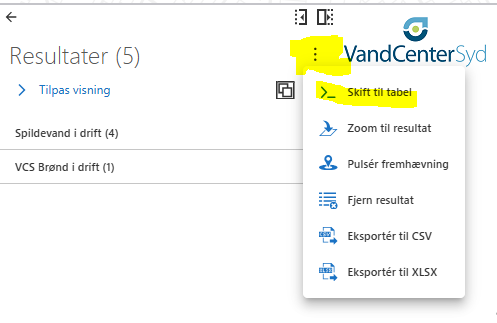
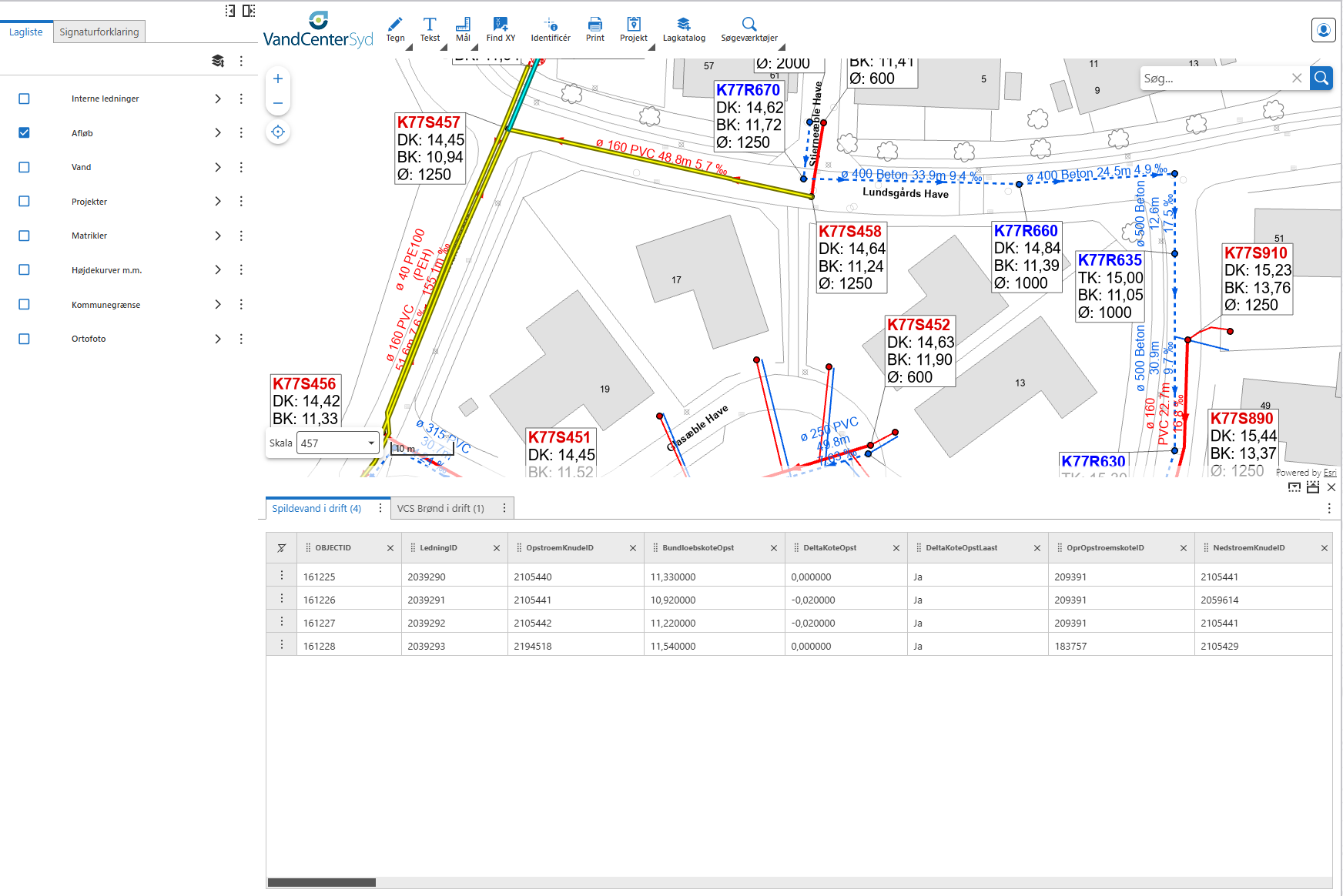
This gives an empty result table:
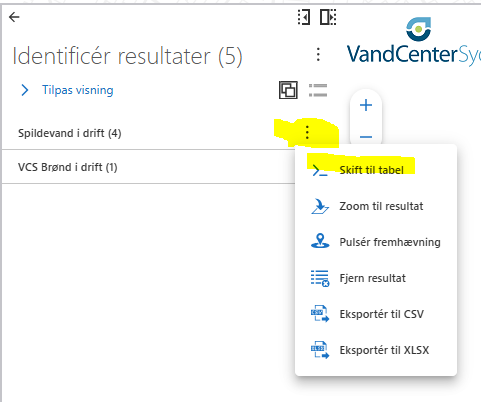
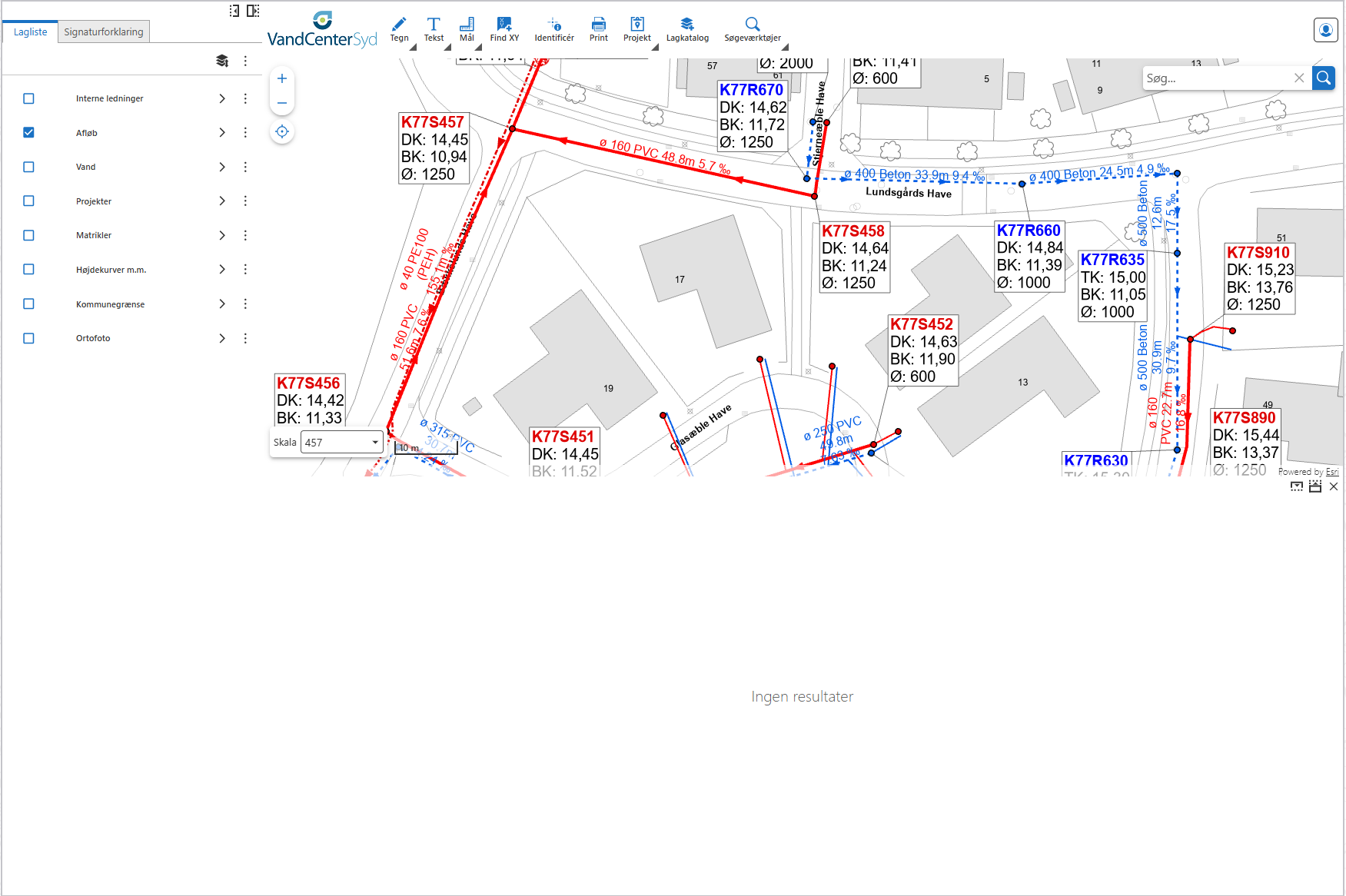
It's the same issue when shifting from the table to the list.
Cam Barnard do you have any idea how to solve this?
0 -
Martin Lauenborg har i stødt på samme udfordring?
0 -
There is a bug filed (331112 - Switch between Result List and Result table doesn't work on Group Results (Returns 0)) regarding this issue and it has been Validated by our QA team. I will post if here for any updates regarding the bug.
1 -
Thanks Karen-Grace Acosta
0 -
Hi Karen-Grace Acosta
Do you have any updates regarding the bug described above?
As a workaround, I tried adding a button to switch between the Result List and Result Table views. However, when switching from the list view to the table view, the table is empty.
The table displays the results correctly if it is opened directly in the table view without first opening the list view.
This makes me think the issue is caused by the same underlying bug.
Are there any command-based workarounds that could help avoid this behavior?
Thanks.
Standard command:
[
{
"name": "results.set-display-components",
"arguments": "results-table"
},
{
"name": "ui.deactivate",
"arguments": {
"component": "results-list-3f4fd356"
}
},
"results.display"
]
Alternative command:
[
{
"name": "results.set-display-components",
"arguments": "results-list"
},
{
"name": "ui.deactivate",
"arguments": {
"component": "results-list-3f4fd356"
}
},
"results.display"
]1 -

Hi Lea Dyrholm Hansen
Thank you for asking! Adding the commands to a button is unlikely to work here since the button does not have any context regarding which features are selected. This means that the commands which switch the results view and close the current results component will work, but the one that displays the results will be empty since a button is not going to have any information on which features you are trying to show. That is as-designed. Results context is only available when running commands from results components. More information on the types of context that are passed by the various components is available in our documentation.
As for updates on the bug, it is still marked as “Validated”. You can follow along on its status in our Product Changelogs. Information on what the statuses in the changelogs mean is available in this article: Our Process: How VertiGIS Tracks Software Bugs Reported to Support.
0 -
Thanks for your response, Alisa.
Is the only way to include the functionality switching to Table View, adding it to the Results Actions?
I'm not entirely satisfied with that solution due to the bug. Users get lost if they switch to Table View from one of the grouped results instead of from the full result.
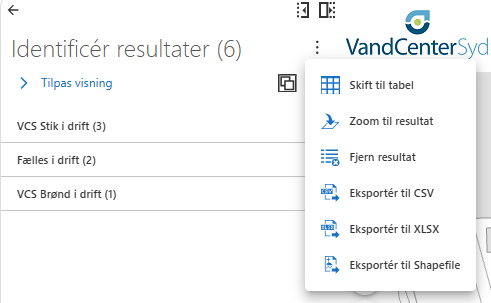 0
0
Vous devez vous connecter pour laisser un commentaire.
Commentaires
11 commentaires