Set image quality for attachments

ArcGIS Online has a 10 MB limit for feature attachments, but some devices produce images that are larger than that. Lowering the image quality in the camera app can be a hassle, and is sometime undesirable, because a user might want higher quality pictures in other applications.
Can we have a setting for image quality in Web like there already is in Mobile?
-

Hi Berend,
You asked: “Can we have a setting for image quality in Web like there already is in Mobile?”
Could you maybe describe to me where I could fine those image quality settings in Mobile? I'm looking for a solution to improve performance when a user adds a photo via a File Picker form element in Workflow. Thanks for any help!
0 -
Hi Rinske,
It's a user setting.
In Studio Go, the image quality can be changed in the settings dialog. Open the I want to menu, and then click the Cog button at the bottom to go there:
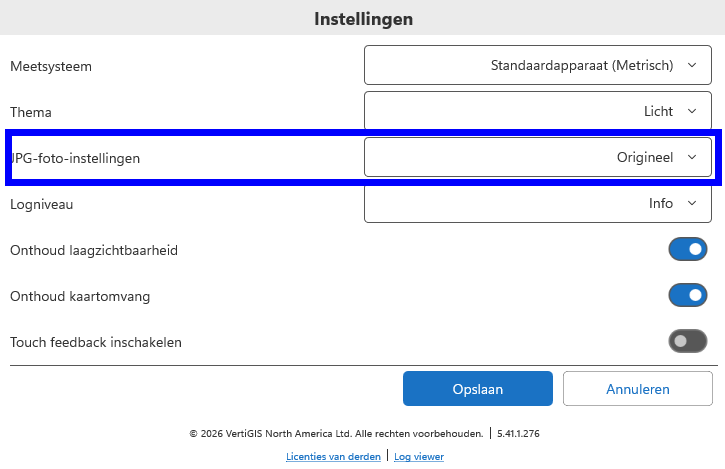
Note that in the mobile phone version of the app, you should drag the I want to menu up to reveal the Cog button.
0 -
Hi, thanks for the super quick answer!
Sadly, setting this from ‘original’ to ‘small’, only reduced the time needed to save a form with a photo from 16 seconds to 13 seconds… Less effect than I'd hoped for…
0 -
That's too bad. Maybe there are other issues at play here, a slow network connection, or ArcGIS being busy.
0
Vous devez vous connecter pour laisser un commentaire.
Commentaires
4 commentaires