Language configuration

Hi all,
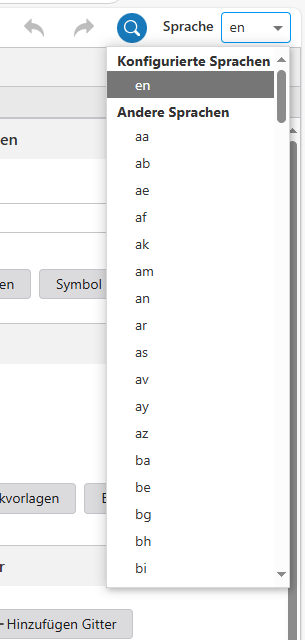
I would like to change permanetly this configuration so I have “de” as “Konfigurierte Sprache”.
Do you know how I can do it or where I have to set this configuration?
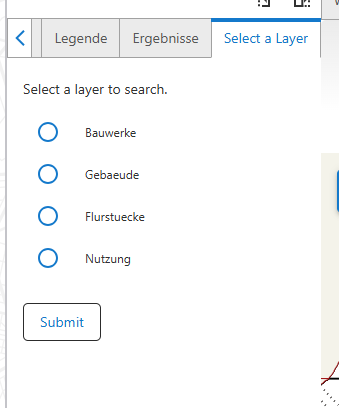
As I understood, with this standard configuration also the Workflow Tollbars should be translated automatically to German. Is it right? Now the pop-up is still in English, also when I change the language to German.
-

I would like to change permanetly this configuration so I have “de” as “Konfigurierte Sprache”.
Do you know how I can do it or where I have to set this configuration?You first will have to select "de" as language, and configure texts in German.
I don't think it is possible to change this via the designer.
I think you will have to modify the app configuration directly (Ctrl+Shift+E), serach for "en" and remove the part with English strings.As I understood, with this standard configuration also the Workflow Tollbars should be translated automatically to German. Is it right?
I don't know what you mean with Workflow toolbars, but it depends.
In the Web interface, based on browser language settings, part of the interface texts will be shown in German automaticallay. But for texts defined in the app config, you will have to explicitly set to German texts, as described above. The File menu has the option to donwload translations, so you can see which texts are in your app config.
But I think you mean Workflow display forms. In Workflow, you can just define your interface texts in German, if you want to support only the German as language. There is also an option to define different language strings, based on browser language settings the texts will display in the defined language.
A somwehat different topic, but see also documentation for fallback language.
0 -
Great! I solved all my issues…thank you so much!
0
Vous devez vous connecter pour laisser un commentaire.
Commentaires
2 commentaires