SOLVED - Search for Activity Description Text String using VSW Navigator Filter
Non planifiée
*** SOLVED - Use the browser (control + F) to search for text strings within a workflow activity ***
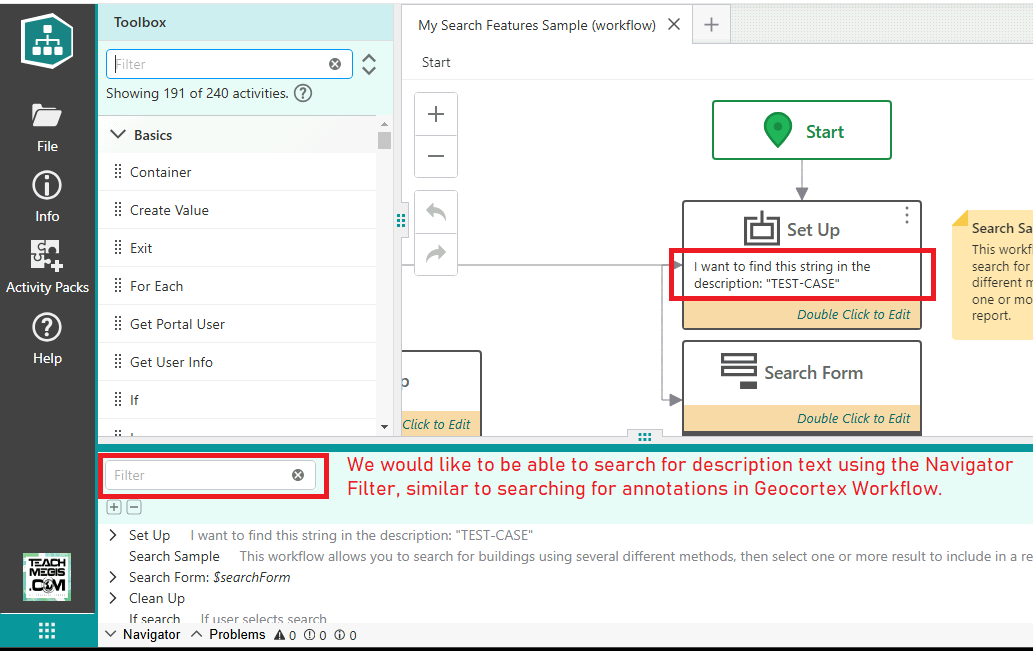
In Geocortex Workflow GWF, the developer had the ability to search on a text string that was in an activities annotation string. In VertiGIS Studio Workflow, the ability to filter (search) for a text string within an activities Description does not follow the same pattern as in GWF. This would be invaluable to be able to search on Description text when developing very large workflows.
Cheers…Rick

-

Hi Rick
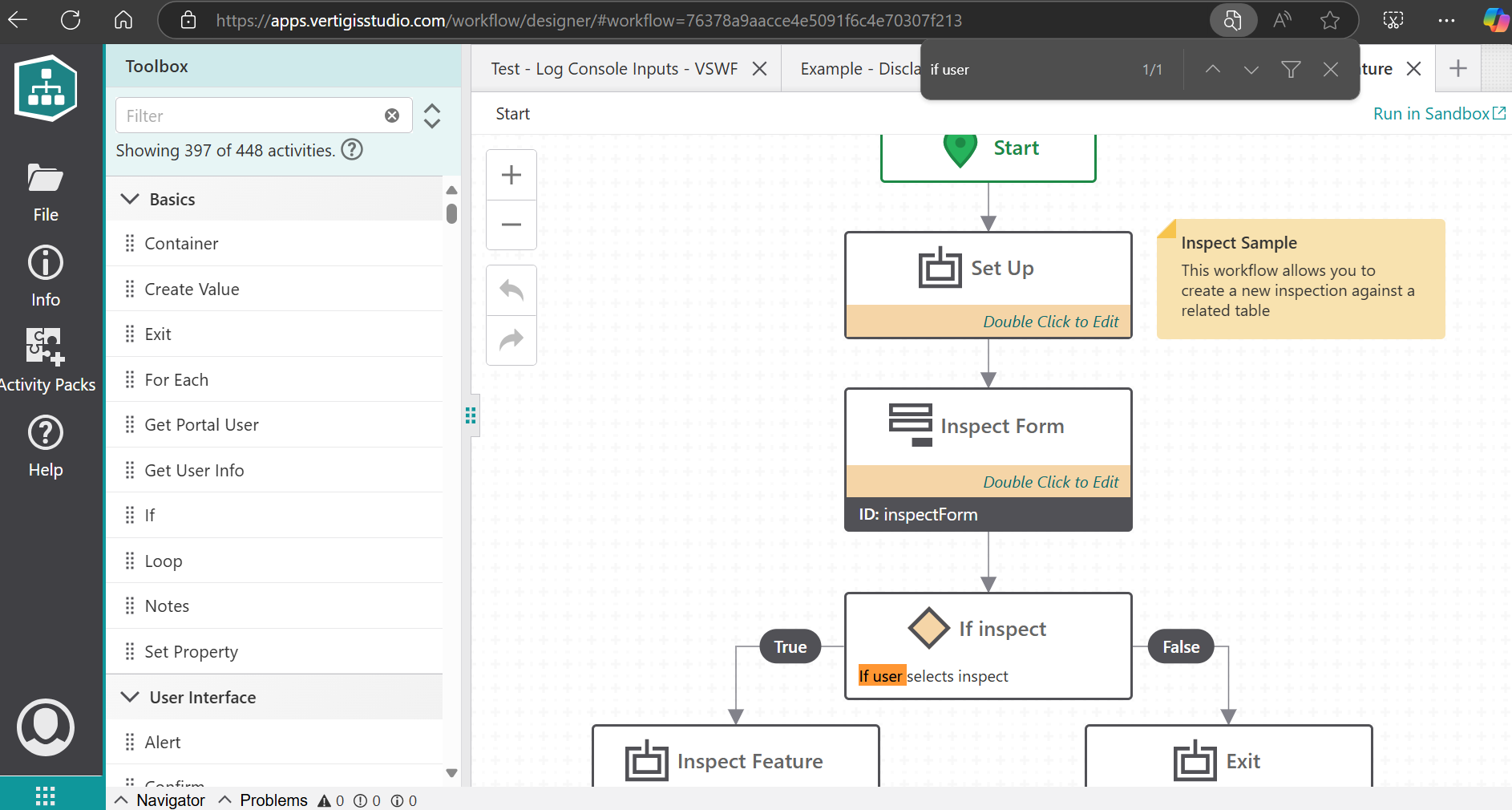
Thanks for submitting an idea. I am wondering whether the browser built-in text search accomplishes something close to this behaviour:
Please let us know a bit more about your use case.
0 -
Hi Gareth,
I used annotations in GE Workflow on a regular basis. It aided me in finding activities that were annotated with comments or key words quickly, especially in nested sequences. It saved me numerous times from having to open groups of sequences to find the place where I wanted to revisit for code changes or simply writing down my thought process for a sequence. That way when I come back for revisions a year later, I can “get my head right” quickly. Our organization will now be using VS Workflow in a muti-developer environment. I can see using the activity Description for placing notes for other developers to consume during the design phase. Being able to say “just search for…” will aide in this process. Make sense?
Cheers…Rick
0 -
Hey Rick
That makes sense to me, I (and my colleagues) tend to do similar. Though, I noted I can typically use the browser find function (control + F) to find these in designer. Does that work for you?
0 -
Hey Gareth,
Your solution of using the browser (control + F) to search for text strings within a workflow activity works great! Thanks for the solution! I edited the original post to indicate solved.
Cheers…Rick
1
Vous devez vous connecter pour laisser un commentaire.
Commentaires
4 commentaires