Measure Tool Units of Measure - Missing Acres?

We have just migrated from the HTML5 viewer to the Studio Web and have some users complaining about the units of measure. I thought at first maybe there was a typo in the units for Acres (showing as “Ares”):
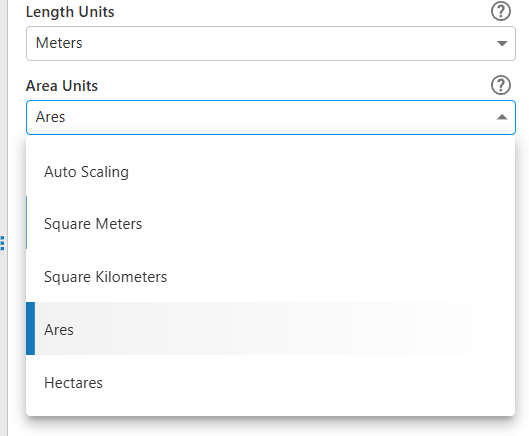
But after a quick calculation, I don't believe this is a typo. Ares must be a unit of measure (I am just not familiar with it). Are there plans to include Acres? Or how can I add Acres into the unit of measure? The HTLM5 Viewer had these units of measure available, why have some been removed from Studio web?
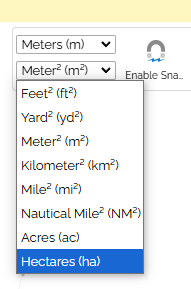
-

If you change the Measurement System to US Customary, Acres are available as unit.
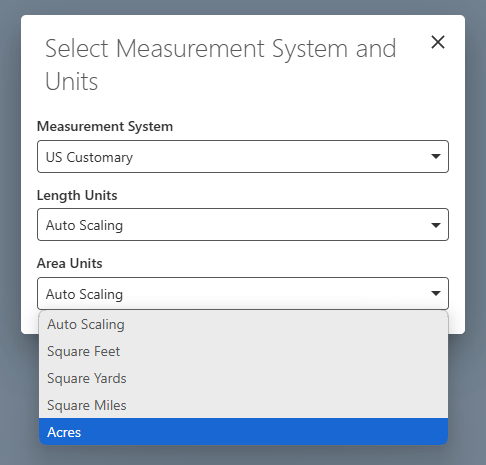
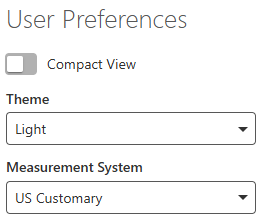
The Measurement System to use can be saved as a User Preference.
 0
0 -
Thanks Nico,
I see that now. But users can't use Metric (meters) and Acres together. Our users were used to be able to choose Meters as the line and Acres as the area.0 -
Modify your Measure Area command to a custom command, add the measurement.set-area-units command to explicitly set the araa units, like the example below.
[ { "name": "measurement.set-area-units", "arguments": "acres" }, { "name": "measurement.capture-geometry", "arguments": { "geometryType": [ "polygon", "polyline" ], "pluginSettings": { "snapping": true } } }, "measurement.create-graphics", "map.add-markup" ]0
Vous devez vous connecter pour laisser un commentaire.
Commentaires
3 commentaires