KML / KMZ import.
Planifiée

VertiGIS web going to allow you to upload a KML/KMZ files like Essentials?
Looks like supported file types are CSV, Excel, and shapefiles, in zip files or folders.
Are there future plans for KML / KMZ?
-

good question - add me to this idea also
1 -

we hope to get this in there at some point
2 -

Any update on this?
0 -
I noticed that the new VertiGIS Studio Web 5.35 was released yesterday. I was wondering if there are any updates on the KML/KMZ upload feature that was mentioned inside the matrix?
I also saw that the “planned” tag has been added to this thread. Can you share any additional information or estimated timelines for when this might be available?
Thanks in advance for any updates you can provide!
0 -

any updates??
0 -

any updates? I need kml upload feature in studio web
0 -
The team has begun working on KML import. You should see that in the next couple of versions (i.e. either in August 2025 or October 2025 version of VSW depending on how long it takes).
No plans for KMZ at this time.
6 -
Thanks Cam… That is great news!!
0 -

Yes, I agree. That's great news!
0 -

Hi,
From the VertiGIS Studio Web 5.37 Release Notes:
- Users can now import KML files directly into an active app session.
I did a test in the VSW SaaS and configured Layer Actions with a ‘Quick Add Layer from File’ command, assuming that this would be the supported method. I selected a *.kml file that I validated online at https://aleos-uk.com/datatester and which also opens nicely in ArcGIS Pro (3.5.2). Yet, it doesn't load into the VSW app.
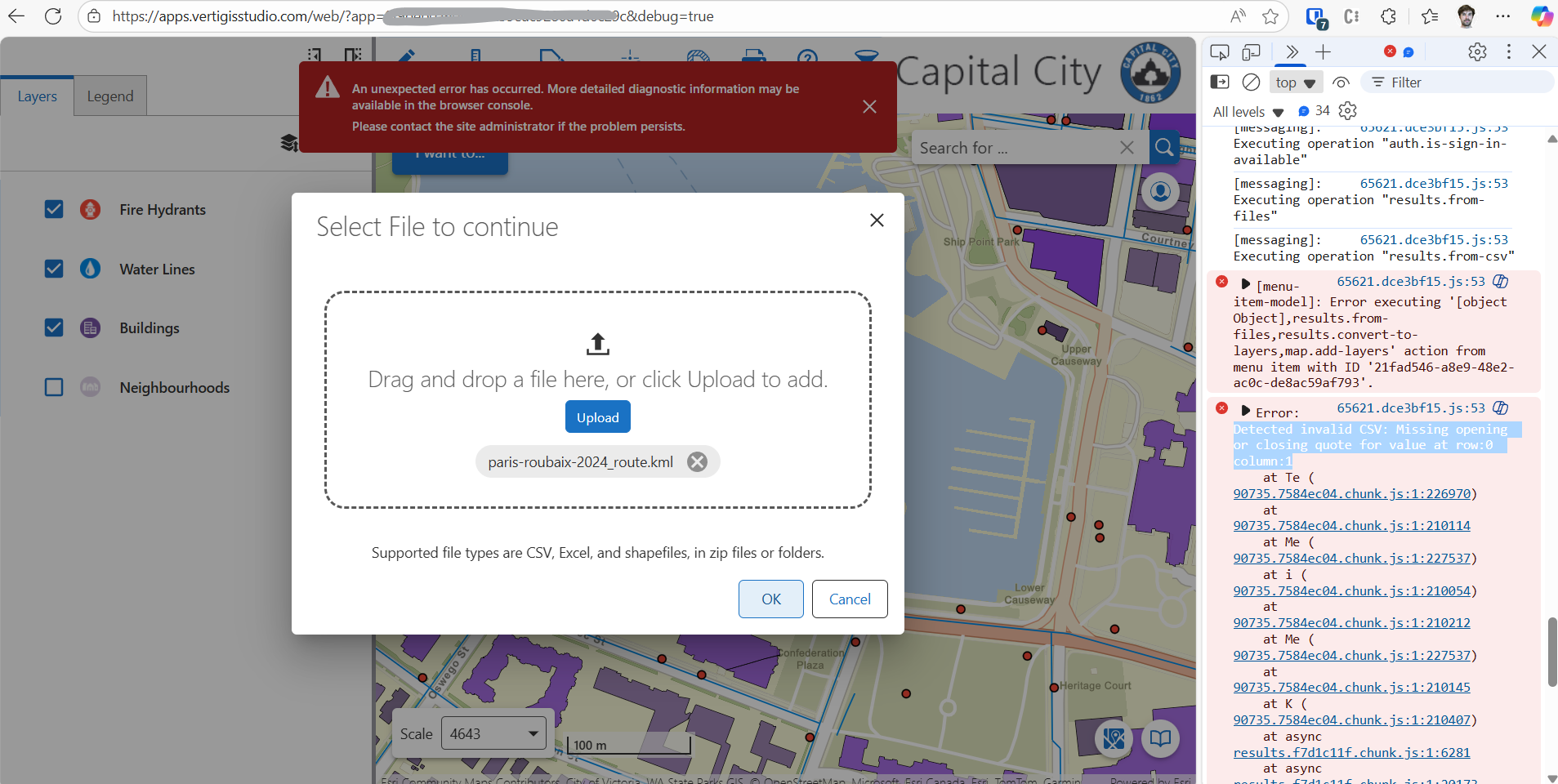
Can someone clarify what I'm missing? Do I have to approach this differently? Or any side notes concerning the *.kml file itself?
BR
Sander
0 -

Johanne van Linge
0 -

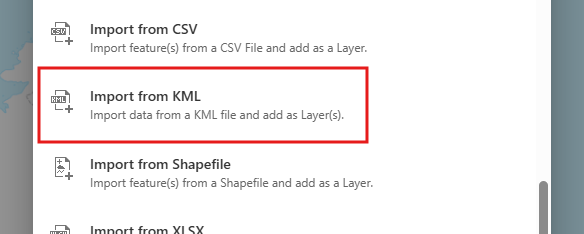
Sander Van Raemdonck - you can't use the import from CSV command, you need to add an import from KML command to studio web
 0
0 -
Helen Dornan, many thanks for pointing that out! I was confused because of the screenshot posted with the original request. That shows the interface from a Layer Action menu item. The command works indeed when applied to a button or toolbar menu item. Brilliant!
0 -
Most of our customers are only using the “Quick Add Layer from File” command… Why is it not (yet) integrated in there? Is this on the roadmap?
1 -

Hi, I tried the recently released Import from KML command. However, I found that this affects map performance significantly. It made everything really slow, which I suspect it's because it loads individual feature as its own ‘layer’ in the map, see screen shot below for illustration. The imported features are the points in pink colour.
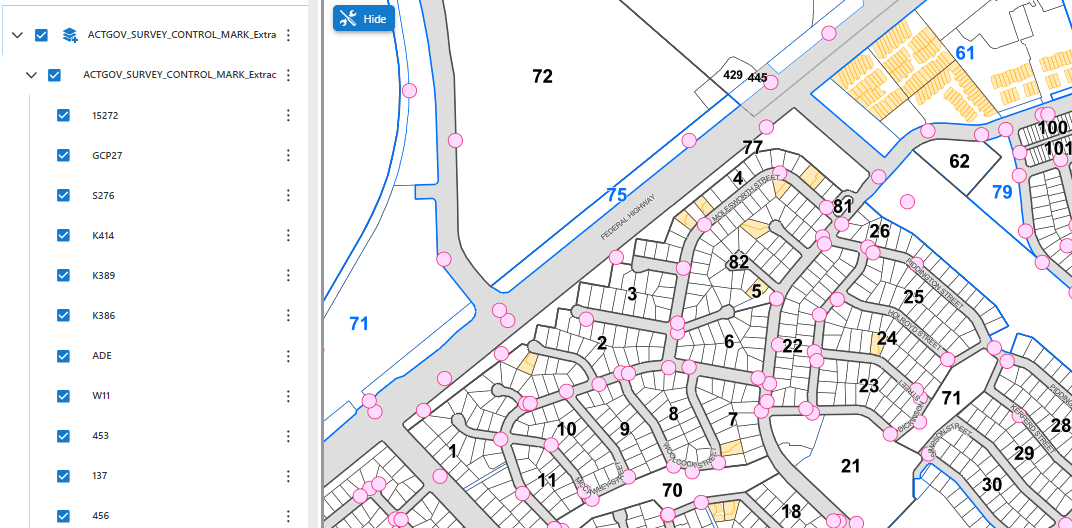
For additional context, I downloaded the KML file from an open data catalogue built upon an ArcGIS Hub.
Is this something that is expected for the tool and for this format? I'm currently exploring if there is any other KML import option that will not compromise performance. Any input is much appreciated, thanks!
1 -
Amanda Putri What is the object count in the KML you imported?
0 -
Sander Broekaert I don't think it will be integrated. In Web 5.40 there will be an Import from DXF function, this is also a separate command.
0
Vous devez vous connecter pour laisser un commentaire.
Commentaires
17 commentaires