Search Health Status, Health UI

Under the Search Health Status, I'm getting data consistency ‘error’

If I click on the Engine Helath UI, I see the following three items listed, and it says ‘app without valid portal item’. What does it mean? How do I fix? How does it affect my search performance, or does it?

Thank you!
-
Commentaire officiel

Hi Nataliya,
thanks for this hint!
Since the first versions of our software we distribute these three sample app configs with our on-premises installer.
They have the following content:
App config USA Parks and Rivers, with two resources:- https://services.arcgis.com/P3ePLMYs2RVChkJx/ArcGIS/rest/ser...
-
https://services.arcgis.com/P3ePLMYs2RVChkJx/ArcGIS/rest/ser...
App config Canadian Aiports, with one resource:
App config World Cities, with one resource:
The purpose was to illustrate the format of app and resource configs when using the Search API.
A few month ago they also were referenced in our "First steps" tutorial.
As the software progressed and the config structure grew more intricate, additional logical restrictions have been defined for configs. These sample configs have no valid "counterpart" as Esri portal items in a custom ArcGIS Enterprise Portal. That's why the consistency checks now mark these configs as invalid.I understand, that these consistency errors are confusing.
There is no simple way to manually delete these configs.
A user story to automatically remove these configs has been included into our roadmap.
We plan to rectify the situation with the upcoming release 1.6 (June 2024).One the positive side:
These configs do not consume much space (a few kilobytes only), and no search index is generated for them.
And they have no influence of the performance of the software.
Regards,
Jakob Furrer -
Thank you for explaining this Jakob.
1 -

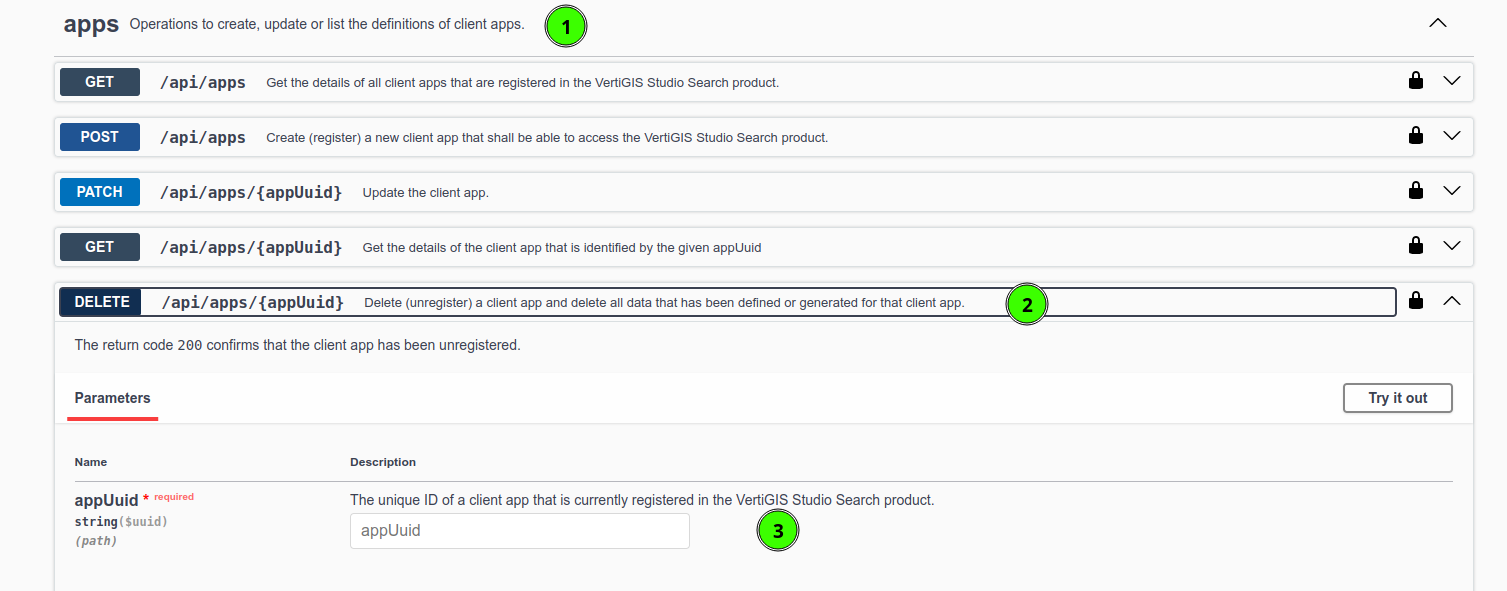
The following three apps are part of the sample data. They can be entirely removed using the respective appUuid:
c6d0a378-5ee8-11ea-bc55-aaabbbcccddd (World Cities App)
76abd0d5-2bf1-47d2-aafb-cccdddeeefff (US Parks & Rivers App)
ff543027-ca82-44c9-a18e-8050d2c935f5 (Canadian Airports App)1 -
Removing the sample data from an existing installation can be accomplished using the Search API.
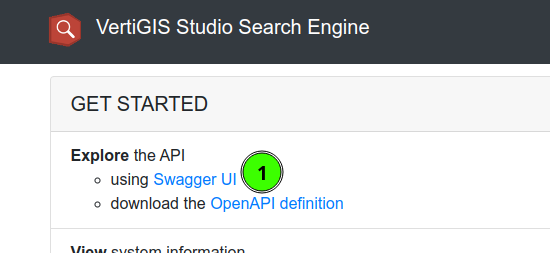
Under “Engine Settings” the "Swagger UI" can be started (note that this is only available for on-premises installations, not on SaaS).
In the Section “apps” the operation “DELETE /api/apps/{appUuid}” can be displayed and activated using the button “Try it out”.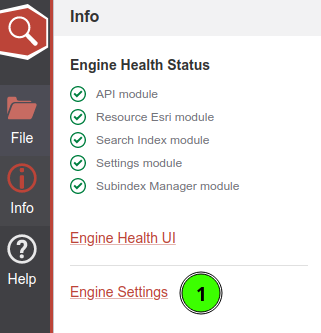
 1
1
Vous devez vous connecter pour laisser un commentaire.
Commentaires
4 commentaires