Georeference data on map screenshot
Non planifiée
Hey,
GVH has a built-in component to export the current map view to various image formats, and also includes the ability to include georeference metadata.
In VSW/WF a simple map image export can be achieved using the Get Map Screenshot activity and the system.download-file command. However we are still missing the option to include georeference data.
The ability to export a georeferenced image of their map is a useful tool for some of my clients. Either via a built-in component in VSW or via Workflow.
-

Hi Vegard,
I have a way to sort this out. You will need to create a workflow.
Workflow Layout:
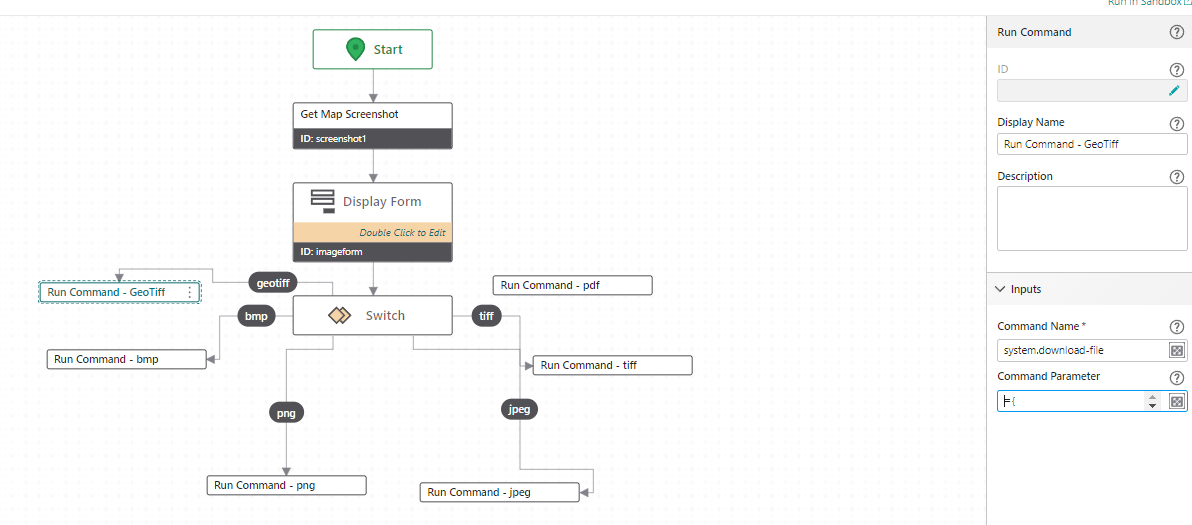
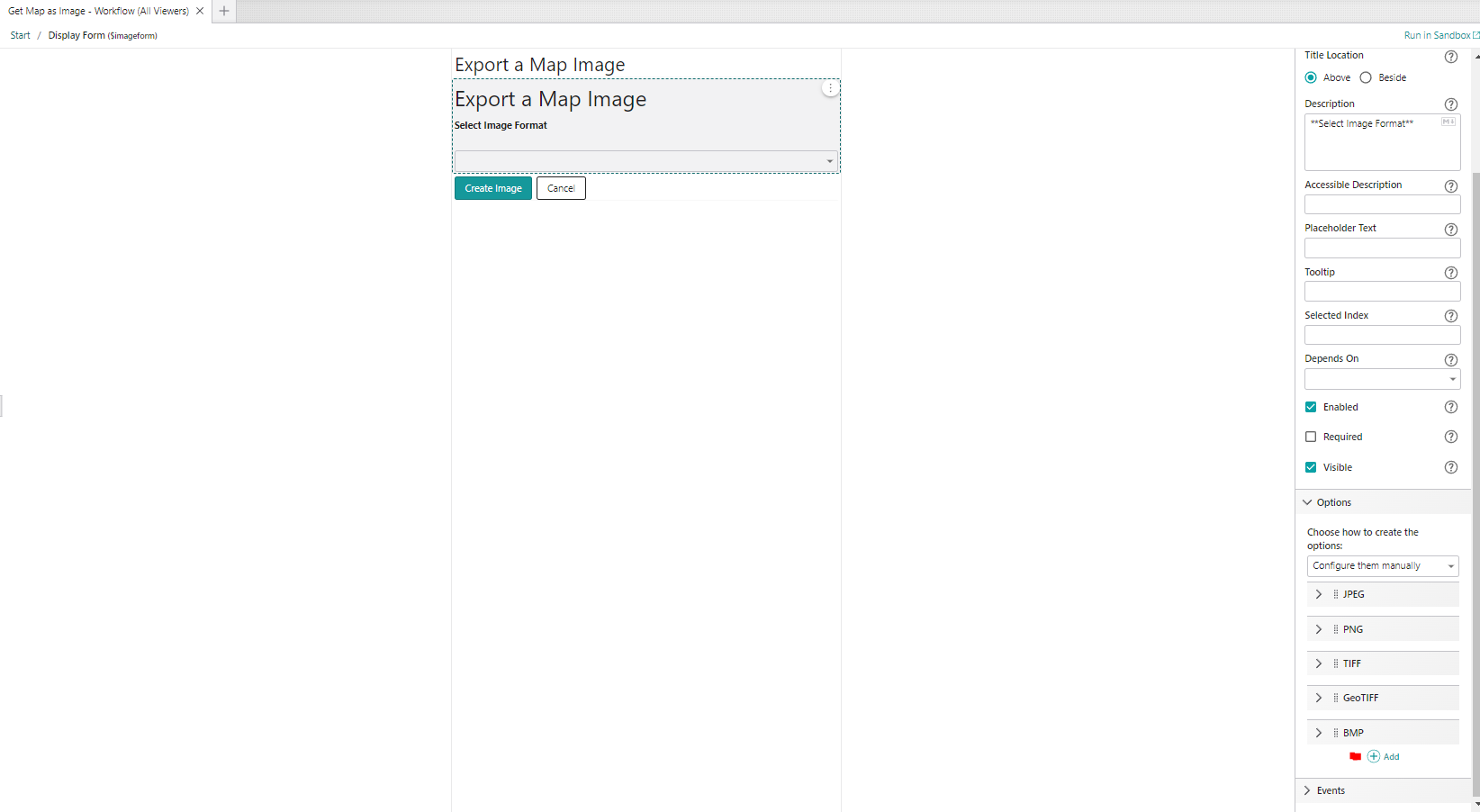
Display Form:
Run Command (GeoTiff):
={
"fileNameExtension": ".tif",
"name": "PEC_Map_Image",
"result": $screenshot1.dataUrl
}
Note: add any file extension you need.
VSW Designer:
Add workflow to panel

Use Show Command to activate Workflow in panel:
 0
0 -
Hey Kevin!
Thanks for your tip, however it looks like your solution will only download the map image, not add georeferenced data to it?
I have solved the georeferencing-part via workflow by generating a worldfile to accompany the imagefile.
The workflow in case anyone else is interested (Running this in Sandbox will not generate a completely accurate georeference for some reason, however it works for my client in EPSG 25833).
Regardless, easier (built-in) georeferencing is still on my wishlist.
Regards,
Vegard Sulebakk
Geodata1 -

Thanks so much for sharing this Vegard Sulebakk ! My users will greatly appreciate it. For anyone else trying to use it, I had to swap out the Coordinate System definition to get it to work. You can get that from a .prj file saved in your coordinate system.
Update: after some testing, it seems like it works half the time. my users really want this functionality, so we will put up with it for now. it would be really nice if this was built-in functionality.
0
Vous devez vous connecter pour laisser un commentaire.
Commentaires
3 commentaires