VSPrinting overview map only reads the basemap??

I authored a webmap intending to use it as my vicinity map on a VSWeb app and then had the idea to use it in all my print templates as well, except the overview map in VSPrinting is only displaying the basemap portion of the webmaps?
Not super useful when I have it turned off... vs
vs
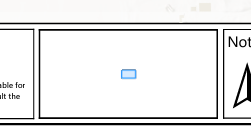
am I missing something?
-
Commentaire officiel

Regarding the map to be displayed in the overview map of a printing layout:
The following user story is on the road map for VertiGIS Studio Printing:
User Story 318835: VGS Printing Web: Choosing which web map shall be used for a specific map frame in a printing layout
At this point, a specific date when this functionality will be released is not yet known.
Regarding the scale of the overview map of the printing layout:The Esri printing layout (.pagx file) offers formatting settings that cannot be accessed or edited in the web-based VertiGIS Studio Printing Designer.
The specific setting required to get the desired scale in the overview map can be found on the "Overview map" element, under "Display Options", in the section "Constraint".
See the following screenshot from ArcGIS Professional:
The web-based VertiGIS Studio Printing Designer GUI is not equipped to display and adjust all of these detailed settings.
However, any of these settings are preserved when already present in a given printing layout.
While the VertiGIS Studio Printing Designer will be enhanced over time and receive new functionality, there are no plans to ever bring the full set of layout options to this Designer.
For customers that are not restricted to a pure SaaS environment, the following products can be used to edit printing layouts:- ArcGIS Professional
--> requires an Esri license of at least the user type "Creator"
Supports the full layout editing functionality on a printing layout that is already available as a portal item.
- VertiGIS Studio Desktop
--> requires an Esri license of at least the user type "Creator" and a VertiGIS Studio Desktop license
On top of the layout editing functionality, Studio Desktop is also equipped to publish a new layout as a portal item in the required form.
- ArcGIS Professional
-

did you figure this out? my overview map is also blank
0 -
nope...not a peep from anyone either...
0 -
I looked at the documentation and it case it helps anyone else, it says it only prints the basemap for the overview map and that it has to be in the same spatial reference as the main map. Still trying to get mine to consistently work.
0 -
Hey Eric Kriener, how are you setting the overview map's extent? Are you using a set scale or putting a # in for expand? I was doing expand, so I noticed that when I was taking far out prints, it was zooming out even further past the extent my basemaps were visible at, thus a blank overview map. I added a feature layer of our county's boundary to turn on at that point, and now I can see it. However, it looks bad as everything is so tiny. I played around with it more, and now I have a static scale instead and bumped up the line width of the AOI to make sure it can be seen even when the print is zoomed far in.
0 -
Obviously I missed the part where the print template will only use the basemap.
I created and shared a tiled web layer and used it as the basemap in my vicinity map and the print template will now read it.
BUT, I can't get the basemap to lock...putting in a scale does nothing...the basemap still inexplicably zooms in so you can't actually tell where you are in the county....
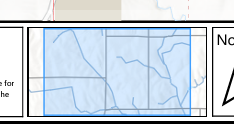
This is all we want to be able to do on the print templates...
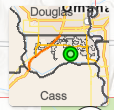
just maddening...
0
Vous devez vous connecter pour laisser un commentaire.
Commentaires
6 commentaires