Guided user tour: Collapse and not deactivate layout components from a Workflow
Répondu
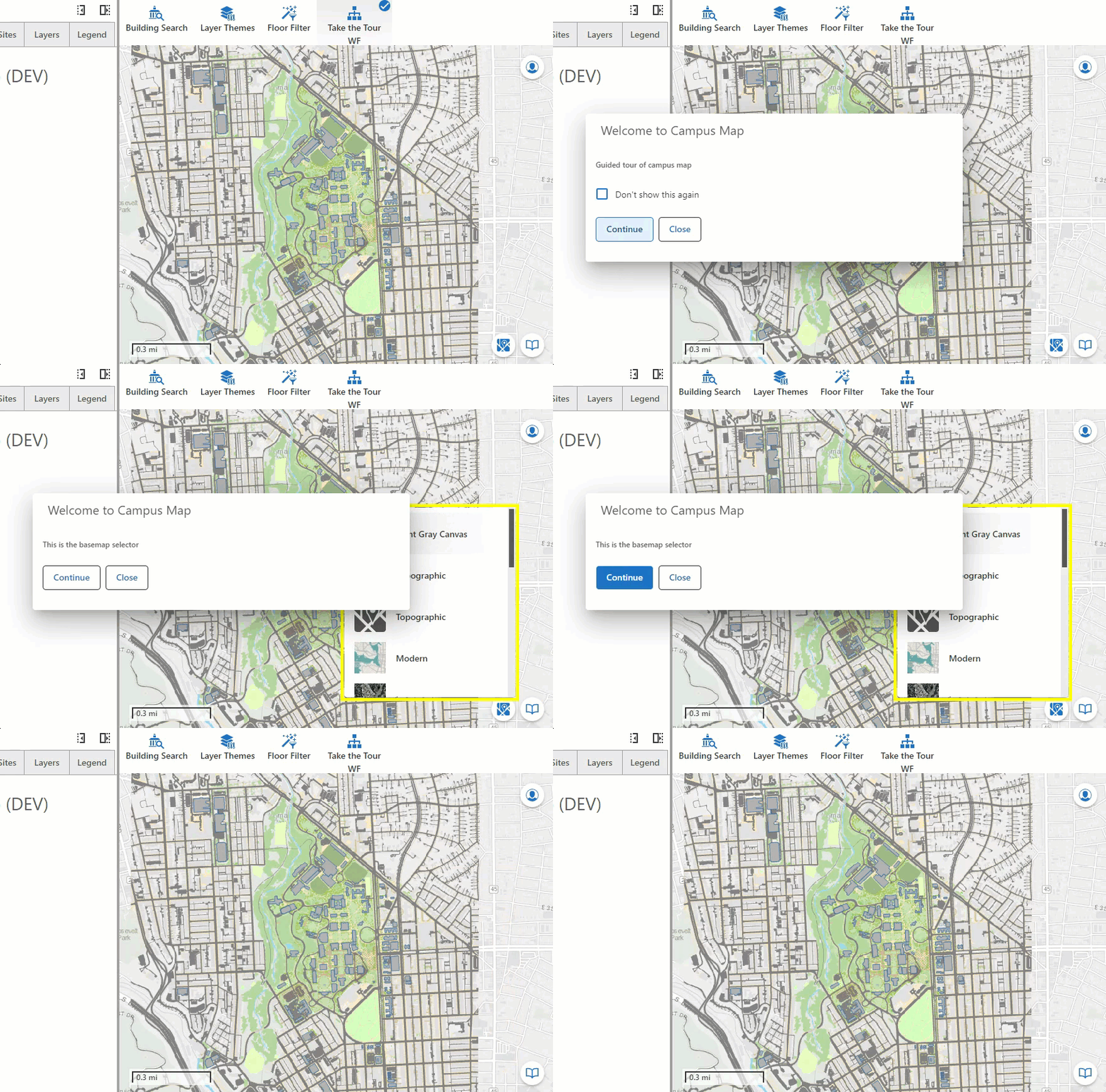
Is there a way to "collapse" a layout element in Studio Web with a Workflow without deactivating it? I am working on a Workflow that would be like a guided tour of the Studio Web Map, using a Dialog box and a sequence of Forms in a Workflow to call out different elements and provide a brief tutorial (here's the Basemap selector, here's the bookmarks, etc). I can use ui.activate and the layout ID to expand the elements, and can Inject CSS to add some flourish to the DOM element. but when i call ui.deactivate to collapse the layout element and move on to the next step in the sequence, the whole Component disappears. In this case the Basemap selector is inside an Expand Component, and when i trigger ui.deactive, it is gone forever, yikes!
-

Hey Jonathan
I'd suggest using the ui.focus command rather than ui.activate and ui.deactivate for this type of guided tour.
See ui.focus on our dev docs on commands.
As you can see from its arguments, you have the option to specify a component model (which will be a specific web component I believe), or if that doesn't work then you can use a CSS selector:
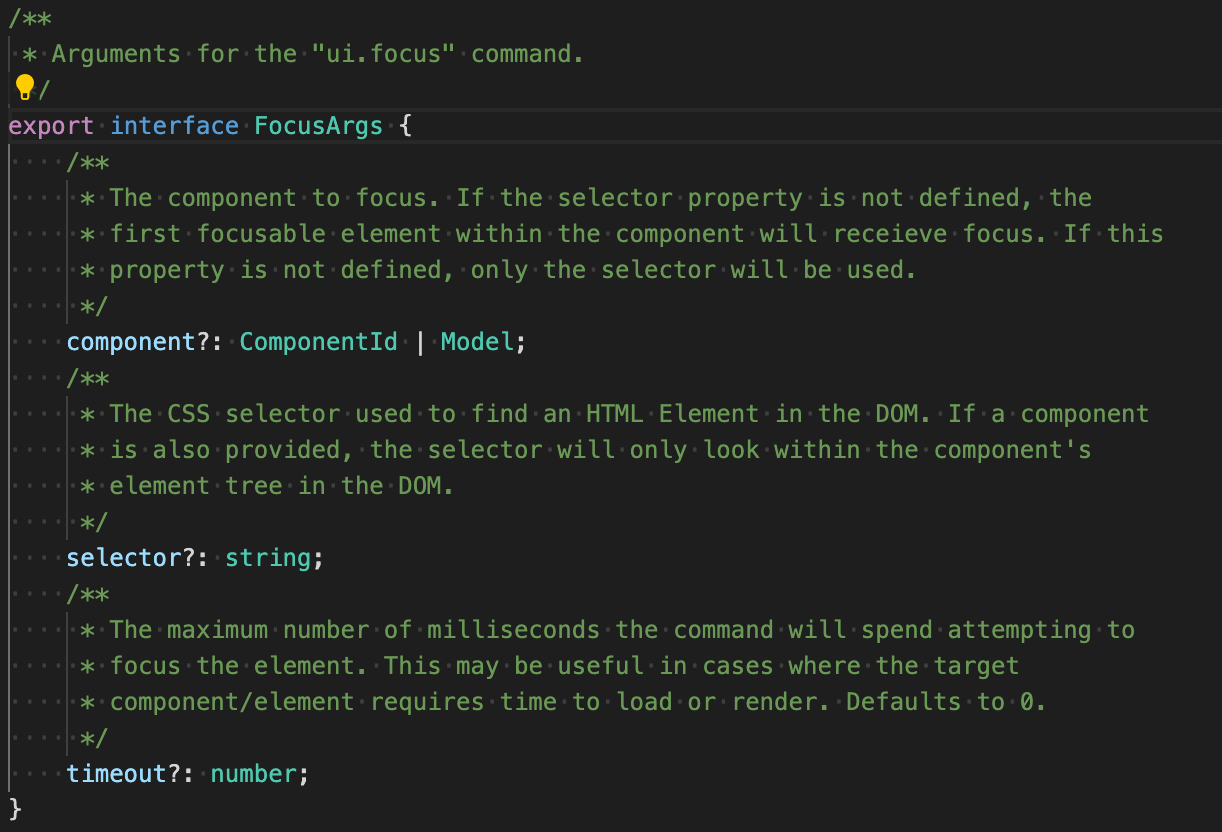
We don't change the focus automatically because it isn't always desirable (very much depends on the use case) and violates many WCAG AA 2.x criteria if you auto-change context based on an action. Instead, we've provided that ui.focus command that you can include in the command chain to set the focus if that is your desired behaviour.
Another thought I had here, and this isn't an OOTB Studio thing but rather a third party paid library is IntroJS
(github) - to me, this is the holy grail of a guided user introduction approach. You could include this library in a VSW app and call it from either inside an VSW event or from a Workflow.The other thing to think about here is you could potentially submit an idea post describing a need for this type of guided tour interface and then others can dogpile on there to show the need to our product team for future development efforts.
1 -
thanks for the feedback @.... will give this all a whirl.
0 -
Jonathan Dandois glad to help, let us know how it goes!
0
Vous devez vous connecter pour laisser un commentaire.
Commentaires
3 commentaires