Geocoding service settings in WebViewer 5.2

As per Geocortex documentation, ArcGIS Geocoder is supported in WebViewer. I wanted to configure geocoding services for Global Search. However, I can’t find a way to add a geocoding service to an app. I have geocoding services in my Portal for ArcGIS and they are added to Utility Services already. How can I make them available for the geosearch in Geocortex Web?
-

Hi Charles,
The ability to configure the URL for the geocoder used is not currently configurable within the designer; please add this to the ideas section. We currently have this listed in our backlog and I've added your name to the list of stakeholders.
Thanks, Stefan
0 -

@Charles Deng? There is a manual way to configure this by editing the JSON configuration file. If that idea don't scare you, let me know and I'll provide you with some instructions on how to do this.
Cam
0 -
Hi Cam,
I just started using 5-series, testing in a dev environment. I don't worry about anything ?will break. Please send me your instructions via email chunlang.deng@mississauga.ca. For the best practice, I will make a copy of the JSON file before I edit it.
Thanks!
0 -

@Cam Barnard? and @Stefan Schweigert? - is there any update on this feature? I'm using GXW 5.7 and I'd like to be able to add some geocoders.
0 -
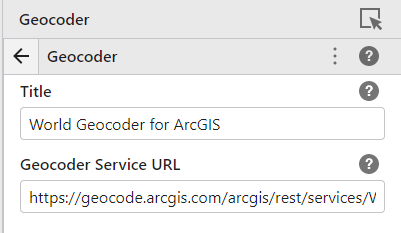
Just to circle back on this ... we have exposed the Geocoder configuration in Designer now. You'll find it under Services > Geocoder
 0
0 -
Currently only a single geocoder is supported. However using Esri's best-practices pattern of a single composite geocoder that sequentially starts with more local geocoders and works it's way out you can have multiple geocoders as part of the composite geocoder.
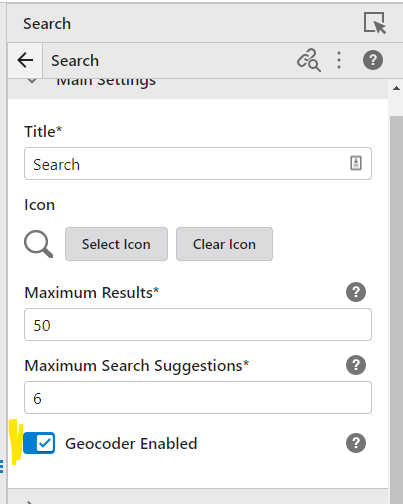
Configuring whether search uses the geocoder or not is part of the Search component configuration.
 0
0 -

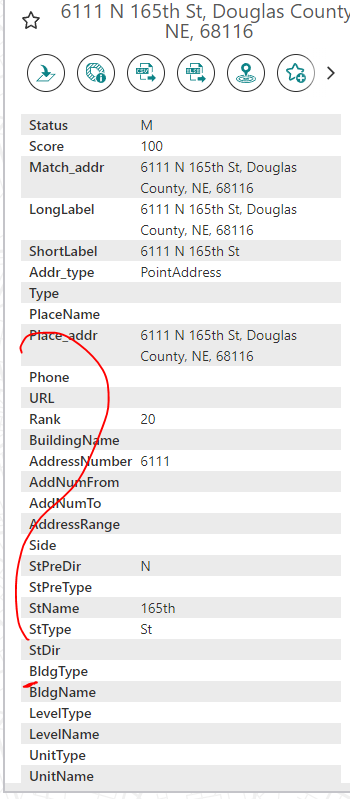
Cam Barnard Is there a way to configure the details that show up when using an address locator? I'd like to be able to hide them as it's too much information for end users (locator name, status of match, score, etc.)
0 -

I would like to know that as well, if all the geocoder fields can be hiden.
 0
0 -

Hi
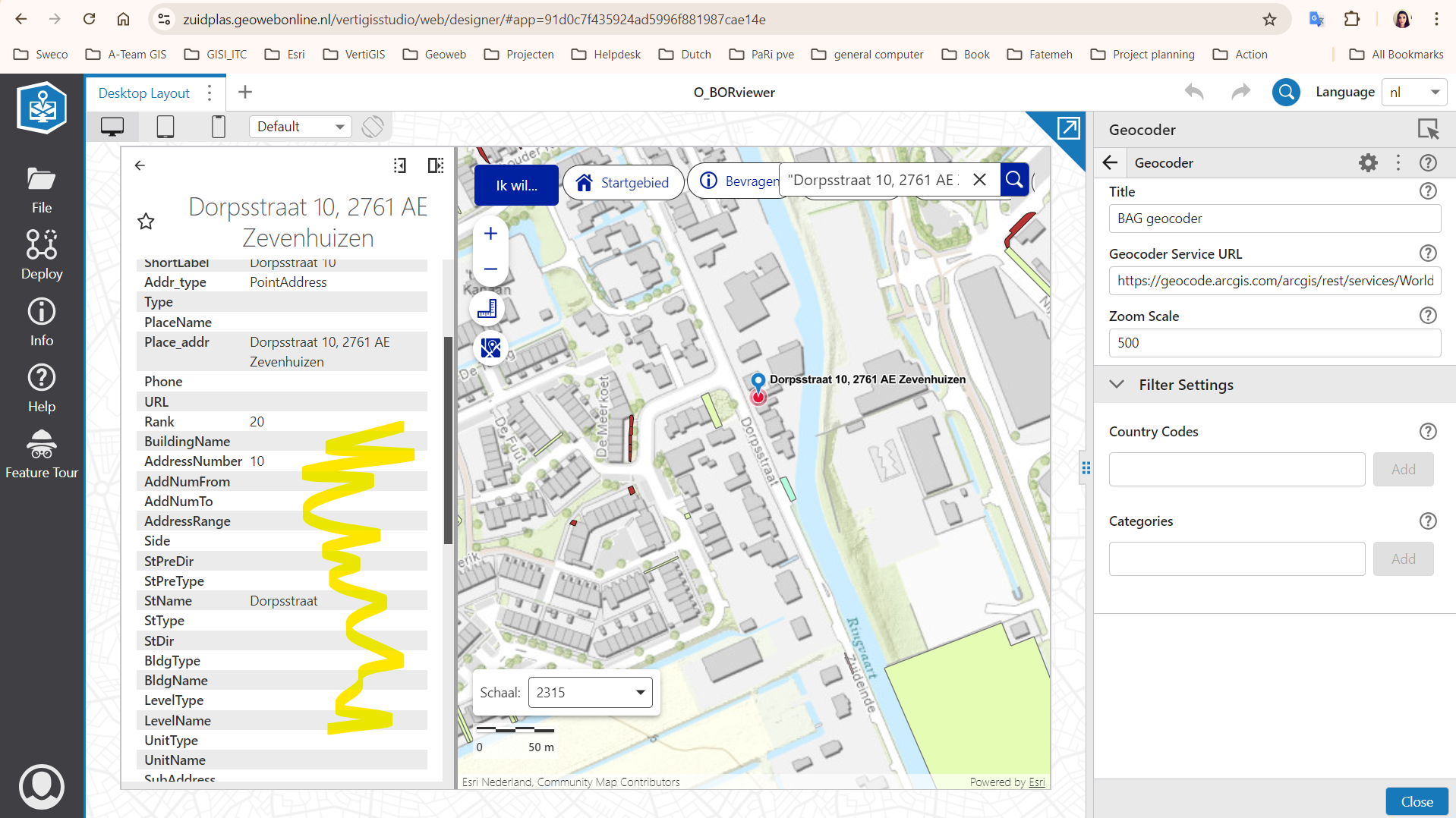
Actually this is also my question, some of our customers want to remove/ hide information on the result page.
 0
0 -
Nataliya Lys , Pari Heidari I made a workaround that works for me, perhaps it can help you. While we can't alter what the geocoding results show, I put a custom workflow on the Result Clicked Event on the Results List so that geocoding results do not open into a feature details panel when clicked. In our app, we have results coming from the actual parcel polygons as well as results from the address locator:
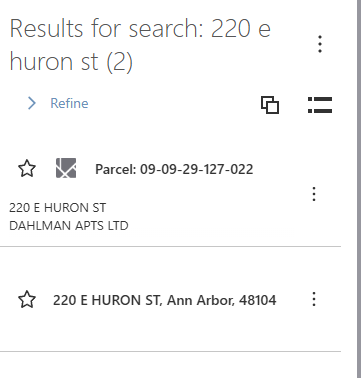
Previously, clicking on either of them would open the full feature details and zoom to that feature. It was confusing for users because the geocoding result doesn't have the full parcel details. Now, the top one works the same but the geocoding result only zooms to it.
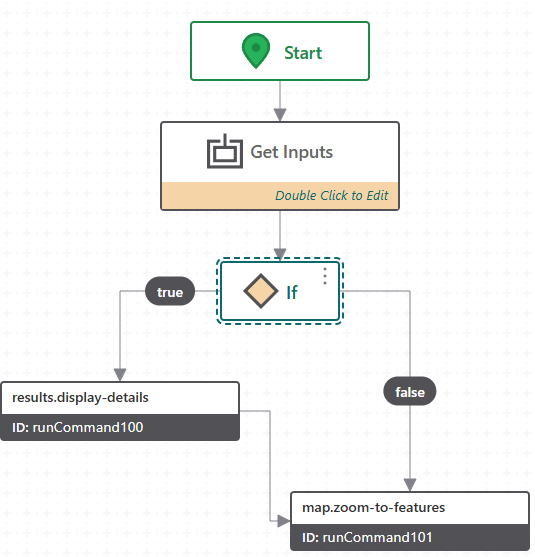
If has: =$getWorkflowInputs.inputs.context[0].source.id != ‘esri-geocoder’
0 -
Chelsea Rozek that is an interesting solution. Thank you for sharing. I will give it a try,
0
Vous devez vous connecter pour laisser un commentaire.
Commentaires
11 commentaires