Setting Popup Over Feature

Is there a good example how to set a popup to display over a feature instead of in a panel somewhere else on the map.
I guess what I'm looking for is the behavior of essentials when the popup appeared on the map instead of on a side panel. I find the side panel is way too obnoxious for a simple popup for basic information where a simple modal type box will do perfectly.
-

Hi Shawn,
Not currently possible, but we are looking now at new work that will put the right pieces in place to be able to do this (it may not be possible to show everything/exactly what is currently in Feature Details in a popup display over a feature directly on the map.
0 -
@Shawn Roberts? To follow-up. On-hover map tips were introduced in version 5.9 (October 2020)
0 -

@Cam anyway to set the pop-up feature back to on click instead of on hover? I like it but some of our users prefer the on click state. Not sure how to do this in VertiGIS Studio Web 5.15
1 -
Cattyann Campbell In short, yes.
You have a couple of different components that show result/feature information.
There is the Result Details component, and the Result Summary component.
Removing the 'on hover' behavior is done by removing it from the Maps > Events > On Hovering
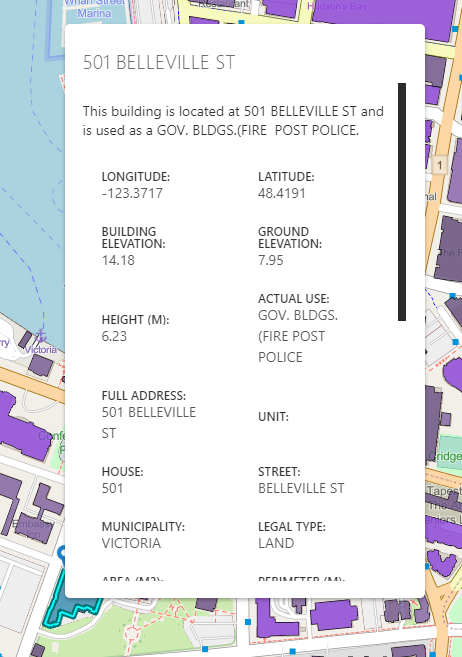
If you want feature details to show up where you click on the map, instead of on the left panel (default) then you can move the feature details component into the Map and use the Popup slot.
You may have to set some height / width on that element to get exactly the size you are looking for but you can get to a 'click to show details on the map' pretty easily.
 0
0 -

Cam Barnard How do you set the height width of that element? I don't seem to get that option when using the pop up slot. Thanks!
0 -

Andreas Broothaerts
You can use rows and columns for that with a fixed hight and width: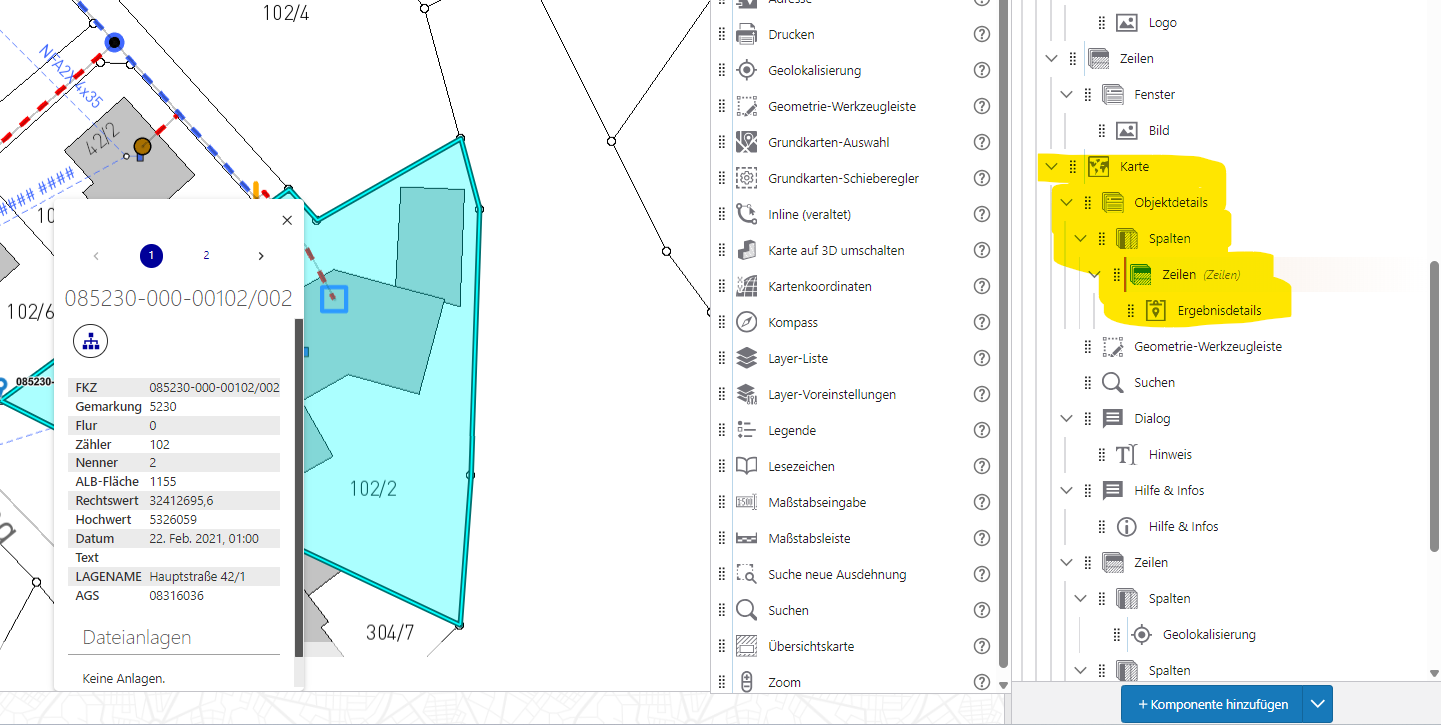 1
1
Vous devez vous connecter pour laisser un commentaire.
Commentaires
6 commentaires