Designer Unable to Load After Setting "Layout Loaded" Event

Web 5.6 WF 5.16
I've tested this one in a few different ways and always come up with the same error, just hoping for a bit of help.
The idea behind what I'm trying to accomplish is I have a desktop layout but on load I need mobile users to be able to view it on a mobile device. So I use the layout loaded event to fire a workflow. This workflow gives them the option to switch layouts. However for testing, I've stripped this layout down to just a form that does nothing.
I start with a web expanse layout. I've found I can recreate this with the default web expanse settings (capital city map et al), and don't even need to add in a second layout.
Next I add in a "Layout Loaded" event to point to my pre-configured workflow. This workflow was created using the "convert to workflow" option in web.
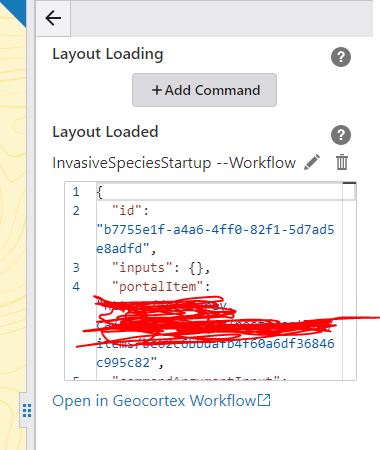
Once this is done, I save the map and refresh the browser. The designer will work correctly until I refresh the browser. Once I refresh it I've found the designer load will just hang. I've made sure the workflow is accessible to the designer to ensure that's not why it was hanging.
Any assistance of how to overcome this will be greatly appreciated.
-

Hi Shawn,
Does you workflow gives some kind of forms for user to select a layout?
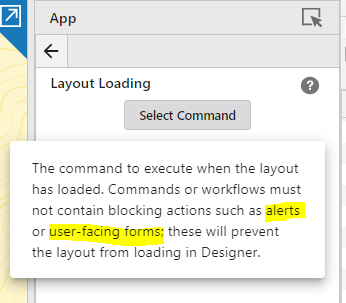
If the workflow contains blocking actions that require interactions from users such as alerts or user-facing forms, it will prevent the app from loading in Designer.
Kind Regards,
Pairin
0 -
Hi Pairin, yes it is a form that allows the user to click yes to flip over to the mobile layout or stay on the desktop layout.
This whole issue has come about as just using the desktop layout and expecting mobile users to have to deal with the issues associated with that doesn't really work well (ex: https://communities.geocortex.com/s/question/0D55x00007ApRlOCAV/form-overflow-on-mobile).
Since its rather difficult to detect a OS and deal with setting the appropriate layout on load that way I was trying to come up with a simple solution so both mobile users in the field and desktop users can use the application the way it was intended, and providing two separate links isn't an option. Any suggestions?
0 -

Hi Shawn - two things.
First - help is on the way. We are currently building a viewer command that can be called from a workflow that will report information about the device screen size that you can then use to automatically choose the appropriate layout for the user. You would wire this up to the App > Events > Application Initializing
Since there is no user interaction, this doesn't cause issues like you've observed above.
Second - today, the only event you can use that would allow to display a form to the end user is App > Events > Application Initialized
Since for this event everything is loaded, you can show a user-facing form.
Based on your use case I would likely
* Load the Desktop app by default ( App > Events > Application Initializing | Switch Layout > your desktop layout
* Use the Application Initialized event to fire up a simple workflow (in a dialog layout element would be best). That workflow could be as simple as some text and two buttons. "App as loaded with the default Desktop layout." | Continue and use Desktop Layout | Switch to Mobile Layout
Where the Switch to Mobile Layout uses the Switch Layout command.
0 -
Thanks Cam I'll give that a shot.
0 -
Hi Cam, just following up on this. It appears "application initialized" event also restricts user facing forms unfortunately. It looks like all 4 possible events (layout events and app events) that I can access restrict it.
It does look like the app will still run its just the designer wont. So I think until these new events are available I'll wire up the app to run and swap viewers and anytime I need to access the designer I'll just unplug the form event from the workflow. An inconvenience but its a solution.
0 -

for posterity its in 5.8:
Added a new viewer operation,
viewer.get-capabilities
, which provides information about the height, width, pointer/touch/hover support, aspect ratio, and orientation. This information is useful for many things, but the primary use case is to use the Application Initializing event when the application starts up to assess the capabilities of the viewer 'device' and select the optimal layout from the application.
0
Vous devez vous connecter pour laisser un commentaire.
Commentaires
6 commentaires