Reports unavailable in WebApp Builder

I have this issue that I cannot find any discussion on. I have Geocortex Reports that are configured and function, and shared into my group on Portal. They are accessed through the widget in Web App Builder in Portal - but some of the reports never appear as available (see the screen shot). I see this message that 'some configured reports are unavailable' in the reporting widget when I have selected a feature to report on. The layer names are correct and the reports do function. Any idea what this error means?
-

Hi Craig,
The 'some configured reports are unavailable' message usually indicates that the current Web AppBuilder user does not have permission to access the report portal items.
I would suggest:
- Check the Sharing settings of the report items to see if/how they are secured.
- Confirm that you are signed in to the Web AppBuilder application as a user that has permission to see the reports.
- Check the network traffic of your web browser to see if there are any failed requests.
0 -
I found that all of the permissions are fine. What I did find was that if I opened the reports that did not work in Designer, and save them to a new name, and reshare them, then they show up in the widget. However, they will not run. And in Designer, trying to preview the report, it also will not run. It says to check the console, which I have. I pasted in the error below. I don't see any clues in there as to why the report will not preview. I have checked the query underlying the report - and it will run and show me data.
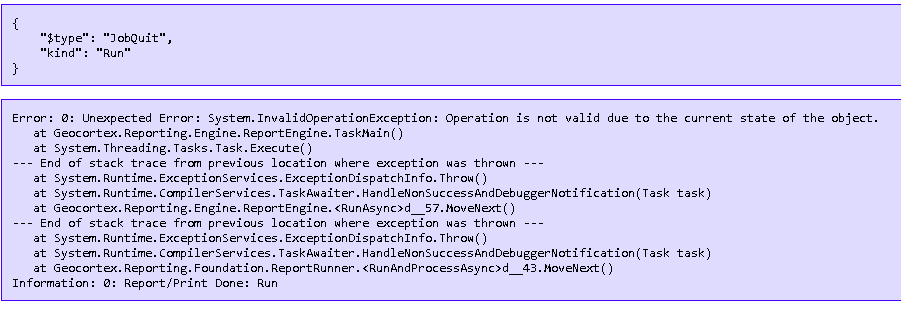 0
0 -
As an update to this, I am starting to believe there is a maximum number of reports available in the Reporting Widget in Web App Builder. I find I can take out a report, and then one that previously did not show up as available, now becomes available. So, is there a maximum number reports for the reporting widget? Is this a setting?
0
Vous devez vous connecter pour laisser un commentaire.
Commentaires
3 commentaires