Is there a way to suppress the label for a field if the value of the field is null? I see that I can hide and shrink the field itself but I'm looking for a way to hide the label for the field too.

I've looked to see if I'm just missing a way to bind the label to the field but I'm not seeing it. But I'm also a new user so I may be missing the obvious!
Thank you!
-

Hi Margaret,
One of our team member's was able to configure a script that will do this; see the attached image for an example.
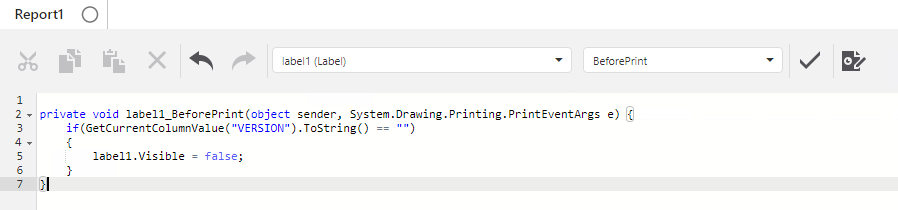
I hope this helps!
Stefan
0 -
@Stefan Schweigert? Thank you for the response! Can you confirm that Scripting is only available for on-premise Reporting?
Thank you!
0 -
Hi Margaret,
No worries! Yes, only on-premises.
Thanks, Stefan
0 -
Hi @Margaret Montgomery? ,
I have a way to do this through Expressions rather than Scripting if you don't use the on-prem version:
- Select the control for your label
- Open the Properties panel on the right
- Under Behaviour, check the Can Shrink checkbox on
- Open the Expressions panel on the right
- Open the editor for the "Text" expression
- Paste the following, but update FieldName and My Label Text with the actual field name (the one that might or might not be null), and label text you want to display:
Iif( IsNullOrEmpty( [FieldName] ) ,'' , 'My Label Text')So far I've found the most reliable way to make a label control disappear & shrink is to ensure that its text is blank, and that it is set to visible. If you try turning the visibility off instead of making the text blank, the label can disappear, but the space that it was occupying often won't shrink.
You also need to make sure nothing else is touching the label. And you need to make sure nothing visible is overlapping the same horizontal line that it occupies.
Here's a quick example result with the Description field from an LA Airports layer:

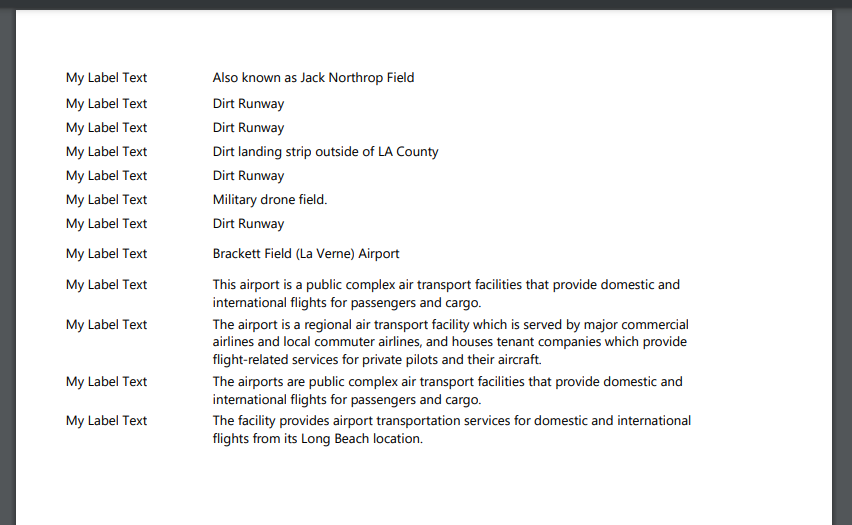
And the same, but with an OBJECTID field added to demonstrate the "hidden" features that were shrunk down in the first one:

 0
0
Vous devez vous connecter pour laisser un commentaire.
Commentaires
4 commentaires