Show pop-up in upper left corner of the map
Répondu
Is there a way to display results in a dialogue (e.g. in the top left corner of the map like with map tips in GVH)? I tried to achieve this by dragging the results-details component into a dialogue component but then then interaction with the map is not maintained which means that you cannot pan or zoom in the map when the dialogue is open. What I am looking for is a way to display the pop-up/map tip in the upper left corner of the map but show the feature details in the results panel like in GVH.
-

Hi Marina,
Yes, this is possible by including the results summary component in a panel and setting the slot to top left. Here is a screenshot and a sample app for reference:
https://apps.vertigisstudio.com/web/?app=9147d8afb59c4e8293791baec8f7a46c
Here is the panel configuration contained within the map component. The column allows you to specify a fixed size for the summary panel

This is the panel configuration which points to the slot for where you want the summary to be displayed.

This is the map configuration where I've configured a click event to activate the result summary panel.

If it helps, I can export the linked app and send you the configuration so you have it as a sample layout.
Cheers,
-- Patrick1 -
Great! Thanks, Patrick! I will give it a try!
0 -

Following the same pattern Patrick described, you can also use a Result Details if you want something larger (will likely have to set a width and height on it to get exactly what you are looking for.
1 -
Hi Cam, thanks! I tested it and it works fine! It would be nice to have something in between the results summary (because it's very short) and the results details (because it usually contains buttons which claim a lot of space in such a 'panel pop-up'), something like the map tips in GVH. But good to know how it can be achieved to display this information in the upper left corner of the map.
0 -
We plan to revisit Result Details and add some additional display option configurability.
Things like control over the order the the main elements appear in (actions, title, description, external links, related data, etc.)
We are also working on an alternate visualization for the actions (buttons) option perhaps even providing a three-dot or hamburger menu option where they aren't visible until you open something to view them.
One other tip, you can remove many of the default 'actions' that are configured in the template, and focus more on layer-specific actions that provide value and apply only to a specific layer type.
1 -
Thanks for the tips and good to know that there are plans to add some additional display option configurability and to provide and alternate vizualization for the action buttons. I already removed all action buttons except the 'Zoom to result' action, so that already provides some space within the result details display.
0 -

@... how did you add the Map Tip Panel? Would like to do the same thing but don't see any map tip panels in Web.
0 -
Cattyann Campbell - It's just a regular Panel component. I just gave it the name of "Map Tip Panel" in my configuration. In short it's a Result Summary component included within a Column to specify the width which is then nested/included in a panel.
If you want to see an example of this, I'd recommend checking out this resource:
https://community.vertigis.com/hc/en-us/community/posts/4787167506962-VertiGIS-Studio-Web-Sample-Package-Now-Available0 -
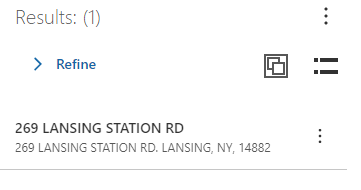
Question I have a workflow that allot users to click a find address button on the interface 1. click button 2. start tying and pick address from list... This works just fine but the results is showing the canned result list instead of the results from the ESRI pop-up. I basically want to get the same results as the one the user gets when they identify the feature on the map.
 0
0 -
How do I get the above result to display on click in the app?
0 -
Hi Patrick,
I have an additional question regarding the pop-up display in the upper left corner. This works fine when using the panel you suggested. However, when clicking on a feature that is situated in the upper left corner of the map, the panel opens on top of the feature and therefore overlaps the feature which means that a user cannot see the feature that corresponds to the results summary in the panel. Is there a way to pan to the selected feature so that it appears in the center of the map after clicking it (e.g. a 'map.center' command underneath the 'results.display-summary' command) because this is what happens n GVH when a map tip opens.
Cheers,
Marina
0
Vous devez vous connecter pour laisser un commentaire.
Commentaires
11 commentaires