Looking to open a new window to a web page using system.open-url
Répondu
I am trying to make a tool to examine metadata at an html address in a new window. I assume I should be using system.open-url, but cannot figure out the proper code. Any ideas? TIA.
-
Commentaire officiel

Here is an example of a code snippet which will open a new tab with Google Street View at the location of the feature. This has been configured for a Feature Action on a layer:
[{"name": "system.open-url","arguments": {}}]
Where LATITUDE and LONGITUDE are Field Extensions on the layer: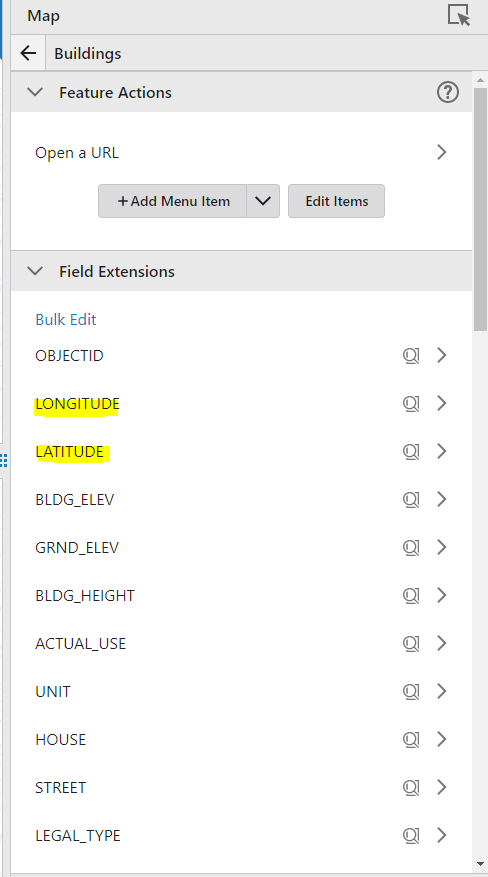
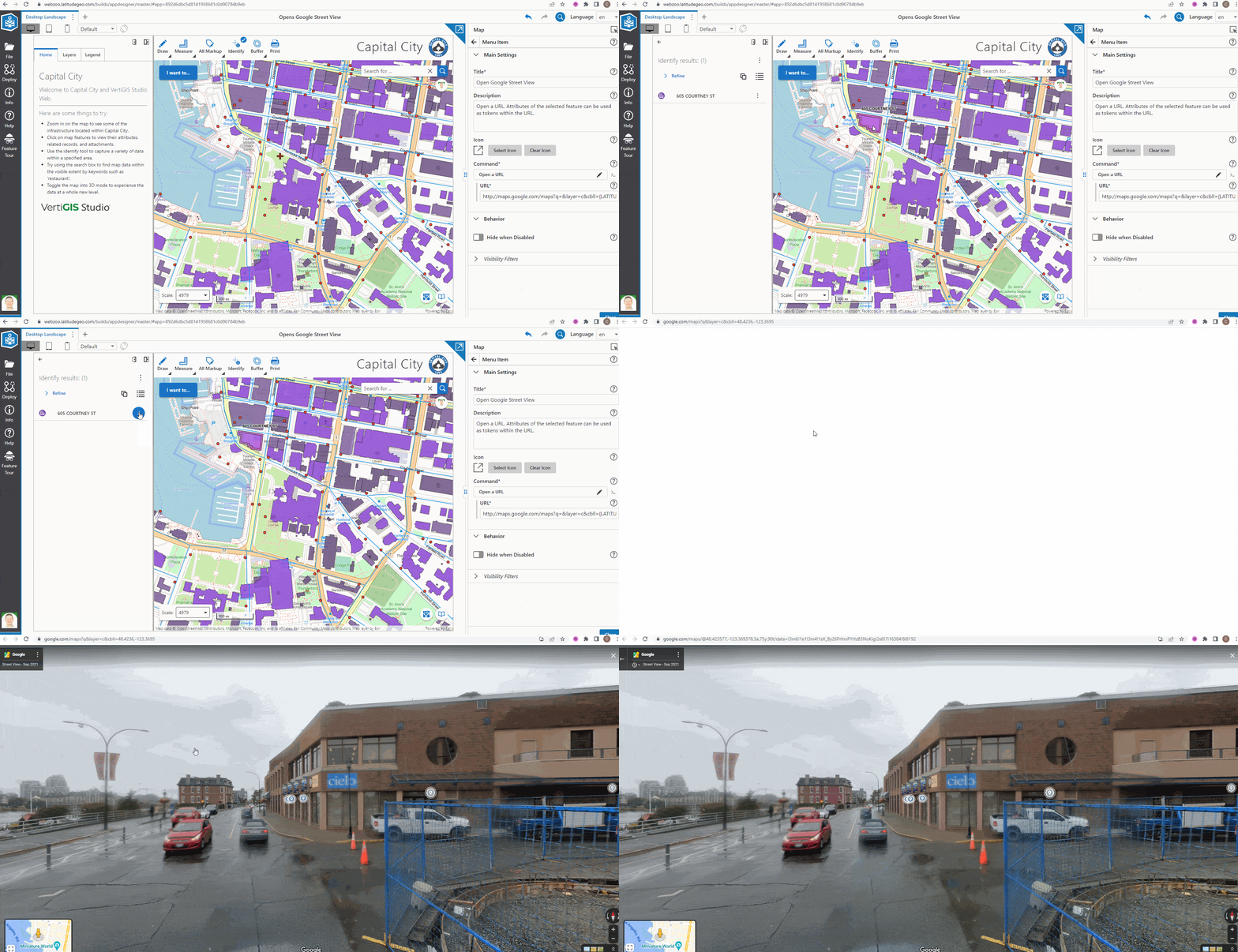
Does this help or is there a different pattern people need help with?
-

Opens a URL, either in the system browser or whatever app is appropriate for the scheme of the URL. If {@link Features } are included as context, then the URL may contain substitution tokens in the format {FIELD_NAME} where FIELD_NAME is the name of a field in the first feature in the context. In this case, the {FIELD_NAME} is substituted with value of the FIELD_NAME field from the feature feature in the {@link Features }, e.g. https://www.google.com/search?q={NAME}, where the value of the NAME field in the first feature from the context is 'Jasper National Park' would produce the result https://www.google.com/search?q=Jasper National Park. Zero to many substitution tokens may be included. If maps are included as context, {@link LocationToken} can be used to access properties on the first map's view. In Web, if both layers and maps are included as context, then {@link LayerToken} can be used to access properties on the first layer.
0 -
Thanks Nico. I read that Help file, but I guess I am looking for a code sample on how to structure the arguments, strings, etc.
1 -

I too am looking for an example of how to use this command with an attribute as argument (cliking on a feature in the map, getting an attribute value and passing this along with the statick part of the url).
0 -
Thanks, @...!
When reading the doc, it just seemed a lot more complicated.
0 -
Thanks Conner, however, I am looking to simply create a Metadata button on a toolbar (Using a Custom Command, I'm assuming?) that opens an html page that links to our metadata repository. No map action is needed, it is simply a button that opens a page to a URL. Like this. Thanks.
1 -

James Landwehr Did you ever figure this out? Linking the layer to Metadata URL? Thanks!
0 -

Hi Liza Markey not sure if James figured this out, though we can certainly assist.
Are you looking to extend a feature action with a link to a specific resource using metadata? If not, a bit more detail might help.0 -
Great, thanks Gareth.
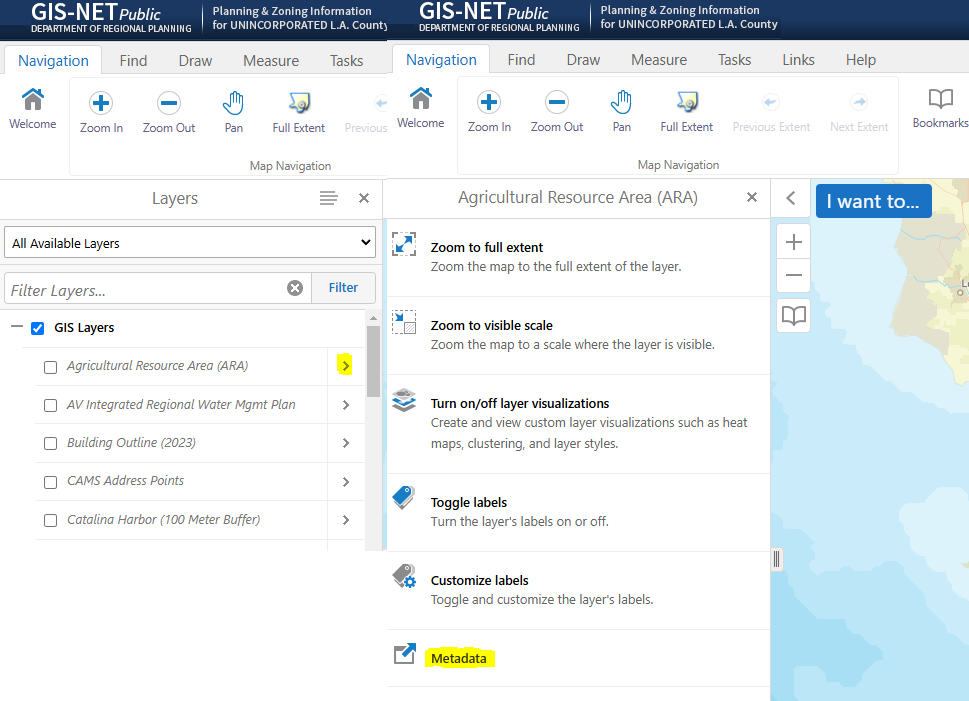
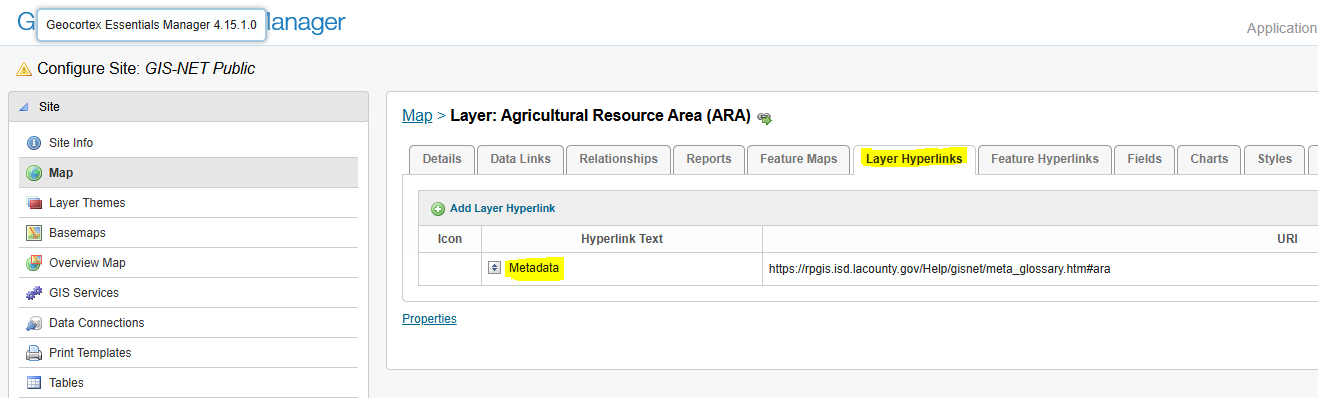
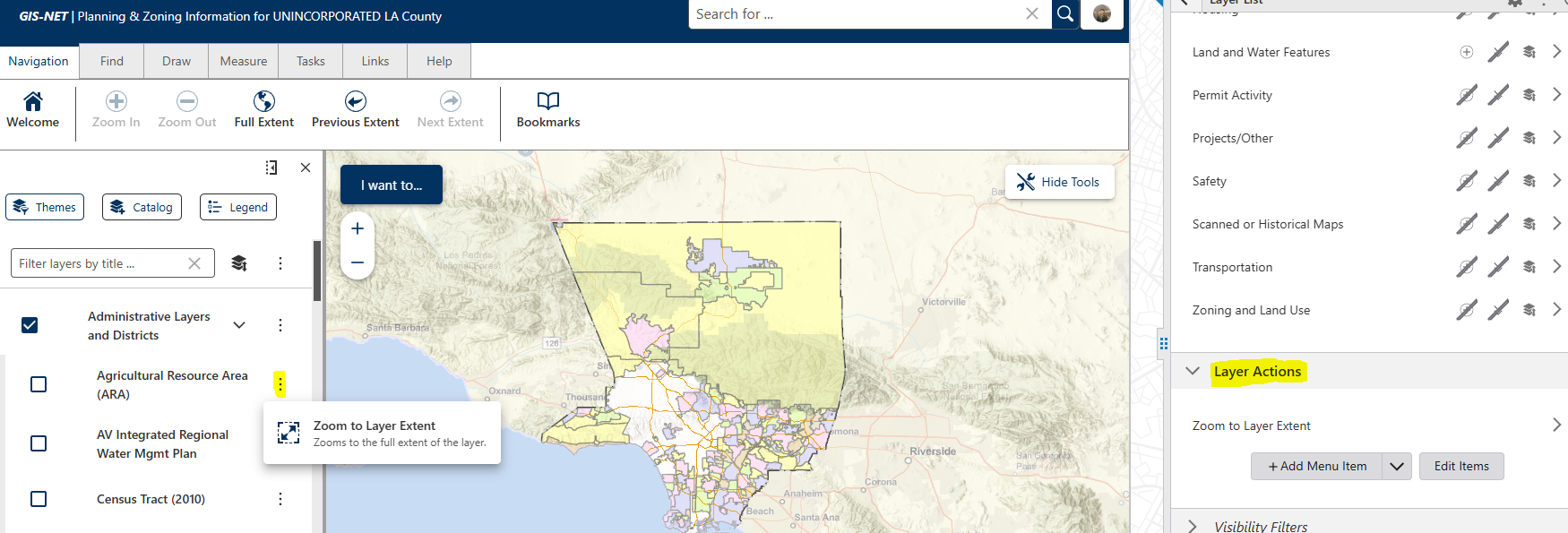
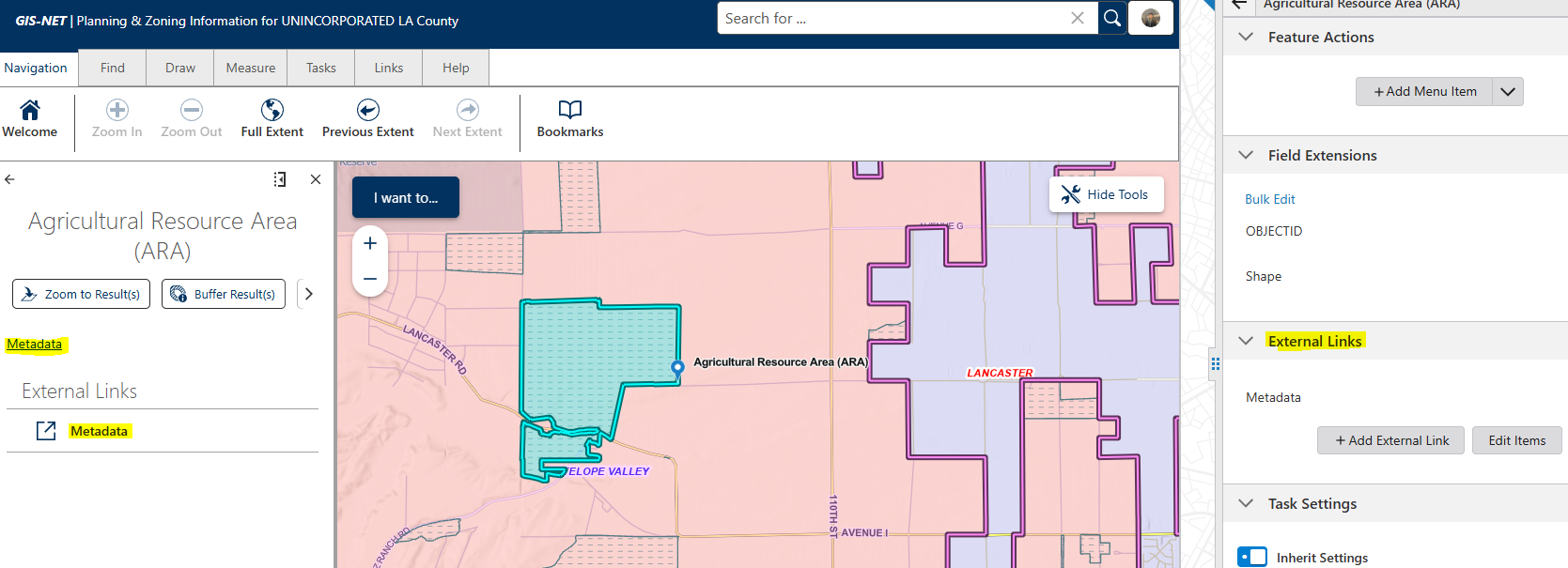
I was looking for something similar to Essentials where per layer you could enter individual links (here we have specific tagged links for our Metadata, for each individual layer). I have been able to link using the Map component External Links in Studio Web, although you can only see the link if you click on a feature. So was curious if I could set something up in a similar way in the layer list. Let me know what you think!
At this point I am just confirming if we can do things the same way or not as we try to migrate, and the metadata has always been a big thing for our planners, but my workaround seems to be using External Links, or the AGOL web map custom pop-up.
 0
0
Vous devez vous connecter pour laisser un commentaire.
Commentaires
9 commentaires