Identify Popup Displaying Related Records
Répondu
I'm sure I'm missing it somewhere, but is it possible to display related records in a standard popup in VS Web? I'm referencing a Map Viewer classic web map and it displays fine there, but not when I bring it into VSW. If not out of the box, is it something that I can build in Workflow?
Thanks!
-

Steve Schunzel I believe the VS web viewer will use the Esri web map for the pop up configuration. In this instance you could configure an arcade expression to show the related records. Depending on the related table if you want to show just the first record or if you want to show all records here are two examples:
How to call records from related tables to appear in a pop up
//writing a script to loop through records in a related table
var crossect = FeatureSetByName($datastore,"crossecrp");
var globalid = $feature.GlobalID
//var relatedtableID = 'globalid = @UniqueID'
var sql = "UniqueID = '" + globalid + "'";
var relatedData = Filter(crossect, sql)
//return relatedData
//sort
var cnt = Count(relatedData);
//return cnt
//var relatedDataSorted = OrderBy(relatedData,'OBJECTID ASC')
//return relatedDataSorted
var popup = "";
// validate if there are any related records and handle accordingly
if (cnt > 0) {
// there is at least 1 related record, create asset info
popup = cnt + " Cross Sections";
// loop through related records
for (var relateddata_row in relatedData) {
// create text using name and description (you should modify this to match your needs)
var cs_text = "Distance"+ " " + relateddata_row.csd +"ft" + " " + "Reading"+" "+ relateddata_row.csr+"ft";
// add the text for this asset to the asset info
popup += TextFormatting.NewLine + cs_text;
}
} else {
// no related records (or the sql query did not work)
popup = "No Cross Sections";
}
return popup;
To return only the first record from a related table:
var relatedrecords = FeatureSetByRelationshipName($feature,"DOT_GIS.DOT.PM_ClarityENVTasks");
var cnt = Count(relatedrecords);
var relatedinfo = "";
if (cnt > 0){
var info = First(relatedrecords);
relatedinfo = info.env_nepa_comments
}
Return relatedinfo
From youtube video:
https://www.esri.com/videos/watch?videoid=BWXZzYAIkKk&title=pulling-related-records-with-arcade
0 -
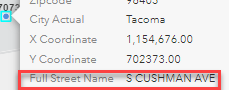
Thanks Claire Inbody. I was just working with the out of the box labels without Arcade (though I can dive into that later). My hope was that the VSW would honor the popup configured directly in the web viewer. You can see/use the related fields no problem without Arcade in the ArcGIS map viewer (Classic) and are fully supported, but they aren't available when configuring the Field Extensions in VSW (see images below). I was hoping that I was missing some configuration setting to allow related data or something else. I'll try the Arcade, though I'm not very proficient at that.

 0
0 -
You wont see it there. But you should see it in the actual pop once you click on a feature.
 The description is my related table0
 -
Ah - I see it now in the application, but of course it doesn't follow the logic set in the web map and returns all the records. So that's where your Arcade function comes in? Did you put that in the web map or a menu item command in VSW?
0 -
I got it solved - I had been changing my web map and not refreshing the web map in VSW. Related fields now showing in popups!
1 -

Steve Schunzel Trying to get caught up on my forum post reading ... glad you got it figured out. Changing the webmap and not refreshing has caught us a few time too ... one of the reasons we added the 'refresh' button to the map control.
If it is of interest, there are a couple of other threads where folks have taken the feature details view (that contains the related records) and made it behave like an on-click map pop-up.
0
Vous devez vous connecter pour laisser un commentaire.
Commentaires
6 commentaires