Querying a sevrice layer to exclude data based on field

Hey there,
I am trying to use this https://webmap.prrd.bc.ca/Geocortex/Essentials/REST/sites/PeaceRiver_Public/map/mapservices/2/layers/8 map service in Geocortex Essentials. I add it fine, and I get access to the three Sub Layers. What I am trying to do is filter out certain localities from drawing in the 911 Civic Address-Label sub layer.
I started by creating a layer query that states 'Locality != Charlie Lake' for instance on the '911 Civic Address-Label' in Essentials Manager, but I gather this Query tab does not apply it to the layer before it draws and only creates a query that can be utilized within the web map (as opposed to applying the query at the time is draws).
Is what I am trying to do possible in Geocortex?
Thanks
-

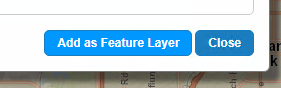
Rather than adding the map service with its 3 sublayers to the site together, add each of those 3 sublayers individually, using the "Add as Feature Layer" button in the "Add Map Service" dialog
Then go to the Map Services tab in Essentials Manager, and edit the "map service"-level item
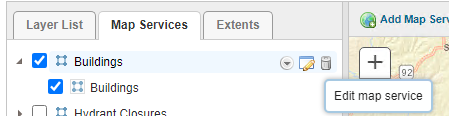
The ones that have been added as "feature layers" have a "Filtering" tab in their settings where you can enter a where clause. It uses the same syntax as ArcGIS Server's layer Query operation, so != will be <> instead.

That's usually the easiest way to get filtering set up. But some alternate options are:
-a startup workflow that sets a layer definition on the layer
-editing the layer in Essentials Manager, and setting a dynamic definition that includes a "definitionExpression" property (which requires writing some JSON for the layer definition)
0 -
Thanks Amanda,
i've found the filtering option and that makes sense. The only issues that I have with adding the data as Feature Layers is that is no longer draws the layers on the map.
If I add them as a group, everything immediately displays (points and labels). However, adding them individually as a feature class causes nothing to display. I tried playing around with the 'Feature Label' setting with no luck.
Am I missing something obvious?
Thanks
0 -
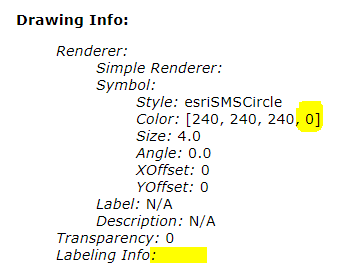
Taking a look at the REST endpoint, I think maybe the "911 Civic Address-Label" (https://webmap.prrd.bc.ca/ags/rest/services/Geocortex/PRRD_Public/MapServer/9) actually doesn't have any symbology or labelling:
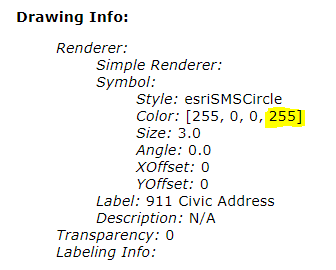
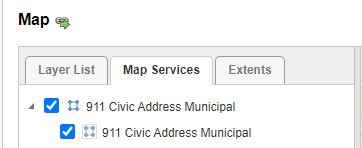
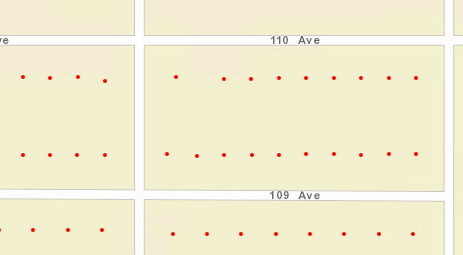
When I tested adding the "911 Civic Address Municipal" layer to a test site as a feature layer though, that one drew red dots for each address:
 0
0
Vous devez vous connecter pour laisser un commentaire.
Commentaires
3 commentaires