Feature Action Workflow ERROR

In VertiGIS Studio Go, when I run a workflow via a Feature Action and then click another feature and run the same workflow - the original workflow always remains active instead of getting replaced with the newer instance of the workflow.
This is causing a critical usability issue as the user is not given any indication as to which feature the workflow is running for. This funtionality is critical for our Halton Region Employment Survey, and it seems to have been caused in one of the recent Studio Go updates.
Is there a setting for this, or is this a bug in Studio Go? The same workflows work fine in GVH
-

Hi Arjun
Not necessarily a bug, but I agree also not necessarily a great experience. What's happening here is that the 1st invocation of the workflow isn't getting closed -- so when you invoke the workflow again for another feature all we can do is pop the workflow form back up (with the results from the 1st invocation). If we were to automatically close the workflow - we could potentially destroy data (if it was a form, collecting data, for example). If you manually close the workflow (with the workflow's close button) after the 1st invocation, then the 2nd works as expected.
I'm fairly confident that this behavior has not changed in any recent VSM update.
That all said, I understand what you are trying to accomplish here and I'm not sure there is a graceful way to do so. I'll take the challenge of trying to find a solution.
0 -
Hi Cam, appreciate you looking into this issue. I'm providing some more info to help describe and possibly resolve the issue. We are currently using VertiGIS Studio Go v5.17.0.372
Our Employment Survey runs May-Sept every year, so the current workflow behavior in Studio Go may have been updated several versions ago. We did not experience this issue during the 2020/2021 Surveys.
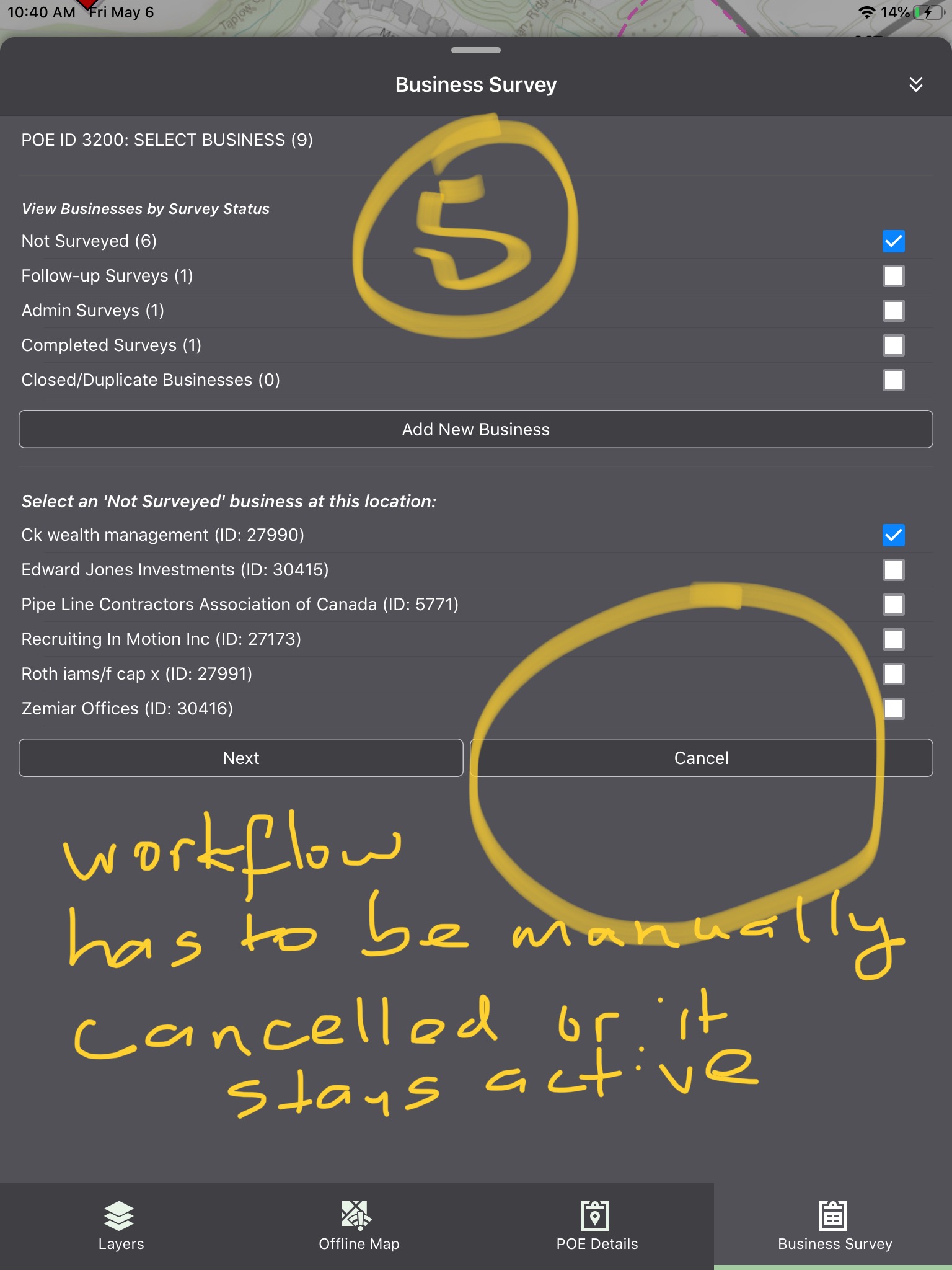
Attached are 5 screenshots to describe the issue:
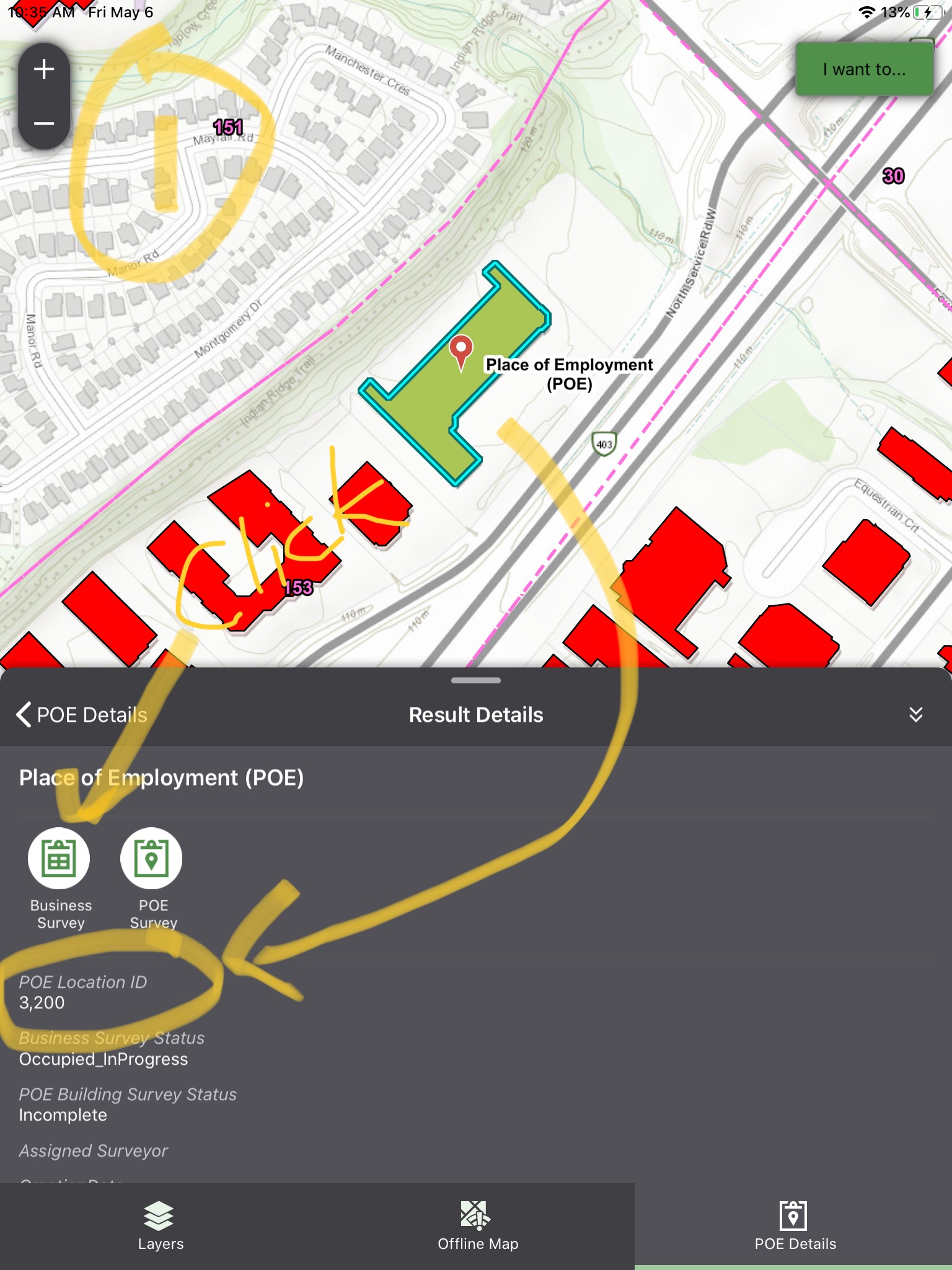
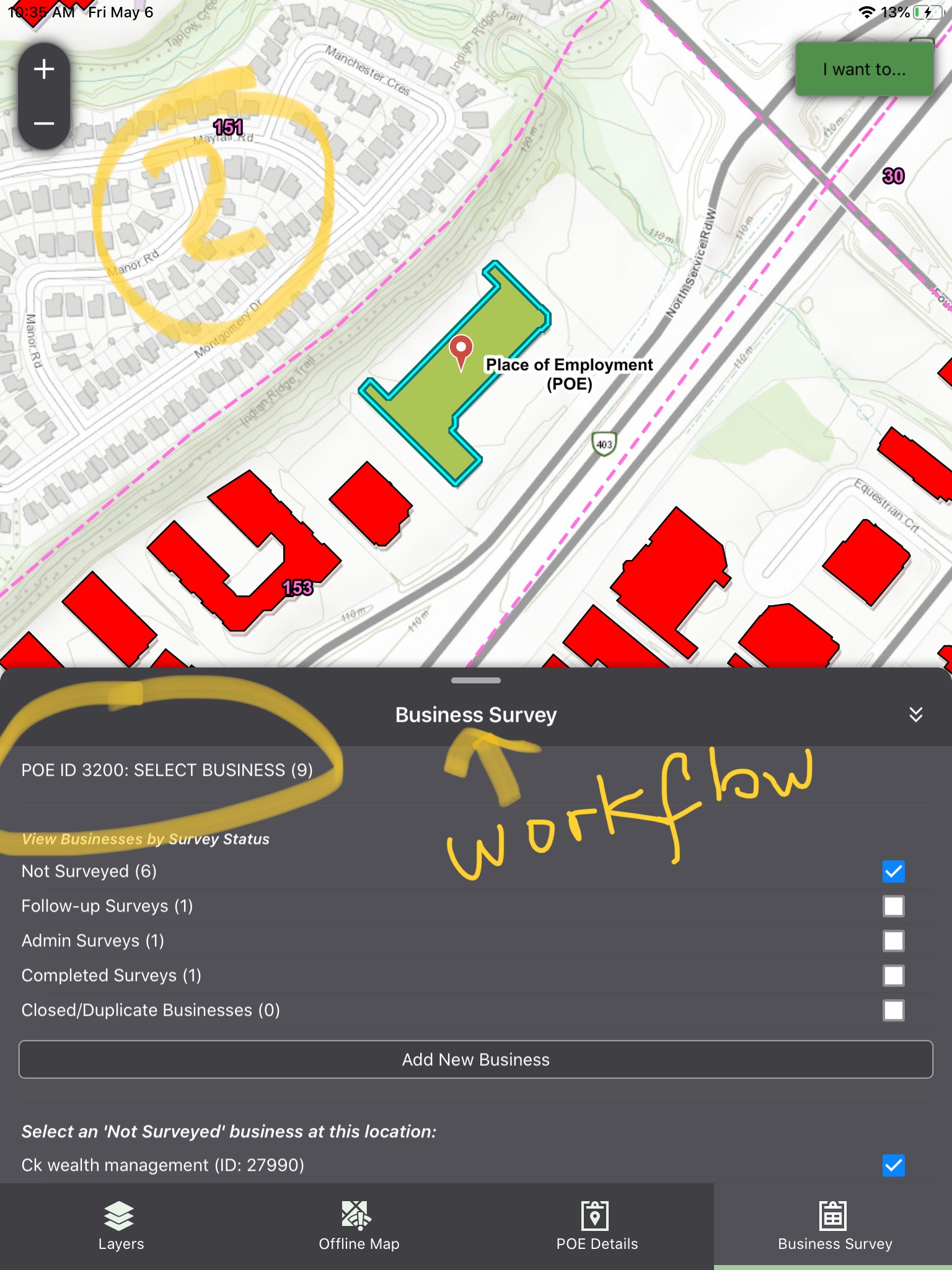
- I click on a building (POE) and run the 'Business Survey' workflow for POE 3200
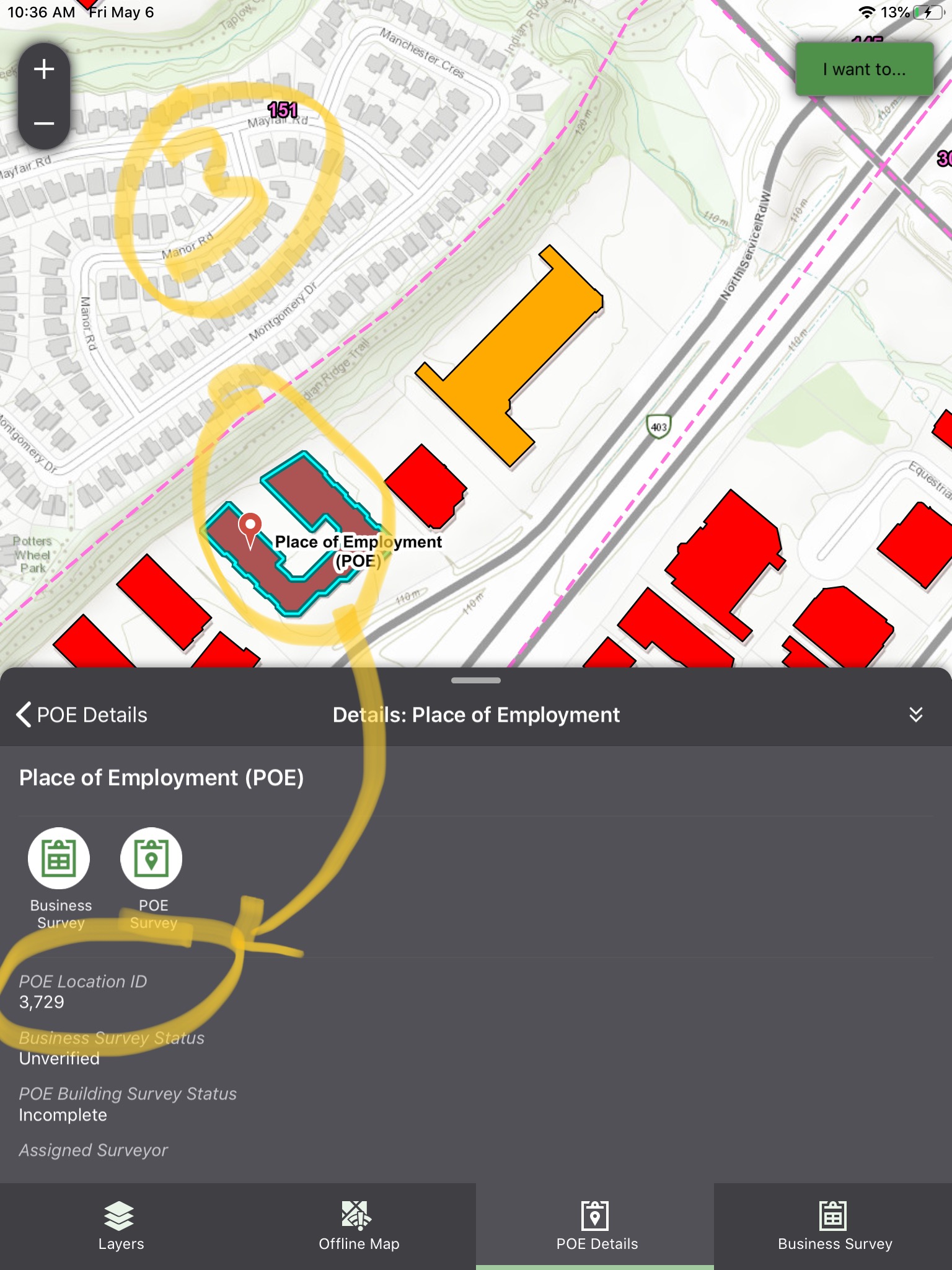
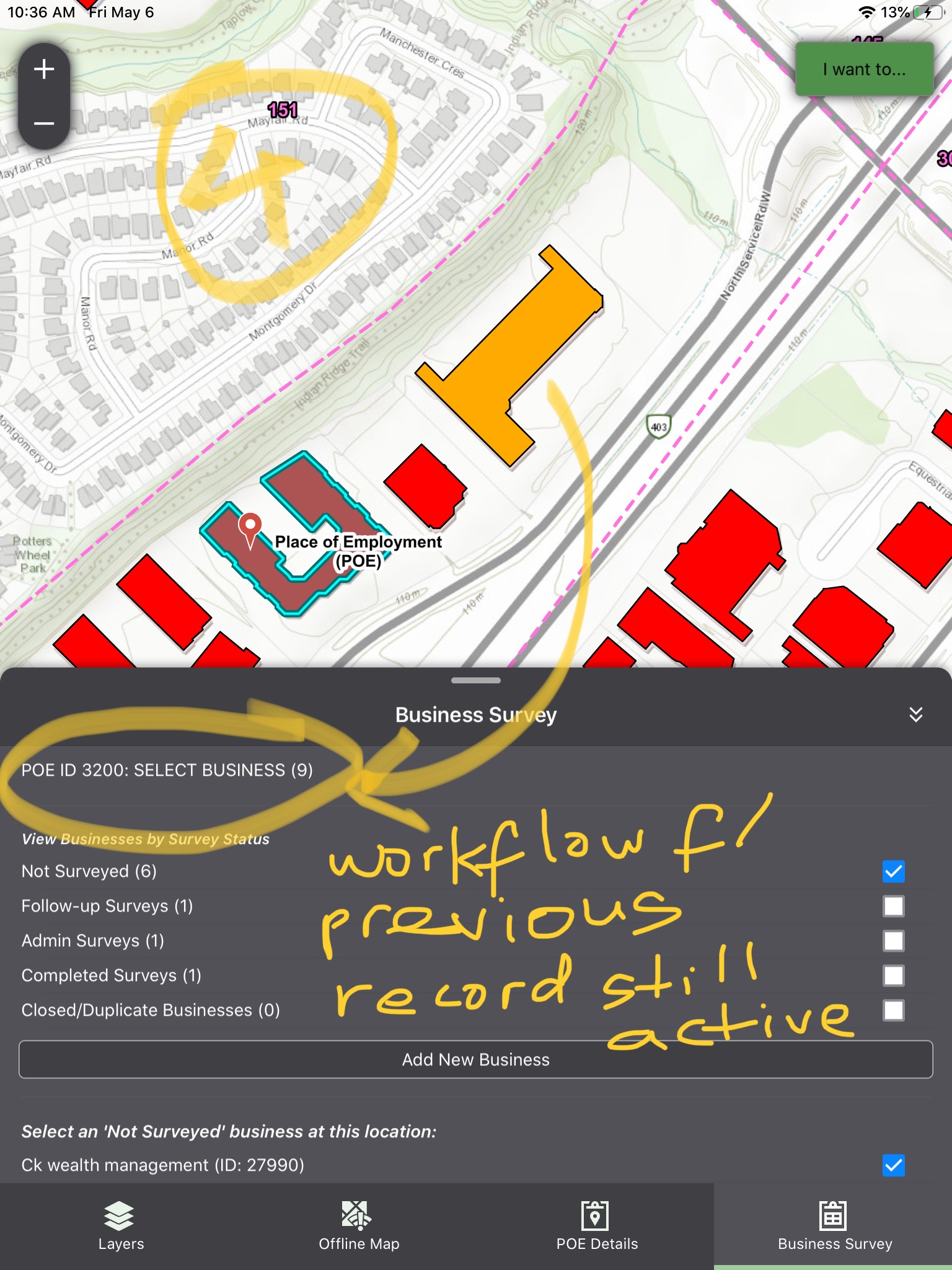
- With the workflow still active, I pan on the map to POE 3729, and now click on the 'Business Survey' workflow again - instead of seeing the workflow running for POE 3729, it is still running for POE 3200.
I understand why this behavior makes sense from a backend as we don't want multiple instances of the workflow running. That said, this behavior is causing a huge usability issue for our field staff (summer students) as it is now hard to keep track of which feature the workflow is running for. For the past two years of implementing Halton Employment Surveys via Geocortex 5-series (now VertiGIS Studio), the Workflow always ran for the latest feature that invoked the workflow (old one was cancelled). However in Studio Go v5.17.0.372, the workflow for the original instance is active until it is manually exited via the 'Cancel' button or other 'Exit' process within the workflow.
 0
0
Vous devez vous connecter pour laisser un commentaire.
Commentaires
2 commentaires