zoom and pan to a feature result from a search
Répondu
Hello,
I need to zoom and pan to a search result when I click onto he "Zoom to button". I can get the result to zoom to the scale I want it, however it does not center around the feature that was searched, it just zooms in and centers the map. Basically I need a zoom to and pan all in one.
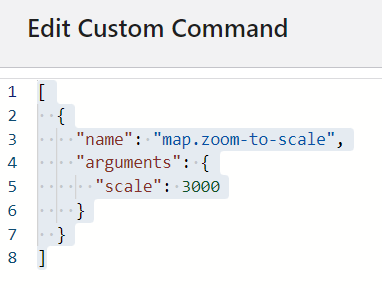
I have this code for the zoom scale and it works fine, what do I need to add to this expression to get it to pan to the object in the search result too? I am assuming it is the "map.zoom-to-features", expression, but I don't know how to add it to the expression with the zoom to scale. I am new to this so the code and language is very tricky for me. I really am stumped on how to type out what I need. lol! Any help would be appreciated.
Thanks
Larisa
-
Commentaire officiel

Hi Larisa,
All you need to do is add the "map.zoom-to-features" command to the command chain:
["map.zoom-to-features",{"name": "map.zoom-to-scale","arguments": {"scale": 3000}}] Here's some more information on command chains: https://developers.geocortex.com/docs/web/configuration-commands-operations/#command-chains
 -
Thank you! I knew I had to do that, but getting the syntax just right was driving me crazy. I was close!!!!
I really appreciate it! Thank you so much.
Larisa
____________
FYI...this is what I was playing with: (so close )
[
{
"name": "map.zoom-to-features",
"name": "map.zoom-to-scale",
"arguments": {
"scale": 3000
}
]
0 -

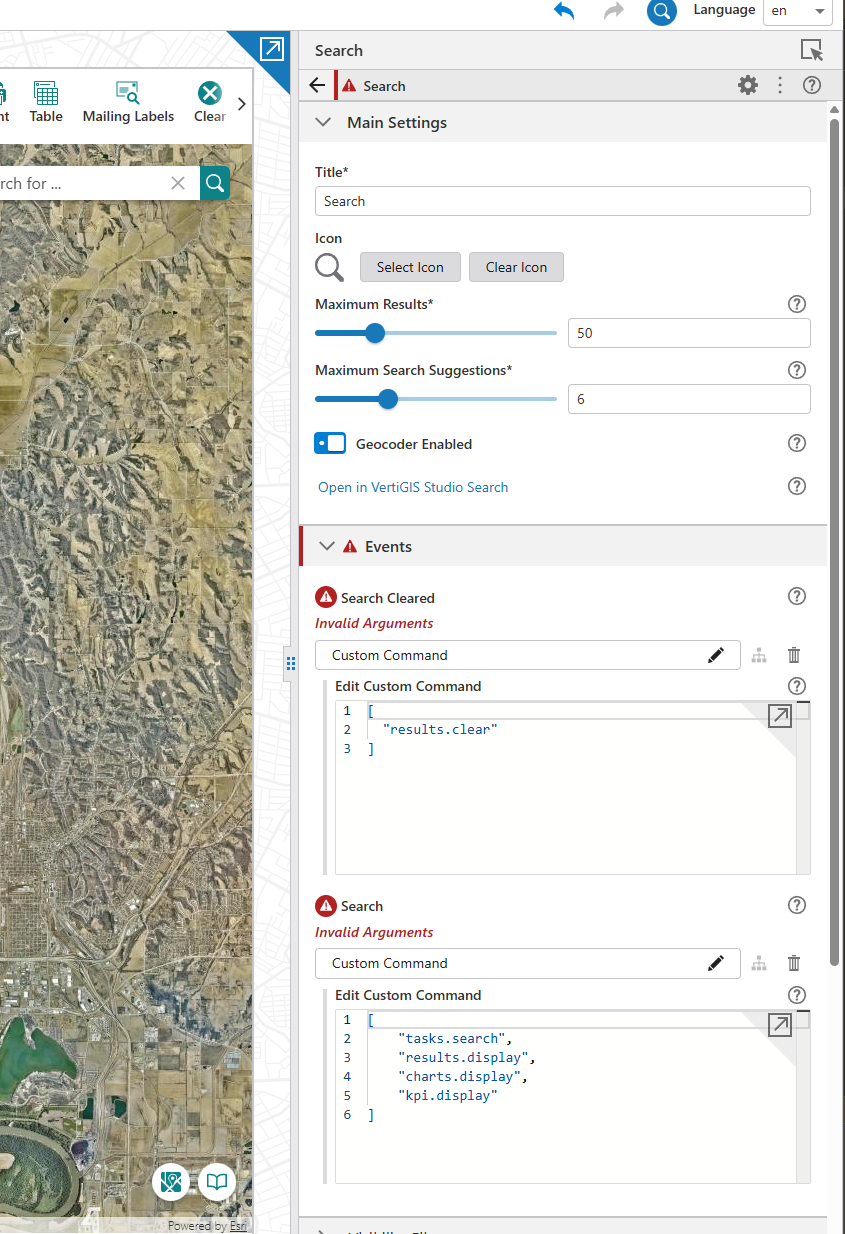
I have Search commands configured for zoom to features from a search results. But after the latest upgrade of VertiGIS web to 5.38 the zoom to features stopped working, and in the search event configuration I discovered these errors ‘Invalid Arguments’. Did any one else run into this issue, and have suggestions on how to fix this.
 0
0 -

This is a known bug (347291) in VertiGIS Studio Web 5.38 and Google Chrome.
As a workaround, you can use Firefox or Microsoft Edge.
The issue will be fixed with VertiGIS Studio Web 5.39.
1 -
Thank you, Nico.
Also, for a benefit of others, if you need an immediate fix, before 5.39 comes out. I opened a support ticket and they offered a workaround that fixed the issue. What you need to do is open your VertiGIS Web designer in a Firefox or Edge browser, and then save your command as a workflow. That did a trick for me.
0
Vous devez vous connecter pour laisser un commentaire.
Commentaires
5 commentaires