Place feature 'action' buttons in a hamburger button?
Terminée
RELEASED: Web 5.21 (we didn't provide a hamburger option, but we did give significantly more configuration options for how to display these and solved the underlying problem of making them take up too much space.)
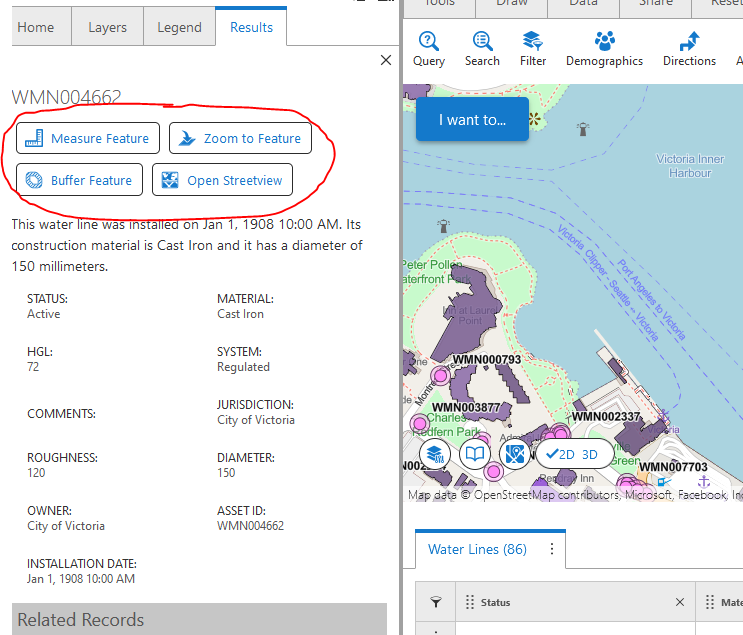
Is there a way to hide all the feature action buttons in a hamburger or 3dot button.
The action buttons take up a lot of screen space.
-

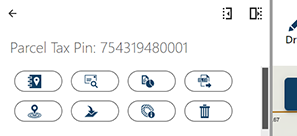
Mark Hoyland you can change the Title property of those items to be an empty space. It leaves only the icon and the hover text. That's the only way I have been able to get that to take up less space.
0 -

Mark Hoyland ... going to move this to Ideas. This is planned. I have a story on the board right now to extend the configurability of the key feature list, feature details, feature summary views. One of the things this story captures is:
- Feature Actions - one or two alternate, more compact way to display feature actions
- e.g. A compact set of 'hyperlinks' that are all visible; a three-dot menu that can be opened to view the feature actions
0 -
Good to hear! My workaround is really growing on me though...
 1
1
Vous devez vous connecter pour laisser un commentaire.
Commentaires
3 commentaires