Viewer won't save after deleting old items
Répondu
I've just been doing my due diligence and deleting old copies of VSWF workflows which are no longer used by the VSW viewer. Now when I make a change to the viewer and try to save it it complains about the missing workflows even though they are no longer used. I've gone through all the components in the viewer and can't find any reference to them but it seems to be hanging on to them somewhere. How do I resolve this issue?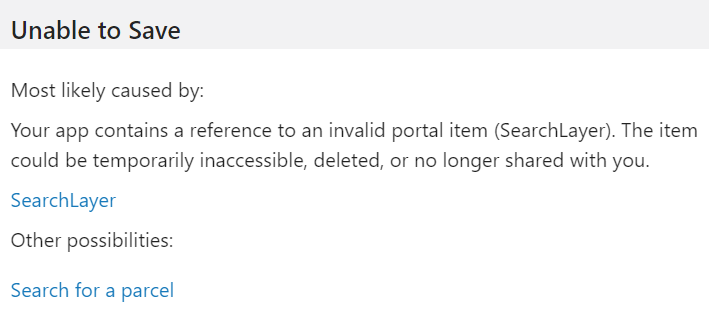
0
-
Commentaire officiel

Hi Mark Norbury! A few thoughts here:
- I bet there is a reference in the app JSON - which may not be directly visible in the VSW designer.
- Pro tip: you can get a raw JSON editor in VSW designer by pressing Cntrl+Shift+E - beware though incorrect config can put your app into a broken state.
- When in the JSON editor, you can use cntrl+F to open a text search, and then search for your "SearchLayer" string to see if there are any matches
- Are you on the latest VSW version? If not, I'd suggest upgrading. The latest version (VSW 5.20 as of today) has improved logic around cleaning out old references to no longer used items.
- If you are on the current and are still stuck on this, I'll suggest submitting a support ticket to vertigisstudio-support@vertigis.com and we can help you out. If you go this route, be sure to include an export of your app (File > Export)
-

I just posted this: https://support.vertigis.com/hc/en-us/community/posts/18082606688530-Clean-out-unused-items-in-VS-Web-json
Any suggestions on how to prevent this from occurring or need to edit the raw json.
0
Vous devez vous connecter pour laisser un commentaire.
Commentaires
2 commentaires