feature action buttons orientation
Planifiée
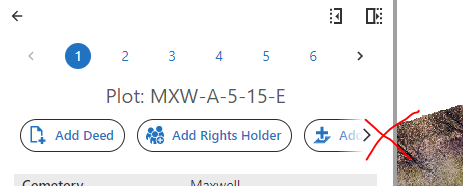
I recently installed Web 5.21 and am displeased with how the feature action buttons are on a single row with no option available to change the orientation. This makes many buttons hidden from view:
I understand this was done to save space. It looks like this was discussed in a previous idea post: https://support.vertigis.com/hc/en-us/community/posts/11497547369746-Place-feature-action-buttons-in-a-hamburger-button-
Cam said "Feature Actions - one or two alternate, more compact way to display feature actions"
For certain apps with many feature action buttons, I prefer the horizontal stacked layout like how they appeared in 5.17, like this:
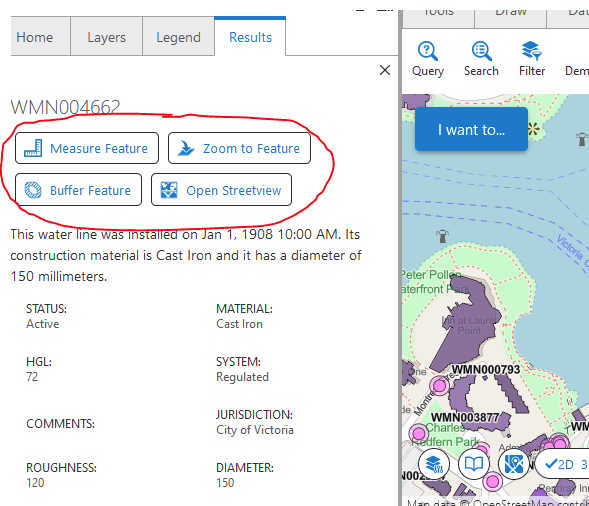
I'm glad there are alternative ways to display the buttons, but there is no option (that I know of) to configure the button orientation! Can we please make this a configurable option to adjust the button layout orientation?
-
-

Agreed, we are having the same problem as it was a useful place to have all action buttons visible in one go!
2 -

Absolutely agree.
2 -
Wanted to add that it would be nice if the horizontal button layout was swipeable on mobile. Right now, the only way to see more buttons is to tap the > arrow. I've found that this sometimes activates the rightmost button instead.
1 -
Just checking back in with this, the button layout is borderline unusable. Many users have no idea there are additional buttons along the row, this is a significant regression from what was in the older version where all buttons were outlined at the top where users could simply click on this. Is there any possibility of adding a toggle so users can see all the buttons?
4 -

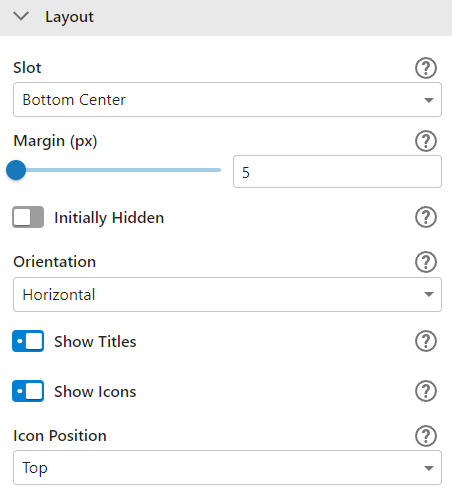
I wholeheartedly agree with this idea! Also, maybe provide the additional options added for the tools in the toolbar that were recently added to allow the administrator to change the orientation as suggested but also the ability to change where the icon appears, that could make the space for the feature actions smaller as well and reduce the need to scroll.
 2
2 -

Any update on this? 🙏
3 -

Bump.
2 -

High priority to me as well…
3 -

I vote for this as well!
1 -

Hi All,
You can track the status of this User Story under the ID 3447012 -

I just looked into this, and while we are waiting for a fix for this in the designer, my workaround is a workflow that runs on startup, injecting css to achieve vertical button orientation across several rows like this:
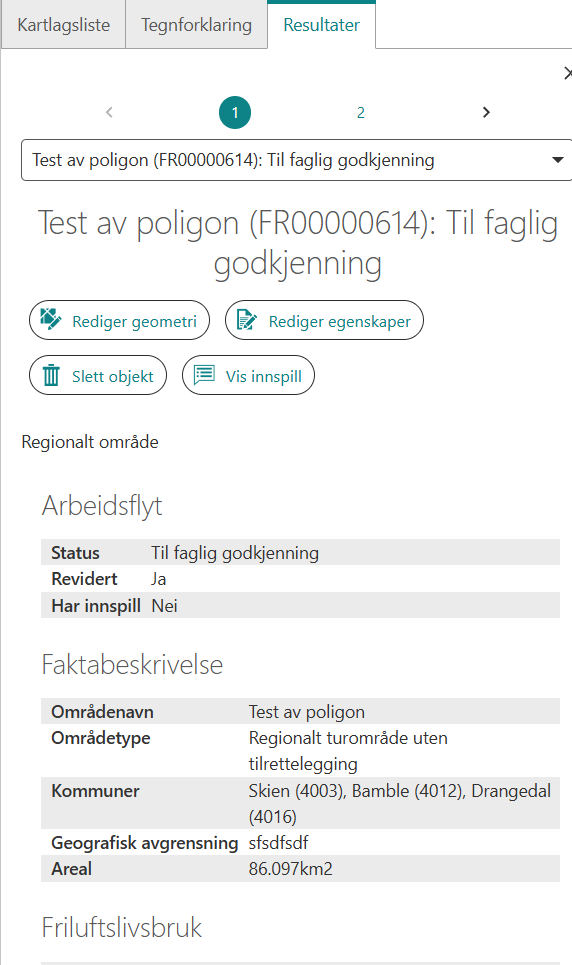
CSS:
:where(.gcx-component-container.panel-content)
:where(.MuiList-root)[role="menubar"] {
display: flex !important;
flex-wrap: wrap !important;
}1 -

Woops - I made a similar Ideas post here: Add Option to Arrange Result Details Result Actions Vertically or Wrap – VertiGIS Support
I agree with the need for this customizability, the default options don't feel very user-friendly.2
Vous devez vous connecter pour laisser un commentaire.
Commentaires
13 commentaires