How to get feature attribute from workflow input in web viewer
Répondu
I'm having the same or similar issue found in these 2 posts
It's suggested to add a new menu item in Web Designer, create a new workflow, and then use the "Get Feature Attributes" template. Like in the first post above, the option to create a new workflow (or report for that matter) from inside Web Designer is NOT available to me. I'm running on premises Workflow 5.30.1 and Web 5.21.
I just need to know how to pass a feature attribute from a feature in Web to a Workflow as an input. I don't have any preference between sending the context to Workflow and getting the attribute was input there:

Or sending the field value as an input in the Web Designer custom command:

If someone could send me a json of the Get Feature Attributes workflow that would be great, and any other help is much appreciated!
-

Here is a .zip of a workflow.json for that sample you can import and examine.
1 -

I noticed that the template features a Convert to JSON followed by a Parse JSON:
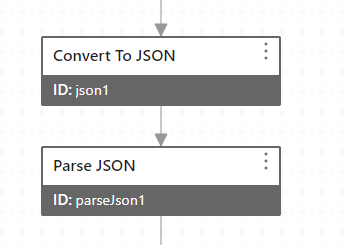
What's the purpose of this? It's Object -> String, then String -> Object
0 -
Cam Barnard Thanks so much Cam, this is working for me!
@... I fiddled with it taking turns removing one then the other activity, and only when there were both did it work like I needed it to. Don't know enough about the inner workings of Workflow 5 to know why, but someone from Vertigis might be able to explain
0 -
The extra stuff (which is why we show the example) has to do with the difference between a 'VSW feature' and a 'generic Esri feature'. Much of what Workflow works with is 'generic Esri features' but within VSW we've extended the object to be able to accomplish the things customers are asking for. The back and forth you are seeing in the Worfklow is the conversion of the VSW feature to a general Esri feature ... and back again at the end.
0 -

When I use this sample or parts of it, I get this error:
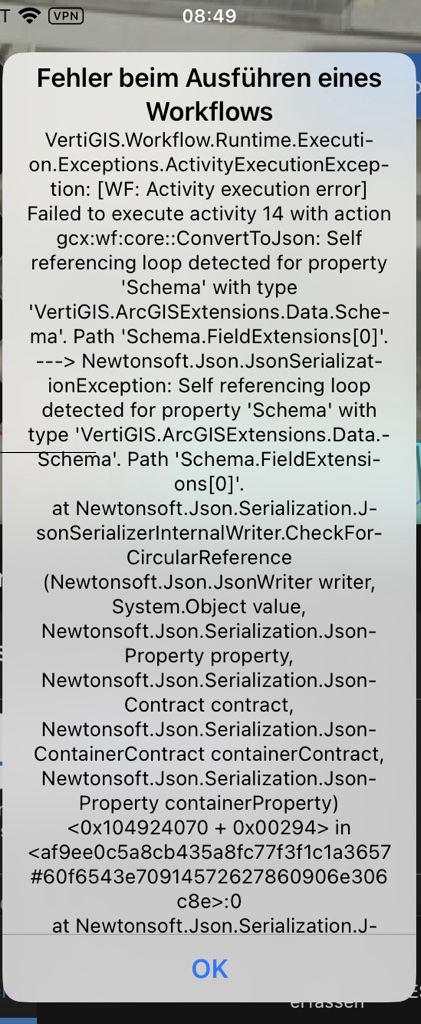
Cam Barnard do you know what's wrong here?
0
Vous devez vous connecter pour laisser un commentaire.
Commentaires
5 commentaires