Ability to remove controls and default text from Results list
Planifiée
It would be nice if we have the ability to selectively remove some or all of the default Text elements and controls that comes with the results list like we can do on some other components.
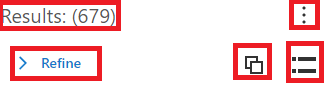
For simple workflows, it has created confusion to the end users.
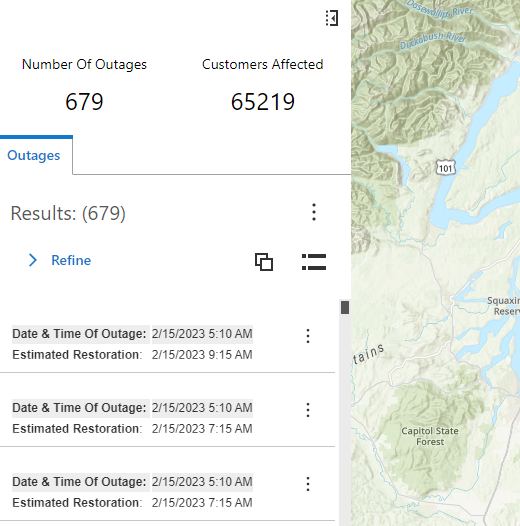
We are trying to create a fairly simple mapping application to show power outages and for our workflow, we do not need the default controls. The Results Text and Counts next to it makes it redundant with the KPI card we have for counts. We also do the need the refine option as well as group results toggle and size of results as the application we are building will be used by the general public and they do not need those controls.
This is the screenshot of our application and it would look much cleaner and look less confusing to our target audience which is the general public outside our organization.
-

Hi Anish, I know we already discussed this, but I'll put the solution here for visibility.
Part of this is possible by configuring these properties in the Results List component in the app.json:
{
    "id": "results-config-1",
    "showViewModeToggle": false,
    "showFilter": false,
    "showSizeToggle": false,
    "$type": "results" // this is what to look for when
                       // searching for a Results List
                       // component in the app.json
}
There is still no way to hide the "Results: (x)" and feature menu components from the Results List.
0
Vous devez vous connecter pour laisser un commentaire.
Commentaires
1 commentaire