Can't get workflow form and map to center on page

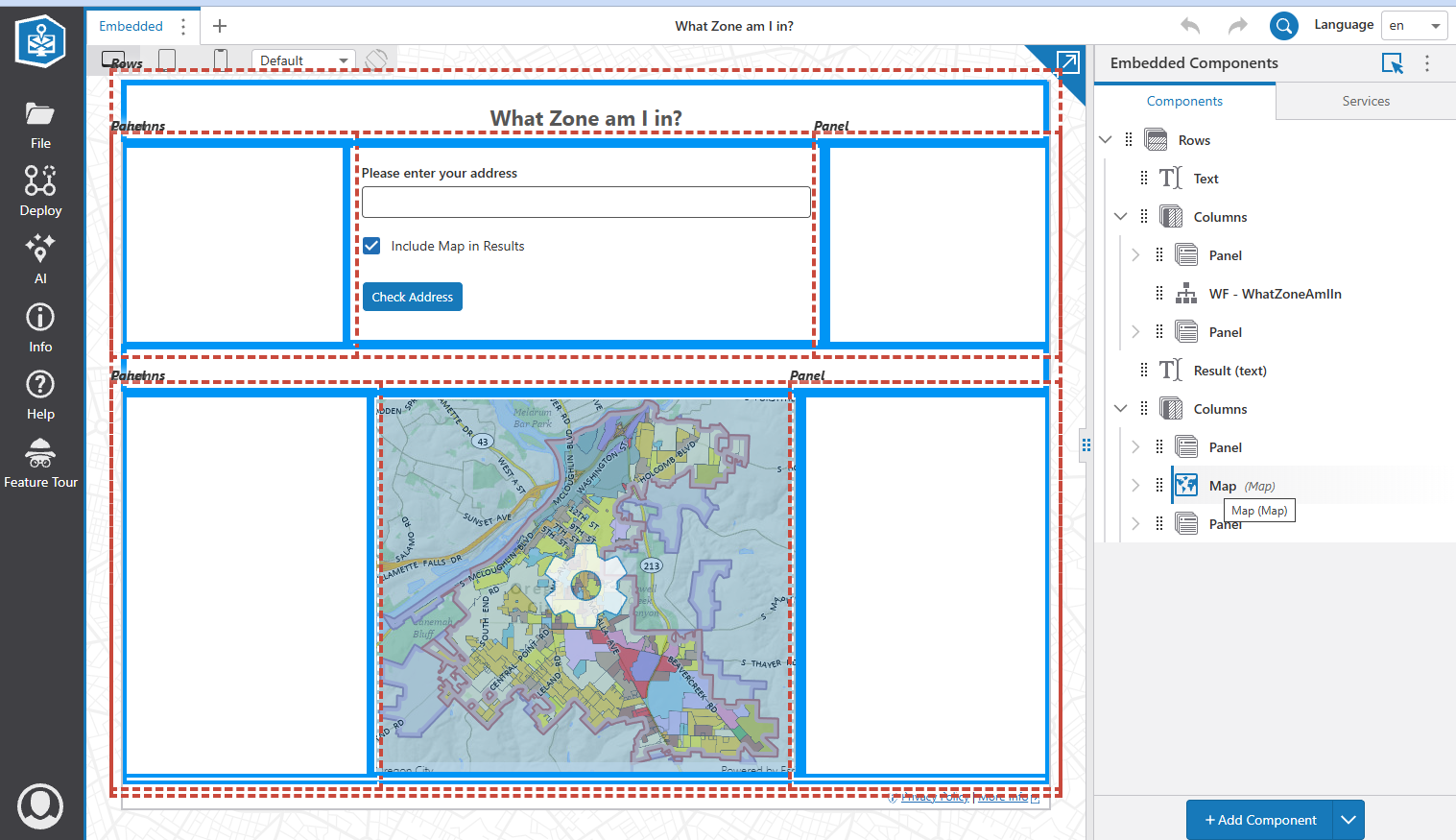
Hello. I'm designing a map app that lets a user type in an address, and it shows what zone it is in, as well as showing a map. The components are arranged in 4 rows:
- Text (What Zone am I in?)
- Workflow (persistent), surrounded by two blank panels. I have the workflow component set to a fixed width of 500px, with the side panels set at 50% each. I did this to center the form
- Text that shows the zone of the address once the form submits
- Map (initially deactivated, becomes activated when form submits) set to a fixed width of 450px, with side panels set each at 50%. Again, to keep the map centered
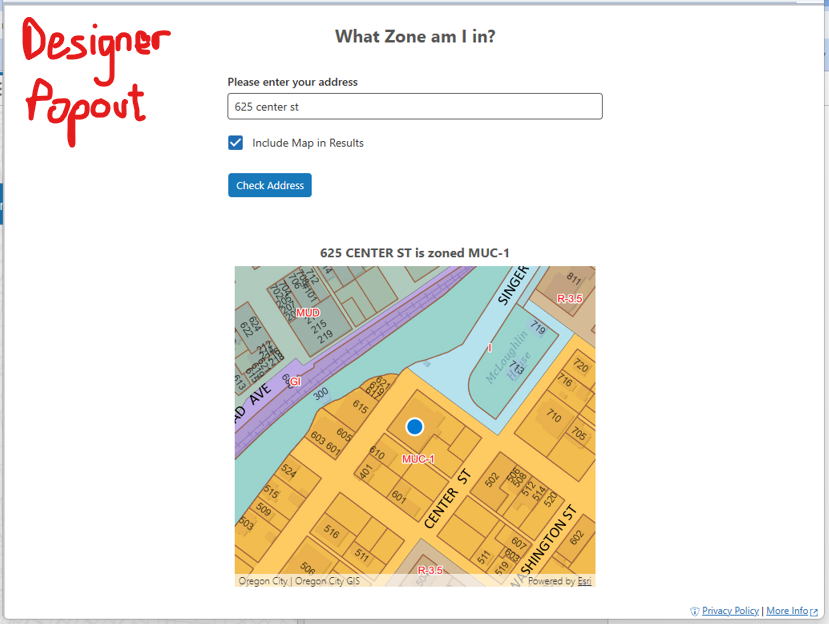
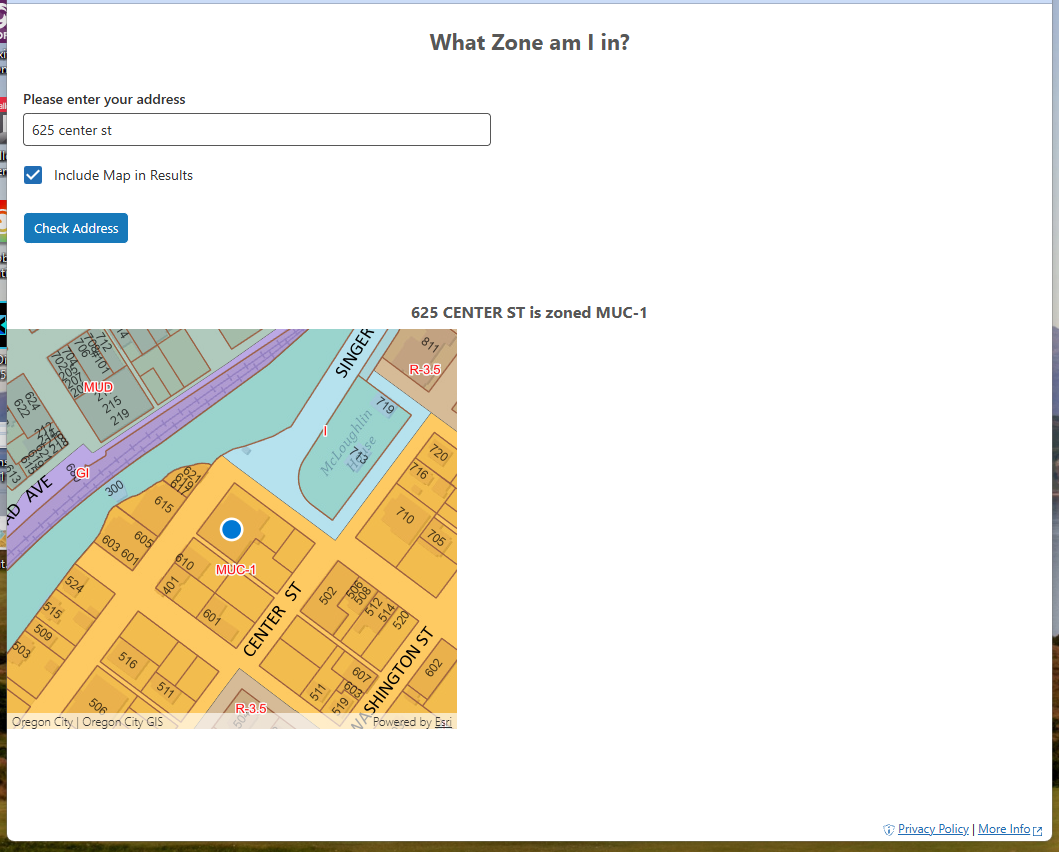
It looks great in the designer (including the popout). However, when I load the final app in a browser (Chrome, Firefox, Edge), the form and the map are not centered.
I'm sure it has something to do with the blank panels. Any ideas how to fix it?
As a side question - I have workflow loaded as an optional persistent workflow. I tried deleting it from the Optional Persistent Workflow section of the Workflow component, but it doesn't remove it. How do you get rid of a persistent workflow?
Thanks,
Chris
-
Answering my own question. I put blank text components in each panel and now things center correctly. I guess panels need to have something in them to initialize.
I'm still wondering how to delete an existing persistent workflow.
Chris
0
Please sign in to leave a comment.
Comments
1 comment