Text Replace Activity for apostrophes - Issues

Hello,
We have some really basic workflows in our public application. It was recently discovered that when searching for a subdivision, condo, or parcel owner name with an apostrophe in it, the app returns an error. Truthfully I am not sure how long this has been an issue…
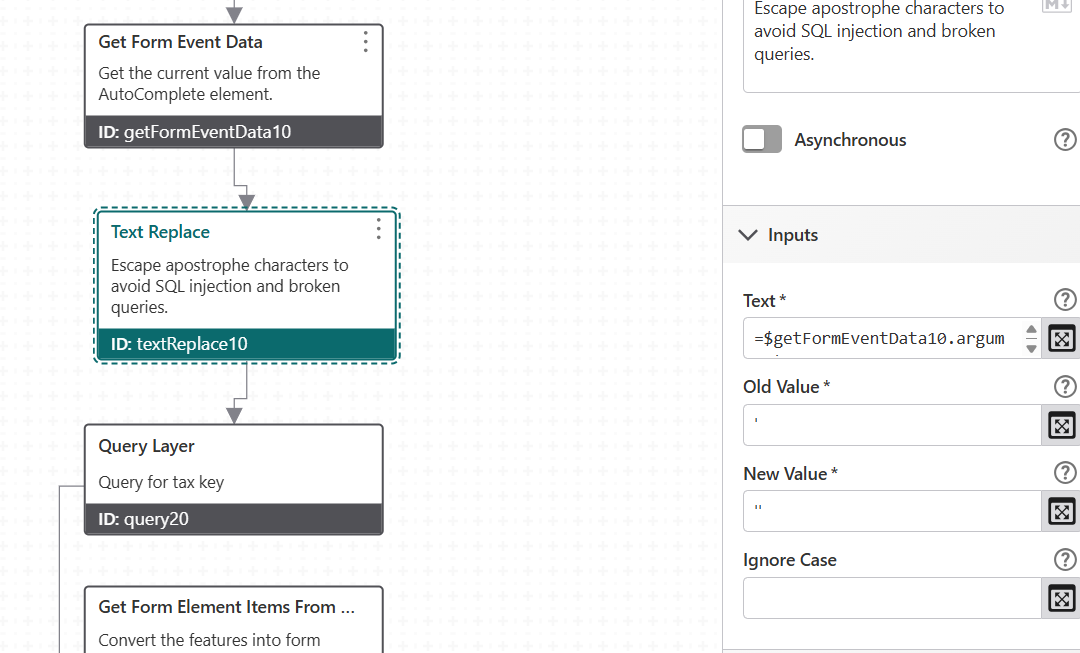
In our autocomplete activity, there is a text replace with the old value ‘ and a new value ’' (two single quotes, not a double quote)
I've tested a few different set ups with the old and new and it still fails every time. I assume we do not have it set up correctly, but documentation is incredibly limited so, hopefully someone here has an idea!
Here is a link to our public application: https://apps.geocortex.com/webviewer/?app=00d9853f922845a5841e0123918a449a
and I can share our JSON file workflow if needed.
Search items to try: for subdivision “Pierce's”
Condo: Biwer's Woods Condo…
Owner: O'Gorman , O'Brian etc.
Thanks!
Mary
-

When I try the search, it seems to be working, and single quotes are replaced correctly?
If you fixed it in the meantime, could you please let us know here?
0 -
Hello,
It's still not working correctly:
The autocomplete returns options, user selects and when the selection has an apostrophe, an error box is returned with a (0) for results.
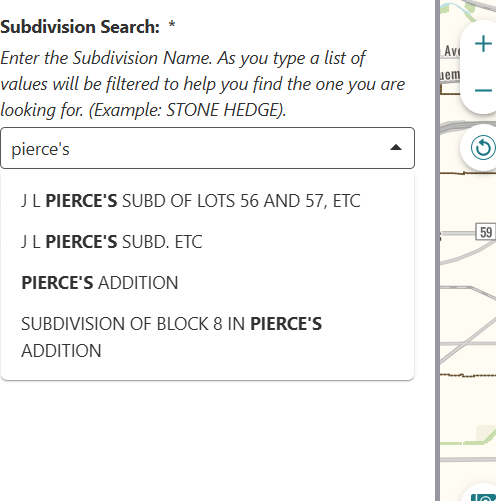
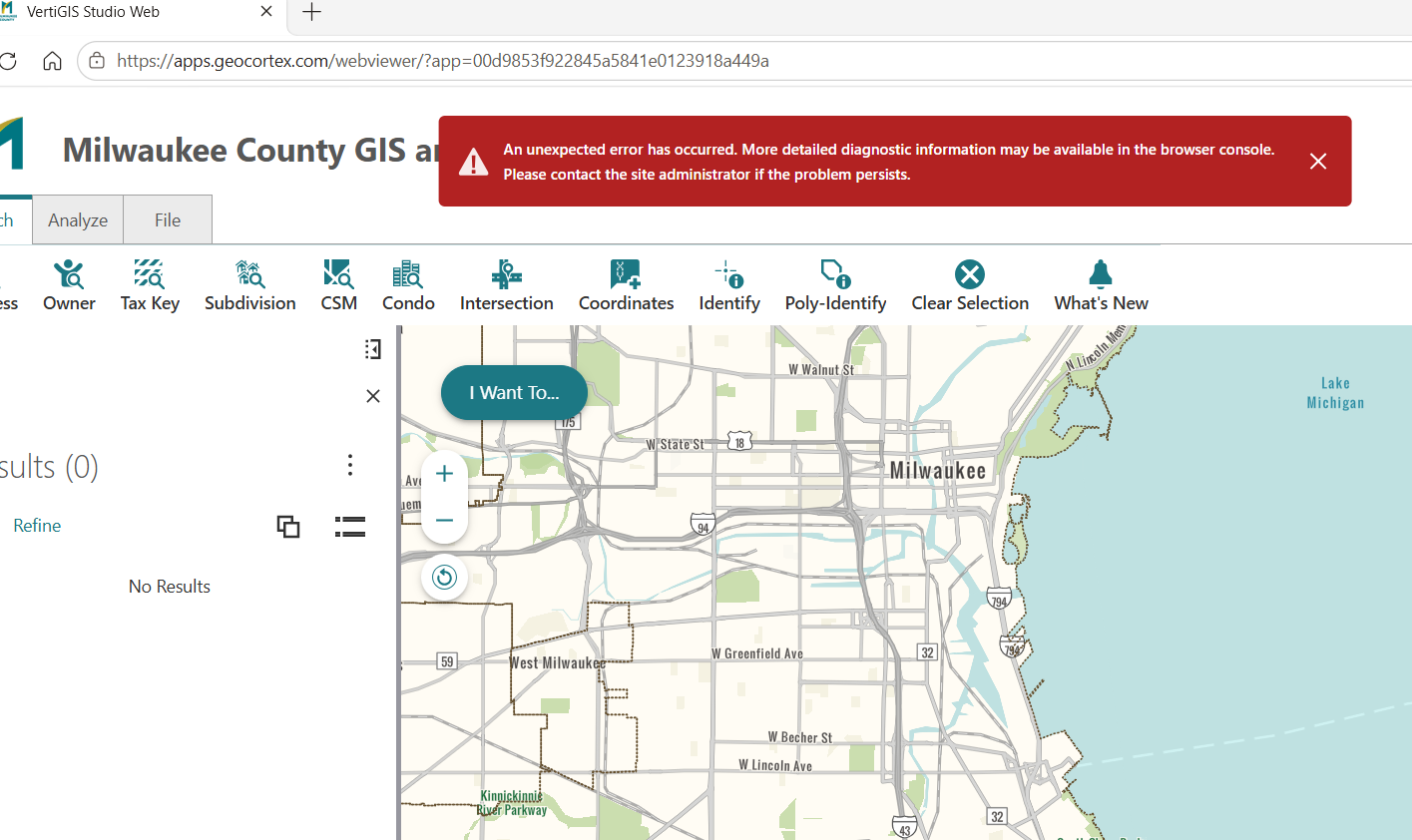 0
-
Oh I get it, there's an error after the user clicks on submit.
Looking at your workflow, I think it's an easy fix. In the ‘query10’ activity, update the Where to look like this:
=`Name='${ $form10.state.autoComplete10.value.replaceAll("'", "''") }'`The Text Replace activity can also be used instead, just look at how it's done in the Suggestion subworkflow that's already there. But in simple replacements like this, I tend to just use the JavaScript version (documentation).
2 -
Thanks! I am going to give this a try. I was expecting that the “Text Replace" part of the workflow would have handled this..
Mary
0 -
The Text Replace activity inside the Suggestions subworkflow only handles the query where the suggestions list is populated, i.e. when a user types a single quote.
After the form submit, there is another query ('query10') where single quotes must also be doubled.
0 -
Thanks, that makes sense!
All of our searches are working now. Thanks again for the help.
Mary
0
Please sign in to leave a comment.
Comments
6 comments