Set Current Form Element Item for Drop Down List on form reload using previously selected item

Our users would like to pre-populate a form with their previously selected form values. I can get that to work fine with text boxes but am having difficulties with Drop Down Lists. I have a Create Value activity to hold the value of the Drop Down List item and I can see that it is being captured properly when using an alert.
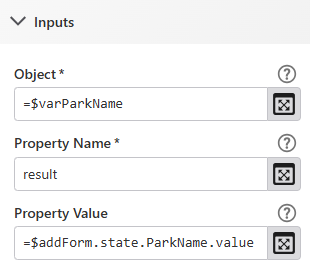
Screenshot below: The Set Property activity that is used to set the result value for $varParkName, based on the value returned from the form's selected ParkName drop down list item.
I can get the form to set the Drop Down List load value if I hard code the value, using the Set Current Form Element Item (and a series of if statements for each list value) but I would rather just use the ‘variable’ value for $varParkName.result
e.g.
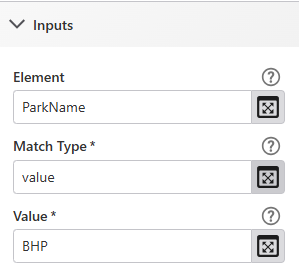
Element = ParkName
Match Type = value
Value = $ParkName.result
Screenshot below: Set Current Form Element Item parameters for load event using hard coded values for each of the drop down list items
Screenshot below: Set Current Form Element Item parameters for load event using the value.result
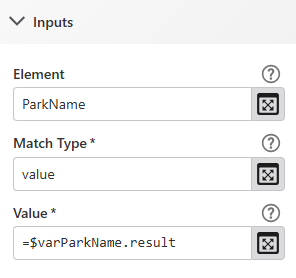
When I use $varParkName.result for the value, in Chrome's developer tools, I get an error of:
Error in ParkName element's load event in a Display Form activity: [WF: activity input error] The activity hasd invalid inputs.
I also get a similarly worded error message in VertiGIS Studio Go when the app initially loads. Any idea of what am I missing here?
-

Hi Aaron, I set up what I imagine you described. Maybe you can check how yours differs from my copy, since mine seems to work as expected when I run it in the workflow designer sandbox.
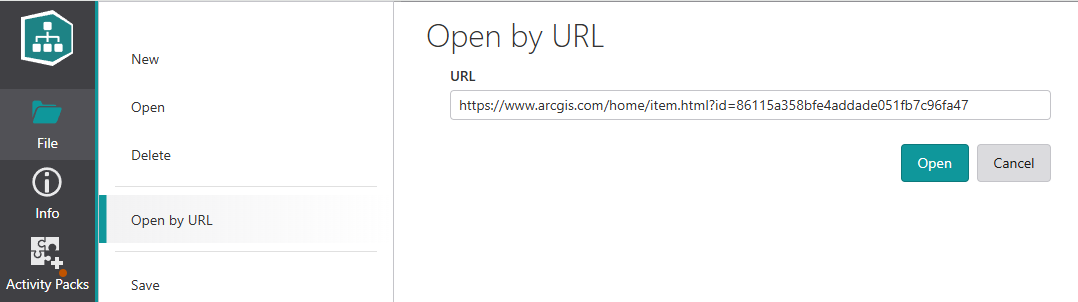
To open a copy of mine, use File > Open by URL, and paste https://www.arcgis.com/home/item.html?id=86115a358bfe4addade051fb7c96fa47 like this:
Some ideas on possible differences to look for:
- maybe you're running the workflow twice rather than reloading the form within one run?
- maybe your dropdown list is populated differently, eg. using hardcoded values instead of Get Form Elements from Features?
- maybe you are using Get Form Element Items From Features, but the configuration is significantly different?
- maybe the location of the Create Value or Set Property activities is different in yours?
- maybe your Load event is configured on a different element?
There was a bug in Mobile for “Set Current Form Element Item” that got fixed recently in 5.43, but since you mentioned checking Chrome's developer tools as well, I'm assuming your testing isn't exclusive to Go.
1 -
Thanks for the reply and the sample. I managed to figure out what the problem was and it is now functioning.
In the load event for the dropdown, I also have an If activity but in my workflow, the condition included two single apostrophe's instead of undefined that was used in your workflow.
My condition that didn't work
=$varParkName != ‘’
Your condition that did work.
=$varParkName != undefined
My syntax worked for the text box but not for the dropdown item. I guess it must have to be something about the dropdown list form type, much like how the Set Form Item Property doesn't work on the dropdown and you have to use the Set Current Form Element Item for the dropdown.
Anyway, I'm glad it is working. Thanks for your assistance!
Aron
1
Please sign in to leave a comment.
Comments
2 comments