VertiGIS Reporting on-premise logs

Hello, are VertiGIS Reporting on-premise logs saved on the server somewhere? The online documentation mentions a URL to log files when previewing a report but how about reports that are run by users in a production application? When they fail are there log files we can access with more information?
-

They are stored in a folder inside the defined Data Directory
<drive:>\ProgramData\Geocortex\Reporting\Jobs_\<job> on the Reporting server.
See
https://docs.vertigisstudio.com/reporting/latest/help/Default.htm#shr/help/set-storage-duration.htm
1 -
Thanks Nico Burgerhart, I've found the log files.
0 -

Hi Nico Burgerhart,
Is it possible to recreate the pdfs generated from the files in the jobs folder?
For example: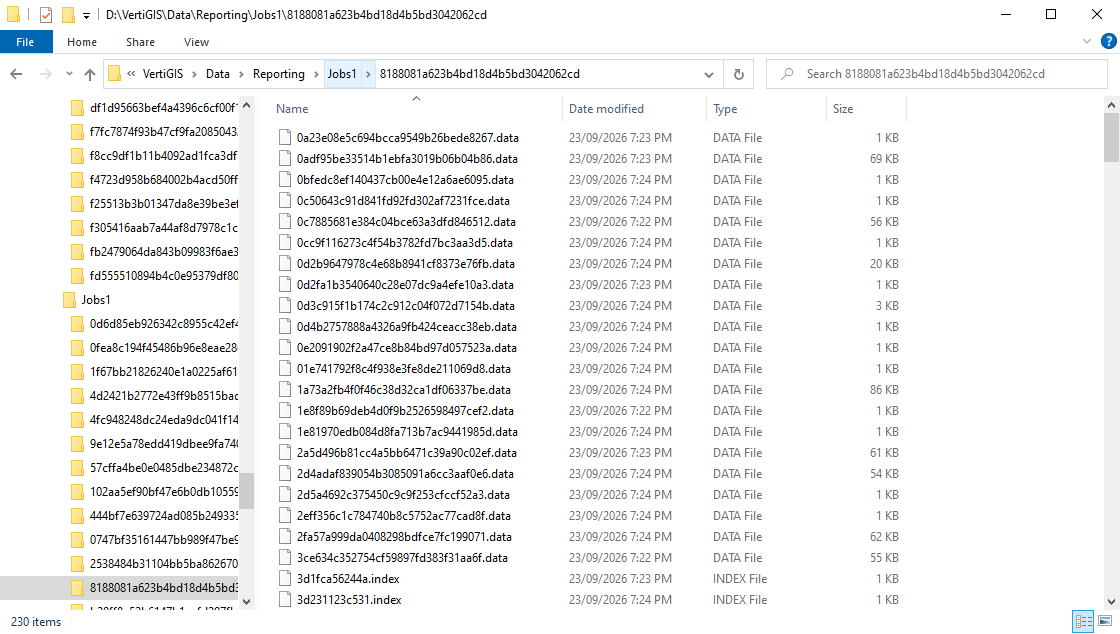
When people forward the reporting link (PDF) to others they are getting weird errors. e.g.
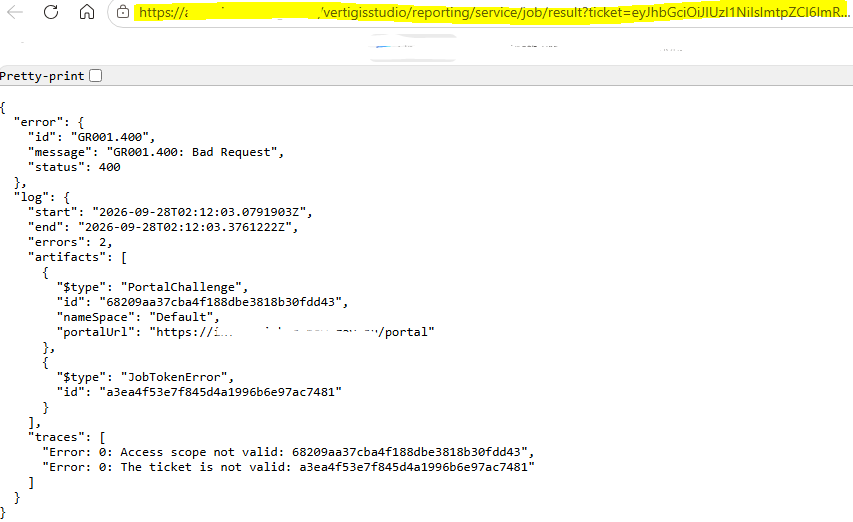
They can initially download the PDF report though.
0 -
Is there a token in the URL? In that case, I guess it is expired and I'm not sure how to change this.
There is also a setting on report storage duration
https://docs.vertigisstudio.com/reporting/latest/help/Default.htm#shr/help/set-storage-duration.htm
0 -
Thank Nico, I'm not sure if there is an expired token in the url as I'm not sure how the report URL is created but I have set the web.config storage duration to 7 days and it kepts the jobs for 7 days. Weirdly, if I create files in workflows the URLs always work e.g.
https://<SEVERNAME>/vertigisstudio/workflow/service/job/result?ticket=eyJhbGciOiJIUzI1NiIsImtpZCI6ImNjMTk4OWZjZTAxMzQ5NWY5ZDQwM2MyMzM5ZmZlNWNlIiwiemlwIjoiREVGIn0.HcjLCsIwEAXQf7m4DNQ8Zppkqxtd-wN5CVVICw5&tag=ae3bc772d9a14335bbe76aeeb56ca4e4
For now this is a work around but it means I use Download File or Create Download (on server) and there are two copies of the same file every time.
I would also prefer to see the actual PDFs created and not just the *.data files if anyone knows how to use these files to create the PDFs it would be appreciated.0
Please sign in to leave a comment.
Comments
5 comments