VGN Locator (EU): easier way to identify the corresponding version of portal items
Completed
A customer has asked for an easier way to identify the Locator version of portal items like the locator-ui.
After installing several versions of Locator the portal can contain multiple copies of these portal items that share the same name. They can be identified through the tags in the portal item details.
However when attempting to open the locator-ui.json in the Workflow Designer for example, it only displays the filename, not the version.
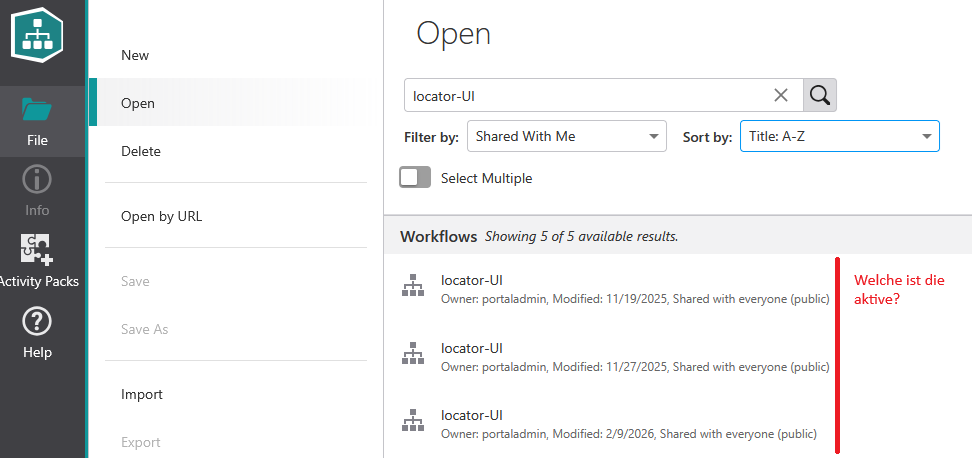
-
Official comment

Starting with Networks Locator 1.12, the build version is appended to the workflow name to make it easier to distinguish between different versions of portal items.
As a result, when opening items such as locator-ui.json in Workflow Designer, the displayed workflow name includes the corresponding build version, allowing users to immediately identify which Locator version the item belongs to without having to inspect the portal item tags or details page.
Please sign in to leave a comment.
Comments
1 comment